AirPort/Bluetooth Board

Battery

Clutch Cover

Display

Fan

Hard Drive

Heat Sink

LCD

Logic Board

Lower Case

RAM

Rear Speaker

Rear Vent

Trackpad

Upper Case
|
crwdns2933315:013crwdne2933315:0 crwdns2934263:013crwdne2934263:0 |
SMC won't reset. Is there another way? |
|
crwdns2933315:03crwdne2933315:0 crwdns2934263:014crwdne2934263:0 |
My MacBook is frozen and it will not shut down. What's wrong? |
|
crwdns2933315:03crwdne2933315:0 crwdns2934263:012crwdne2934263:0 |
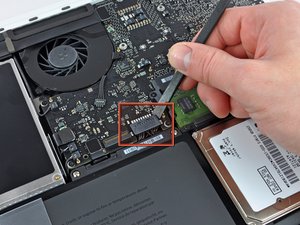
Battery not detected, won't charge; strange connector on logic board? |
|
crwdns2933315:04crwdne2933315:0 crwdns2934263:03crwdne2934263:0 |
What is the maximum ram upgrade for A1342? |
A1342 (EMC 2350 MacBook6,1) 2.26 GHz, A1342 (EMC 2395 MacBook7,1) 2.4 GHz
Track down a number of hardware problems using the MacBook Unibody Model A1342 Troubleshooting Guide.
There are a number of components in the MacBook Unibody Model A1342 that can be cost effectively upgraded.
The MacBook Unibody Model A1342 was released in October 2009. It is rounder on the edges than other laptops in the MacBook line. This model has an LED-backlit display, a glossy palm rest and uses a multi-touch glass trackpad. The bottom of the this MacBook features a rubberized non-slip finish. It lacks Firewire and has a combined audio in/out port.
MacBooks tend to look very similar, and it's important to know which machine you have before ordering any replacement parts. Check your machine against the details in this section. If they don't match, find your model under MacBook and check the Identification section on its page.
Here are the diagrams and schematics for the A1342.
crwdns2936751:024crwdne2936751:0 23
crwdns2936753:07crwdne2936753:0 148
crwdns2936753:030crwdne2936753:0 690
crwdns2959996:0crwdne2959996:0 1,052,947