crwdns2862678:0crwdne2862678:0
crwdns2895503:0crwdne2895503:0
Common Google Home Problems
Diagnose and fix the most common problems plaguing your Google Home with these step-by-step DIY troubleshooting guides.
| 5 Solutions | Google Home Is Not Responding |
 | Your Google Home appears to be on, but will not respond to input. Potential causes include audio interference, a muted microphone, Google Home being slow or buggy, incorrect recording, and an operating system bogged down by existing data. |
| 2 Solutions | Using Google Home Activates Multiple Devices |
 | Using your Google Home is activating multiple devices. Potential causes include incorrect home location and multiple devices set up incorrectly. |
| 2 Solutions | Google Home Gives Incorrect Answers |
 | Your Google Home is giving incorrect answers to questions involving location. Potential causes include incorrect home location and Google Home being slow or buggy. |
| 4 Solutions | Unfamiliar Google Home Lights |
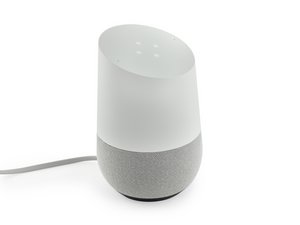 | Your Google Home has an unfamiliar pattern of lights on its top, and you don't understand what they mean. Potential causes include continuously spinning clockwise (multi-colored), spinning clockwise (white), six static lights (orange), and other unidentified light patterns. |
| 2 Solutions | Google Home Bad Audio Quality |
 | The audio coming out of your Google Home is muffled or indistinguishable. Potential causes include a problem with the sound driver. |
| 1 Solution | Google Home Does Not Turn On |
 | Your Google Home does not turn on at all. Potential causes include faulty connections. |
| 3 Solutions | Google Home Is Not Connecting to Wi-Fi |
 | Your Google Home is on, but is not able to connect to your home Wi-Fi network. Potential causes include Google Home being too close to the Wi-Fi source, an issue with the Wi-Fi source, and Google Home being slow or buggy. |
| 1 Solution | Google Home Mute Button Does Not Work |
 | Pressing the mute button on your Google Home does not mute the device. Potential causes include a faulty mute button. |
Didn't find your problem?
Check out the Answers forum for more troubleshooting help for your specific issue. Maybe someone has already solved the same issue you are experiencing.

crwdns2935287:0crwdne2935287:0

Cal Poly, Team S24-G11, Maness Spring 2018 crwdns2935289:0Cal Poly, Team S24-G11, Maness Spring 2018crwdne2935289:0
CPSU-MANESS-S18S24G11
crwdns2931471:04crwdne2931471:0
crwdns2935297:060crwdne2935297:0

crwdns2944067:044crwdne2944067:0
My Google home does not play music from various sites like gaana and Saavn.
akonsuchdev - crwdns2934203:0crwdne2934203:0 crwdns2950251:0crwdne2950251:0
It only plays certain music services which can be listed in the Google home app
KingD Gaming - crwdns2934203:0crwdne2934203:0 crwdns2950251:0crwdne2950251:0
Can’t “clear all.” Instead My Activity shows up where I cannot delete all at one time. Its forcing me to delete one link at a time!!!!!!!!! Instead of clear all.
Nick Markota - crwdns2934203:0crwdne2934203:0 crwdns2950251:0crwdne2950251:0
When will answer appear?
Nick Markota - crwdns2934203:0crwdne2934203:0 crwdns2950251:0crwdne2950251:0
Not receiving my emails.
Shawn McDonald - crwdns2934203:0crwdne2934203:0 crwdns2950251:0crwdne2950251:0