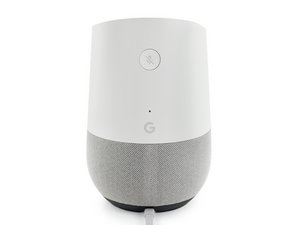
crwdns2862678:0crwdne2862678:0
crwdns2895503:0crwdne2895503:0
General malfunction
Try restarting your device. Open the Google Home app and select the device you are trying to reboot. Go to Settings (three vertical dots in the upper right corner of the device card) and tap More and then Reboot.
or
Unplug the device for roughly a minute, and then it plug back into the power source. Allow the device to reboot itself.
Faulty Mute Button
The mute button of your Google Home may be broken or malfunctioning. If this is the case, you will need to replace the mute button switch.

crwdns2935287:0crwdne2935287:0

Cal Poly, Team S24-G11, Maness Spring 2018 crwdns2935289:0Cal Poly, Team S24-G11, Maness Spring 2018crwdne2935289:0
CPSU-MANESS-S18S24G11
crwdns2931471:04crwdne2931471:0
crwdns2935297:060crwdne2935297:0

crwdns2944067:00crwdne2944067:0