Resealing Procedure

crwdns2959932:0crwdnd2959932:0Dominik Schnabelrauchcrwdnd2959932:0crwdnd2959932:0crwdne2959932:0
crwdns2959936:0Nhl 18, 2023crwdne2959936:0
crwdns2869540:0crwdne2869540:0: 26 B
crwdns2959988:0crwdne2959988:0
- crwdns2959990:0crwdne2959990:0
- 10
- crwdns2959992:0crwdne2959992:0
- 105
- crwdns2959994:0crwdne2959994:0
- 486
- crwdns2959996:0crwdne2959996:0
- 25.985
crwdns2955950:0crwdne2955950:0: 7
crwdns2960004:05crwdne2960004:0, crwdns2960008:02crwdne2960008:0
crwdns2960000:0crwdne2960000:0crwdns2959984:0crwdne2959984:0: 16 17
crwdns2959974:016crwdne2959974:0
crwdns2959970:017crwdne2959970:0
crwdns2959986:0crwdne2959986:0: 2 3
crwdns2959982:02crwdne2959982:0
crwdns2959978:03crwdne2959978:0
crwdns2862623:0crwdne2862623:0
crwdns2948751:0crwdne2948751:0
crwdns2915892:0crwdne2915892:0
crwdns2959928:0crwdne2959928:0 ↓Use this guide to close and reseal your Apple Watch Series 4 after disassembly.
crwdns2959930:0crwdne2959930:0
crwdns2943215:0crwdne2943215:0


-
-
-
Remove the blue protective film from the adhesive.
 crwdns2952109:0crwdne2952109:0
-
-
-
-
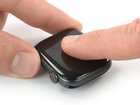
Align the screen and press it down firmly onto the adhesive.
-
For best results, apply heat from your iOpener, heat gun, or hair dryer to help set the adhesive.
-
After the screen sits in place apply some pressure for a few hours by wrapping the watch with a couple rubber bands, or placing it under a heavy book or two.
-
-


Take your e-waste to an R2 or e-Stewards certified recycler.
Repair didn’t go as planned? Check out our Answers community for troubleshooting help.
crwdns2935221:0crwdne2935221:0
crwdns2935229:016crwdne2935229:0


crwdns2947412:02crwdne2947412:0
Ist der Kasten dann auch, zumindest theoretisch, wasserdicht?
Angelika Reichert - crwdns2934203:0crwdne2934203:0 crwdns2950251:0crwdne2950251:0
Ja. An den kritischen Stellen - Öffnungen für Mikro, Lautsprecher, Digital Crown, Druckknopf - wurde ja nichts gemacht.
Christian Guhl - crwdns2934203:0crwdne2934203:0 crwdns2950251:0crwdne2950251:0
