crwdns2933423:0crwdne2933423:0
crwdns2947577:0crwdnd2947577:0crwdne2947577:0

Razer Blade 15" (2018) RAM Replacement

crwdns2942213:0crwdne2942213:0

    1. Razer Blade 15" (2018) RAM Replacement, Prepare your laptop for disassembly: crwdns2935265:01crwdnd2935265:01crwdnd2935265:02crwdne2935265:0 Razer Blade 15" (2018) RAM Replacement, Prepare your laptop for disassembly: crwdns2935265:01crwdnd2935265:02crwdnd2935265:02crwdne2935265:0
      • Allow your laptop's battery to drain below 25% before starting this repair—a charged battery may catch fire if damaged.

      • Unplug all cables, fully shut down your laptop, and close the lid.

      crwdns2952109:0crwdne2952109:0

      crwdns2917038:0crwdne2917038:0

    1. Razer Blade 15" (2018) RAM Replacement, Unfasten the back cover: crwdns2935265:02crwdnd2935265:01crwdnd2935265:01crwdne2935265:0
      • Rotate your laptop so the screen hinge is farthest from you.

      • Use a Torx T5 driver to remove the ten 3.8 mm-long screws securing the back cover.

      crwdns2952109:0crwdne2952109:0

      crwdns2917038:0crwdne2917038:0

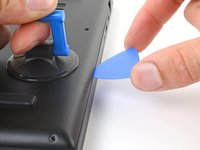
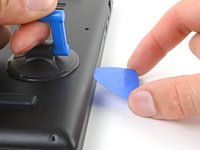
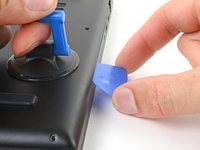
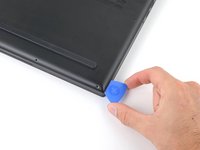
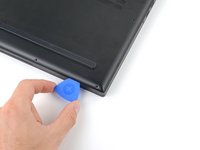
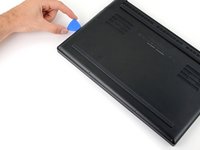
    2. Razer Blade 15" (2018) RAM Replacement, Insert an opening pick: crwdns2935265:03crwdnd2935265:01crwdnd2935265:03crwdne2935265:0 Razer Blade 15" (2018) RAM Replacement, Insert an opening pick: crwdns2935265:03crwdnd2935265:02crwdnd2935265:03crwdne2935265:0 Razer Blade 15" (2018) RAM Replacement, Insert an opening pick: crwdns2935265:03crwdnd2935265:03crwdnd2935265:03crwdne2935265:0
      • Depending on the age and condition of your laptop, the back cover may come off sooner than this guide instructs. If the cover feels loose, remove it at any time.

      • Apply a suction handle to the right edge of the back cover, between the middle screws and the screws closest to you.

      • Pull up on the suction handle to create a small gap between the back cover and the frame.

      • Insert an opening pick into the gap.

      crwdns2952109:0crwdne2952109:0

      crwdns2917038:0crwdne2917038:0

    3. Razer Blade 15" (2018) RAM Replacement, Angle the opening pick: crwdns2935265:04crwdnd2935265:01crwdnd2935265:03crwdne2935265:0 Razer Blade 15" (2018) RAM Replacement, Angle the opening pick: crwdns2935265:04crwdnd2935265:02crwdnd2935265:03crwdne2935265:0 Razer Blade 15" (2018) RAM Replacement, Angle the opening pick: crwdns2935265:04crwdnd2935265:03crwdnd2935265:03crwdne2935265:0
      • Angle your opening pick upward, away from the frame. Keep it angled upward as long as it's between the back cover and the frame.

      • Insert your pick up to 10 mm (0.4 in) deep.

      crwdns2952109:0crwdne2952109:0

      crwdns2917038:0crwdne2917038:0

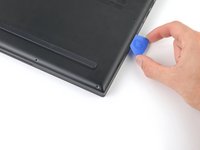
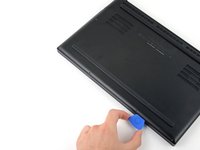
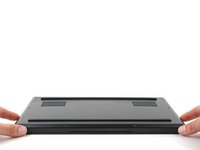
    4. Razer Blade 15" (2018) RAM Replacement, Free the bottom right corner: crwdns2935265:05crwdnd2935265:01crwdnd2935265:03crwdne2935265:0 Razer Blade 15" (2018) RAM Replacement, Free the bottom right corner: crwdns2935265:05crwdnd2935265:02crwdnd2935265:03crwdne2935265:0 Razer Blade 15" (2018) RAM Replacement, Free the bottom right corner: crwdns2935265:05crwdnd2935265:03crwdnd2935265:03crwdne2935265:0
      • Slide your opening pick around the bottom right corner of the back cover to free it from the frame.

      crwdns2952109:0crwdne2952109:0

      crwdns2917038:0crwdne2917038:0

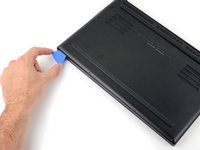
    5. Razer Blade 15" (2018) RAM Replacement, Free the front edge: crwdns2935265:06crwdnd2935265:01crwdnd2935265:03crwdne2935265:0 Razer Blade 15" (2018) RAM Replacement, Free the front edge: crwdns2935265:06crwdnd2935265:02crwdnd2935265:03crwdne2935265:0 Razer Blade 15" (2018) RAM Replacement, Free the front edge: crwdns2935265:06crwdnd2935265:03crwdnd2935265:03crwdne2935265:0
      • Slide your opening pick along the front edge and around the front left corner of the back cover to free it from the frame.

      crwdns2952109:0crwdne2952109:0

      crwdns2917038:0crwdne2917038:0

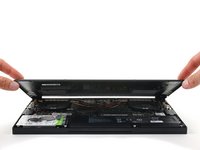
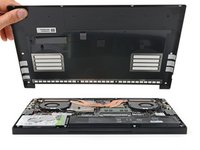
    6. Razer Blade 15" (2018) RAM Replacement, Remove the back cover: crwdns2935265:07crwdnd2935265:01crwdnd2935265:03crwdne2935265:0 Razer Blade 15" (2018) RAM Replacement, Remove the back cover: crwdns2935265:07crwdnd2935265:02crwdnd2935265:03crwdne2935265:0 Razer Blade 15" (2018) RAM Replacement, Remove the back cover: crwdns2935265:07crwdnd2935265:03crwdnd2935265:03crwdne2935265:0
      • Remove the back cover.

      • Lay the back cover down on its rubber feet to avoid damaging the gray thermal pads on its underside.

      crwdns2952109:0crwdne2952109:0

      crwdns2917038:0crwdne2917038:0

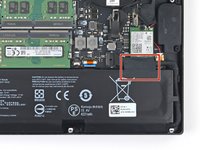
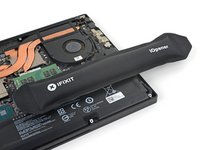
    1. Razer Blade 15" (2018) RAM Replacement, Soften the battery cable tape adhesive: crwdns2935265:08crwdnd2935265:01crwdnd2935265:02crwdne2935265:0 Razer Blade 15" (2018) RAM Replacement, Soften the battery cable tape adhesive: crwdns2935265:08crwdnd2935265:02crwdnd2935265:02crwdne2935265:0
      • Apply a heated iOpener to the battery cable tape for one minute.

      • You can also use a hair dryer—but be careful, as overheating the battery may damage it or create a fire hazard.

      crwdns2952109:0crwdne2952109:0

      crwdns2917038:0crwdne2917038:0

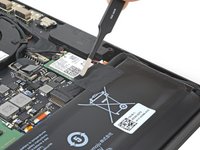
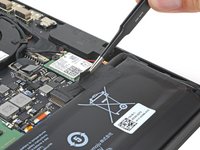
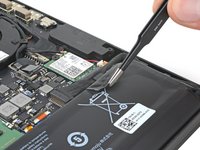
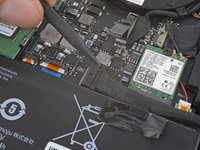
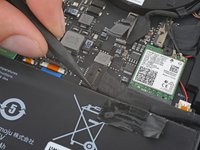
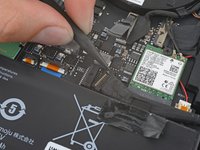
    2. Razer Blade 15" (2018) RAM Replacement, Peel up the battery cable tape: crwdns2935265:09crwdnd2935265:01crwdnd2935265:03crwdne2935265:0 Razer Blade 15" (2018) RAM Replacement, Peel up the battery cable tape: crwdns2935265:09crwdnd2935265:02crwdnd2935265:03crwdne2935265:0 Razer Blade 15" (2018) RAM Replacement, Peel up the battery cable tape: crwdns2935265:09crwdnd2935265:03crwdnd2935265:03crwdne2935265:0
      crwdns2935267:0crwdne2935267:0
      Tweezers
      $4.99
      • Be careful not to damage the battery with your tool.

      • Use blunt nose tweezers or your fingers to peel the battery cable tape away from the cable.

      crwdns2952109:0crwdne2952109:0

      crwdns2917038:0crwdne2917038:0

    3. Razer Blade 15" (2018) RAM Replacement, Disconnect the battery: crwdns2935265:010crwdnd2935265:01crwdnd2935265:03crwdne2935265:0 Razer Blade 15" (2018) RAM Replacement, Disconnect the battery: crwdns2935265:010crwdnd2935265:02crwdnd2935265:03crwdne2935265:0 Razer Blade 15" (2018) RAM Replacement, Disconnect the battery: crwdns2935265:010crwdnd2935265:03crwdnd2935265:03crwdne2935265:0
      • Use the point of a spudger to press on alternating sides of the battery connector and walk it out of its socket.

      crwdns2952109:0crwdne2952109:0

      crwdns2917038:0crwdne2917038:0

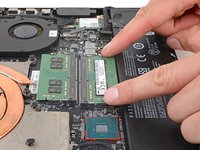
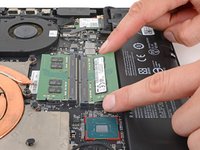
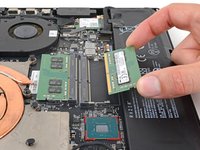
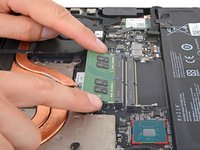
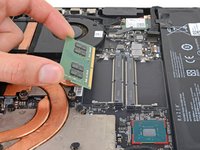
    1. Razer Blade 15" (2018) RAM Replacement, Remove the lower RAM stick: crwdns2935265:011crwdnd2935265:01crwdnd2935265:03crwdne2935265:0 Razer Blade 15" (2018) RAM Replacement, Remove the lower RAM stick: crwdns2935265:011crwdnd2935265:02crwdnd2935265:03crwdne2935265:0 Razer Blade 15" (2018) RAM Replacement, Remove the lower RAM stick: crwdns2935265:011crwdnd2935265:03crwdnd2935265:03crwdne2935265:0
      • Two metal arms secure the left and right edges of each RAM stick.

      • Push the lower RAM stick's metal arms outward to disengage them.

      • Remove the RAM stick.

      • During reassembly, insert the RAM stick at a 30-degree angle, then push straight down to engage the metal arms.

      crwdns2952109:0crwdne2952109:0

      crwdns2917038:0crwdne2917038:0

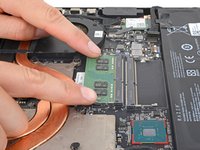
    2. Razer Blade 15" (2018) RAM Replacement, Remove the upper RAM stick: crwdns2935265:012crwdnd2935265:01crwdnd2935265:03crwdne2935265:0 Razer Blade 15" (2018) RAM Replacement, Remove the upper RAM stick: crwdns2935265:012crwdnd2935265:02crwdnd2935265:03crwdne2935265:0 Razer Blade 15" (2018) RAM Replacement, Remove the upper RAM stick: crwdns2935265:012crwdnd2935265:03crwdnd2935265:03crwdne2935265:0
      • Disengage the upper RAM stick's arms and remove the RAM.

      • During reassembly, insert the RAM stick at a 30-degree angle, then push straight down to engage the metal arms.

      crwdns2952109:0crwdne2952109:0

      crwdns2917038:0crwdne2917038:0

crwdns2915888:0crwdne2915888:0

To reassemble your device, follow these instructions in reverse order.

Take your e-waste to an R2 or e-Stewards certified recycler.

Repair didn’t go as planned? Try some basic troubleshooting, or ask our Answers community for help.

crwdns2935221:0crwdne2935221:0

Clay Eickemeyer

crwdns2935283:009/19/22crwdne2935283:0

106,001 crwdns2915208:0crwdne2915208:0

crwdns2935297:0472crwdne2935297:0

crwdns2935287:0crwdne2935287:0

Guide Team crwdns2935289:0Guide Teamcrwdne2935289:0

Staff

crwdns2931471:010crwdne2931471:0

crwdns2935297:040,922crwdne2935297:0

crwdns2947412:00crwdne2947412:0

crwdns2917038:0crwdne2917038:0

crwdns2936625:0crwdne2936625:0:

crwdns2936751:024crwdne2936751:0 3

crwdns2936753:07crwdne2936753:0 9

crwdns2936753:030crwdne2936753:0 37

crwdns2942667:0crwdne2942667:0 702