crwdns2933423:0crwdne2933423:0
crwdns2947577:0crwdnd2947577:0crwdne2947577:0

OnePlus 5T Back Cover Replacement

crwdns2942213:0crwdne2942213:0

  1. OnePlus 5T Back Cover Replacement, Back Cover: crwdns2935265:01crwdnd2935265:01crwdnd2935265:02crwdne2935265:0 OnePlus 5T Back Cover Replacement, Back Cover: crwdns2935265:01crwdnd2935265:02crwdnd2935265:02crwdne2935265:0
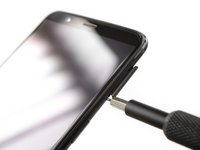
    • Before you begin, switch off your phone.

    • Remove the SIM card tray.

    crwdns2952109:0crwdne2952109:0
  2. OnePlus 5T Back Cover Replacement: crwdns2935265:02crwdnd2935265:01crwdnd2935265:01crwdne2935265:0
    • Remove the two Torx T2 screws (2.5 mm length).

    • The OnePlus 5T doesn't use a lot of adhesive to secure the backcover, however the clamps are very strong and require some force during the opening procedure.

    crwdns2952109:0crwdne2952109:0
  3. OnePlus 5T Back Cover Replacement: crwdns2935265:03crwdnd2935265:01crwdnd2935265:03crwdne2935265:0 OnePlus 5T Back Cover Replacement: crwdns2935265:03crwdnd2935265:02crwdnd2935265:03crwdne2935265:0 OnePlus 5T Back Cover Replacement: crwdns2935265:03crwdnd2935265:03crwdnd2935265:03crwdne2935265:0
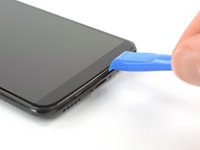
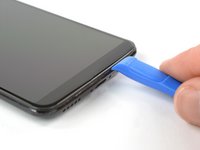
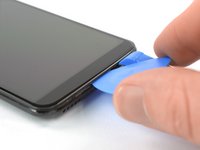
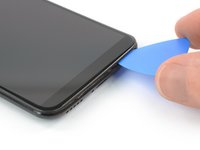
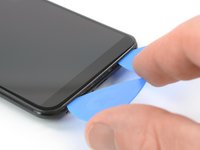
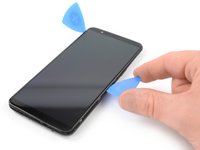
    • Insert an opening tool between the display and the backcover at the bottom end of the phone.

    • Use the opening tool to create a gap between back cover and display.

    • Insert an opening pick in the gap you created with the opening tool.

    crwdns2952109:0crwdne2952109:0
  4. OnePlus 5T Back Cover Replacement: crwdns2935265:04crwdnd2935265:01crwdnd2935265:03crwdne2935265:0 OnePlus 5T Back Cover Replacement: crwdns2935265:04crwdnd2935265:02crwdnd2935265:03crwdne2935265:0 OnePlus 5T Back Cover Replacement: crwdns2935265:04crwdnd2935265:03crwdnd2935265:03crwdne2935265:0
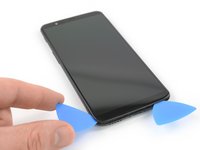
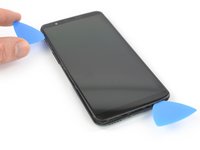
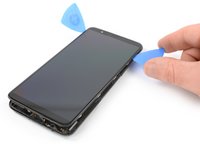
    • Slide the opening pick to the bottom right corner of the phone.

    • Insert a second opening pick and slide it to the bottom left corner of the phone.

    crwdns2952109:0crwdne2952109:0
  5. OnePlus 5T Back Cover Replacement: crwdns2935265:05crwdnd2935265:01crwdnd2935265:03crwdne2935265:0 OnePlus 5T Back Cover Replacement: crwdns2935265:05crwdnd2935265:02crwdnd2935265:03crwdne2935265:0 OnePlus 5T Back Cover Replacement: crwdns2935265:05crwdnd2935265:03crwdnd2935265:03crwdne2935265:0
    • Slide the opening pick around the bottom left corner and then up along the left edge of the phone to open the plastic clamps that secure the backcover.

    crwdns2952109:0crwdne2952109:0
  6. OnePlus 5T Back Cover Replacement: crwdns2935265:06crwdnd2935265:01crwdnd2935265:03crwdne2935265:0 OnePlus 5T Back Cover Replacement: crwdns2935265:06crwdnd2935265:02crwdnd2935265:03crwdne2935265:0 OnePlus 5T Back Cover Replacement: crwdns2935265:06crwdnd2935265:03crwdnd2935265:03crwdne2935265:0
    • Slide the opening pick around the bottom right corner and then up along the right edge of the phone to open the plastic clamps that secure the backcover.

    crwdns2952109:0crwdne2952109:0
  7. OnePlus 5T Back Cover Replacement: crwdns2935265:07crwdnd2935265:01crwdnd2935265:03crwdne2935265:0 OnePlus 5T Back Cover Replacement: crwdns2935265:07crwdnd2935265:02crwdnd2935265:03crwdne2935265:0 OnePlus 5T Back Cover Replacement: crwdns2935265:07crwdnd2935265:03crwdnd2935265:03crwdne2935265:0
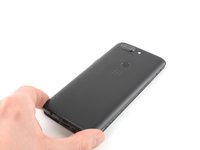
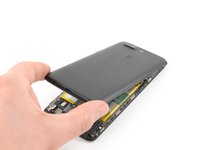
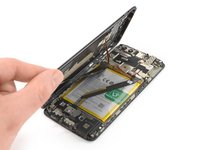
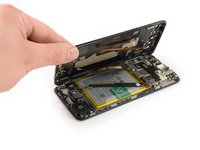
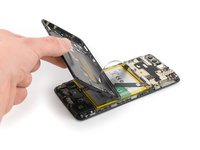
    • Try not to remove the backcover all the way yet. The fingerprint and the charging port and headphone flex cables are still connected to the motherboard.

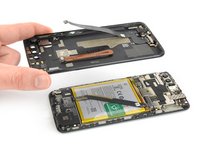
    • Flip your phone and carefully lift the bottom end of the backcover away from the phone assembly. Fold it to left and hold it at an 80° angle.

    crwdns2952109:0crwdne2952109:0
  8. OnePlus 5T Back Cover Replacement: crwdns2935265:08crwdnd2935265:01crwdnd2935265:02crwdne2935265:0 OnePlus 5T Back Cover Replacement: crwdns2935265:08crwdnd2935265:02crwdnd2935265:02crwdne2935265:0
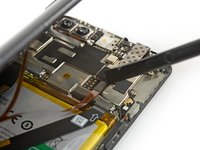
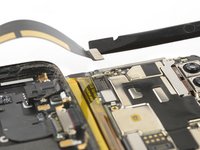
    • Use a spudger to pry up and disconnect the fingerprint flex cable.

    crwdns2952109:0crwdne2952109:0
  9. OnePlus 5T Back Cover Replacement: crwdns2935265:09crwdnd2935265:01crwdnd2935265:03crwdne2935265:0 OnePlus 5T Back Cover Replacement: crwdns2935265:09crwdnd2935265:02crwdnd2935265:03crwdne2935265:0 OnePlus 5T Back Cover Replacement: crwdns2935265:09crwdnd2935265:03crwdnd2935265:03crwdne2935265:0
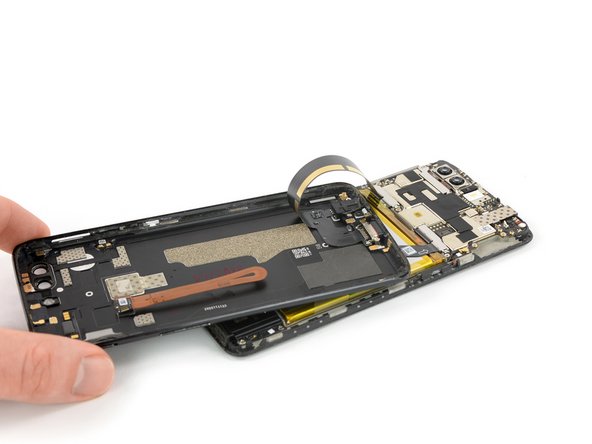
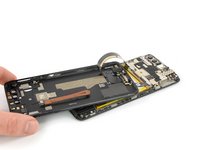
    • Twist the backcover around 180° and lay it down to align the bottom end of the backcover the top edge of the battery.

    crwdns2952109:0crwdne2952109:0
  10. OnePlus 5T Back Cover Replacement: crwdns2935265:010crwdnd2935265:01crwdnd2935265:03crwdne2935265:0 OnePlus 5T Back Cover Replacement: crwdns2935265:010crwdnd2935265:02crwdnd2935265:03crwdne2935265:0 OnePlus 5T Back Cover Replacement: crwdns2935265:010crwdnd2935265:03crwdnd2935265:03crwdne2935265:0
    crwdns2935267:0crwdne2935267:0
    Tweezers
    $4.99
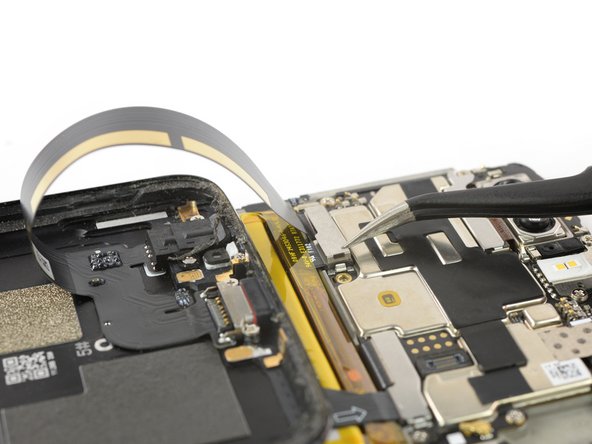
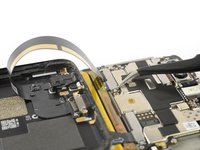
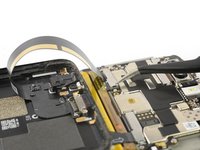
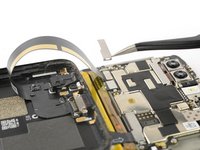
    • Use a pair of tweezers to remove the small metal shield which covers the battery and the charging port and headphone jack flex cable connectors.

    crwdns2952109:0crwdne2952109:0
  11. OnePlus 5T Back Cover Replacement: crwdns2935265:011crwdnd2935265:01crwdnd2935265:02crwdne2935265:0 OnePlus 5T Back Cover Replacement: crwdns2935265:011crwdnd2935265:02crwdnd2935265:02crwdne2935265:0
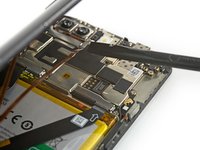
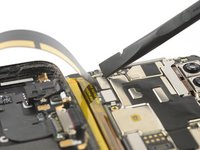
    • Use a spudger to pry up and disconnect the charging port and headphone jack flex cable.

    crwdns2952109:0crwdne2952109:0
  12. OnePlus 5T Back Cover Replacement: crwdns2935265:012crwdnd2935265:01crwdnd2935265:02crwdne2935265:0 OnePlus 5T Back Cover Replacement: crwdns2935265:012crwdnd2935265:02crwdnd2935265:02crwdne2935265:0
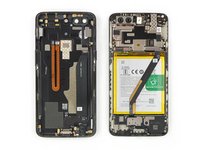
    • Remove the backcover.

    crwdns2952109:0crwdne2952109:0
crwdns2915888:0crwdne2915888:0

To reassemble your device, follow these instructions in reverse order. Apply new adhesive where necessary after cleaning the relevant areas with isopropyl alcohol (>90%).

Take your e-waste to an R2 or e-Stewards certified recycler.

Repair didn’t go as planned? Check out our Answers Community for troubleshooting help.

crwdns2935229:06crwdne2935229:0

Dominik Schnabelrauch

crwdns2935283:011/23/16crwdne2935283:0

258,312 crwdns2915208:0crwdne2915208:0

crwdns2935297:0682crwdne2935297:0

crwdns2935287:0crwdne2935287:0

iFixit crwdns2935289:0iFixitcrwdne2935289:0

Staff

crwdns2931471:0123crwdne2931471:0

crwdns2935297:025,710crwdne2935297:0

crwdns2947412:00crwdne2947412:0

crwdns2917038:0crwdne2917038:0

crwdns2936625:0crwdne2936625:0:

crwdns2936751:024crwdne2936751:0 5

crwdns2936753:07crwdne2936753:0 12

crwdns2936753:030crwdne2936753:0 77

crwdns2942667:0crwdne2942667:0 4,231