crwdns2933423:0crwdne2933423:0
crwdns2947577:0crwdnd2947577:0crwdne2947577:0

Logitech UE Megaboom 4 Charging Port Replacement

crwdns2942213:0crwdne2942213:0

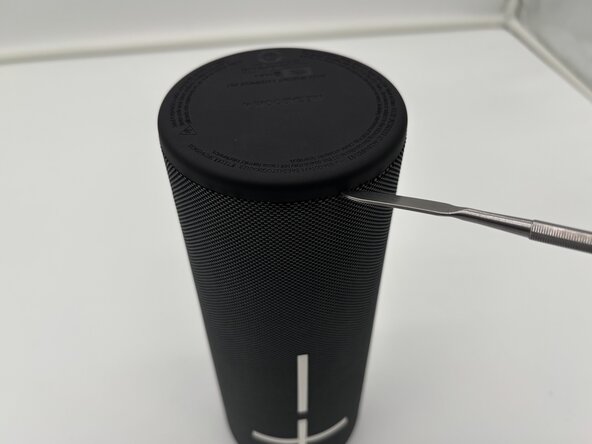
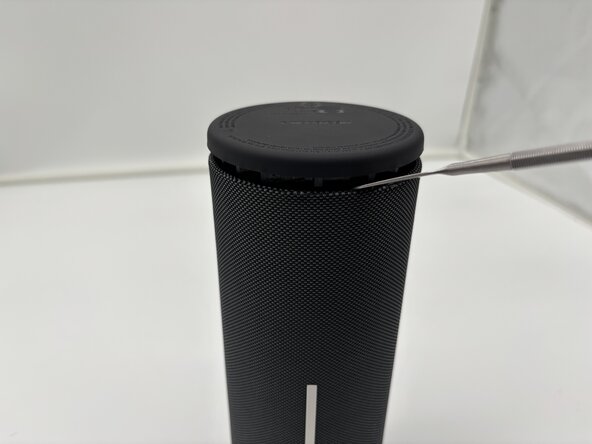
    1. Logitech UE Megaboom 4 Charging Port Replacement, Outer Case: crwdns2935265:01crwdnd2935265:01crwdnd2935265:03crwdne2935265:0 Logitech UE Megaboom 4 Charging Port Replacement, Outer Case: crwdns2935265:01crwdnd2935265:02crwdnd2935265:03crwdne2935265:0 Logitech UE Megaboom 4 Charging Port Replacement, Outer Case: crwdns2935265:01crwdnd2935265:03crwdnd2935265:03crwdne2935265:0
      • Flip your speaker upside down so the charging port side is faced upwards.

      • Place the end of a metal spudger in between the rubber bottom and the mesh case.

      • Work your way around the base of the speaker until the top separates from the case of the speaker.

      • This will take force.

      • Use the metal spudger carefully. Improper use may lead to injury.

      crwdns2952109:0crwdne2952109:0

      crwdns2917038:0crwdne2917038:0

    2. Logitech UE Megaboom 4 Charging Port Replacement: crwdns2935265:02crwdnd2935265:01crwdnd2935265:01crwdne2935265:0
      • Pull the bottom end of the speaker off and place it aside.

      • Once the glued seal is broken you will be able to pull it off with your hands.

      crwdns2952109:0crwdne2952109:0

      crwdns2917038:0crwdne2917038:0

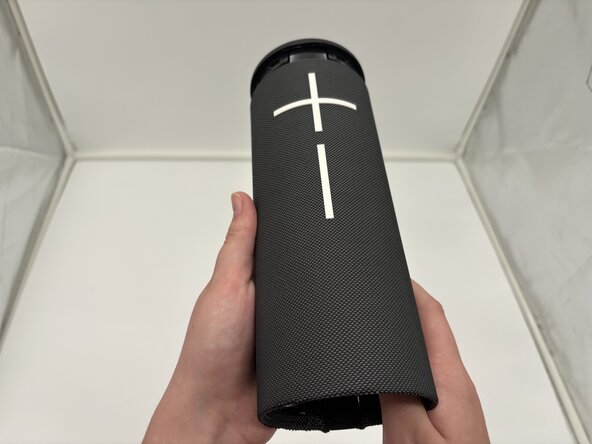
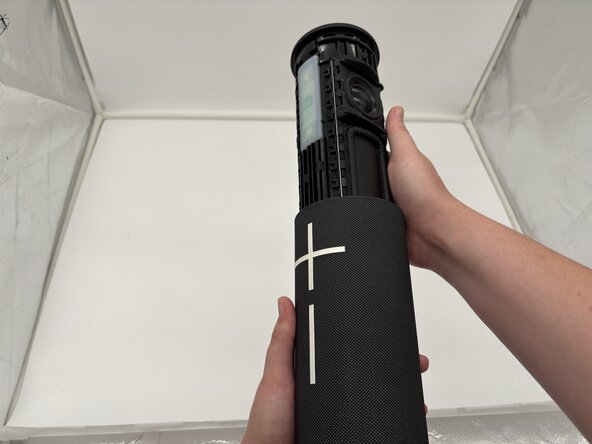
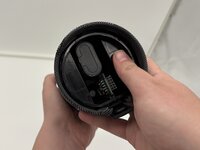
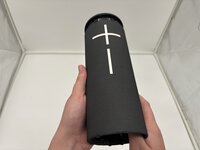
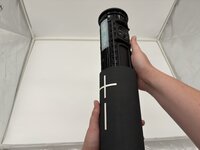
    3. Logitech UE Megaboom 4 Charging Port Replacement: crwdns2935265:03crwdnd2935265:01crwdnd2935265:03crwdne2935265:0 Logitech UE Megaboom 4 Charging Port Replacement: crwdns2935265:03crwdnd2935265:02crwdnd2935265:03crwdne2935265:0 Logitech UE Megaboom 4 Charging Port Replacement: crwdns2935265:03crwdnd2935265:03crwdnd2935265:03crwdne2935265:0
      • Use your thumbs to press the two plastic tabs inside the speaker case and gently push out the internal components.

      • The inside components will begin to slide out of the top from the mesh casing.

      crwdns2952109:0crwdne2952109:0

      crwdns2917038:0crwdne2917038:0

    4. Logitech UE Megaboom 4 Charging Port Replacement: crwdns2935265:04crwdnd2935265:01crwdnd2935265:01crwdne2935265:0
      • The internal components of the Logitech UE MegaBoom 4 speaker are now separated from the outer case.

      crwdns2952109:0crwdne2952109:0

      crwdns2917038:0crwdne2917038:0

    1. Logitech UE Megaboom 4 Charging Port Replacement, Charging Port: crwdns2935265:05crwdnd2935265:01crwdnd2935265:01crwdne2935265:0
      • Remove the cover from the USB-C charging port end of the device.

      • The port should be visible from the outside.

      crwdns2952109:0crwdne2952109:0

      crwdns2917038:0crwdne2917038:0

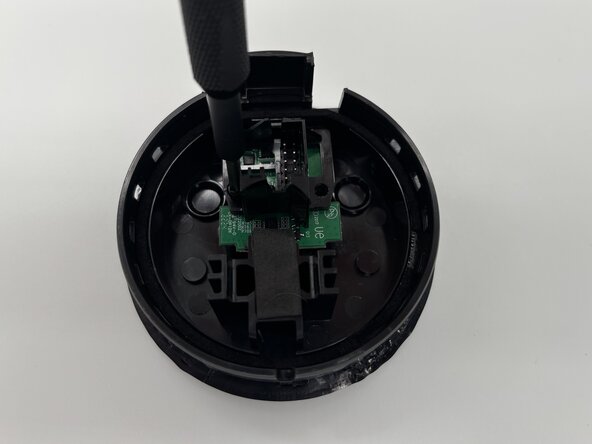
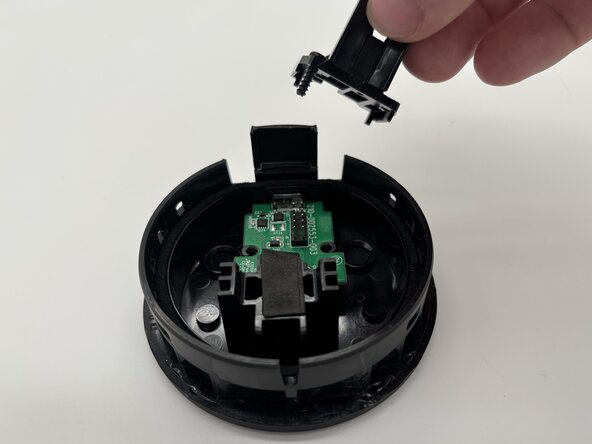
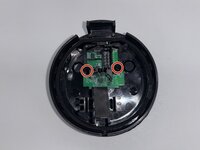
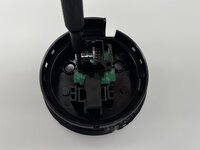
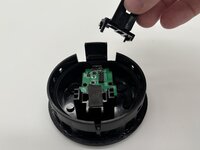
    2. Logitech UE Megaboom 4 Charging Port Replacement: crwdns2935265:06crwdnd2935265:01crwdnd2935265:03crwdne2935265:0 Logitech UE Megaboom 4 Charging Port Replacement: crwdns2935265:06crwdnd2935265:02crwdnd2935265:03crwdne2935265:0 Logitech UE Megaboom 4 Charging Port Replacement: crwdns2935265:06crwdnd2935265:03crwdnd2935265:03crwdne2935265:0
      • Use a Phillips #1 screwdriver to remove the two screws securing the I/O board inside the speaker's end cover.

      • Set the screws aside for reassembly.

      • Remove the black plastic bracket from the top of the I/O board.

      crwdns2952109:0crwdne2952109:0

      crwdns2917038:0crwdne2917038:0

    3. Logitech UE Megaboom 4 Charging Port Replacement: crwdns2935265:07crwdnd2935265:01crwdnd2935265:01crwdne2935265:0
      • Remove the board with the charging port from the inside cover.

      • Take note of the charging port placement for reassembly.

      crwdns2952109:0crwdne2952109:0

      crwdns2917038:0crwdne2917038:0

crwdns2915888:0crwdne2915888:0

To reassemble your device, follow these instructions in reverse order. Take your e-waste to an R2 or e-Stewards certified recycler.

crwdns2935221:0crwdne2935221:0

Konner Buchal

crwdns2935283:002/03/25crwdne2935283:0

470 crwdns2915208:0crwdne2915208:0

crwdns2935297:03crwdne2935297:0

crwdns2935287:0crwdne2935287:0

University of North Texas, Team 1-4, Kilpatrick Spring 2025 crwdns2935289:0University of North Texas, Team 1-4, Kilpatrick Spring 2025crwdne2935289:0

UNT-KILPATRICK-S25S1G4

crwdns2931471:04crwdne2931471:0

crwdns2935297:031crwdne2935297:0

crwdns2947412:02crwdne2947412:0

Hi, where dit you find the replacement?

Greets

siemen van camp - crwdns2934203:0crwdne2934203:0 crwdns2950251:0crwdne2950251:0

Same question here, wehre did you find the charging board replacement?

cheers

bohemianmarine1 - crwdns2934203:0crwdne2934203:0 crwdns2950251:0crwdne2950251:0

crwdns2917038:0crwdne2917038:0

crwdns2936625:0crwdne2936625:0:

crwdns2936751:024crwdne2936751:0 1

crwdns2936753:07crwdne2936753:0 8

crwdns2936753:030crwdne2936753:0 36

crwdns2942667:0crwdne2942667:0 393