crwdns2933423:0crwdne2933423:0
crwdns2947577:0crwdnd2947577:0crwdne2947577:0

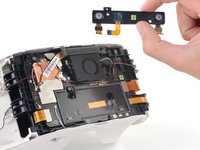
HTC Vive Focus Proximity Sensor Array Replacement

crwdns2942213:0crwdne2942213:0

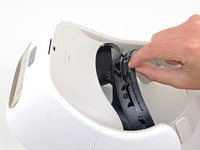
    1. HTC Vive Focus Proximity Sensor Array Replacement, Remove the facerest cushion: crwdns2935265:01crwdnd2935265:01crwdnd2935265:03crwdne2935265:0 HTC Vive Focus Proximity Sensor Array Replacement, Remove the facerest cushion: crwdns2935265:01crwdnd2935265:02crwdnd2935265:03crwdne2935265:0 HTC Vive Focus Proximity Sensor Array Replacement, Remove the facerest cushion: crwdns2935265:01crwdnd2935265:03crwdnd2935265:03crwdne2935265:0
      • Place your device upside-down on your work surface.

      • The facerest cushion is lightly held into place by seven plastic clips.

      • Use your fingers to gently pull the facerest cushion straight off of the facerest to remove it.

      crwdns2952109:0crwdne2952109:0

      crwdns2917038:0crwdne2917038:0

    1. HTC Vive Focus Proximity Sensor Array Replacement, Remove the facerest: crwdns2935265:02crwdnd2935265:01crwdnd2935265:01crwdne2935265:0
      • Use a T5 Torx screwdriver to remove the eight 4.5 mm screws securing the facerest.

      • One of the screws will be covered by a tamper-evident sticker. Press the driver through the sticker to remove the screw.

      crwdns2952109:0crwdne2952109:0

      crwdns2917038:0crwdne2917038:0

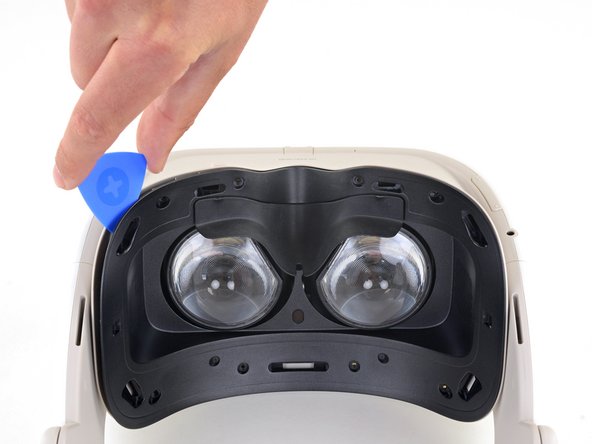
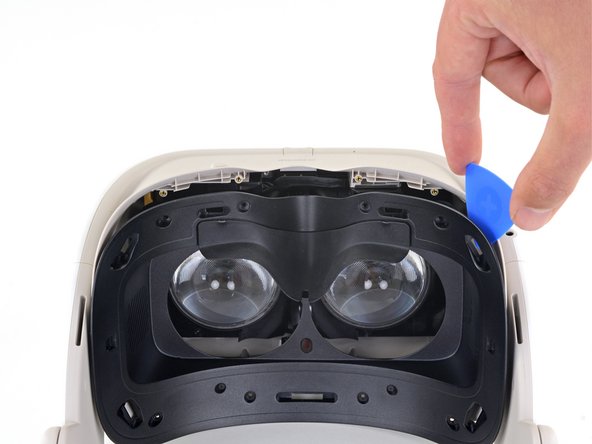
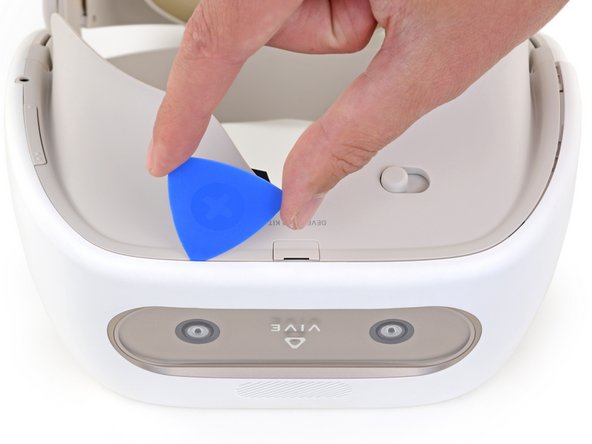
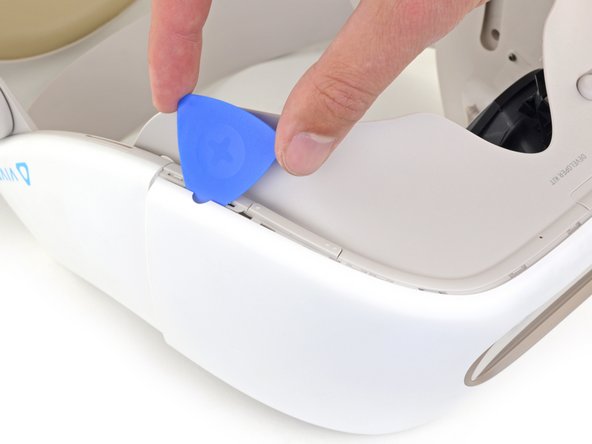
    2. HTC Vive Focus Proximity Sensor Array Replacement: crwdns2935265:03crwdnd2935265:01crwdnd2935265:03crwdne2935265:0 HTC Vive Focus Proximity Sensor Array Replacement: crwdns2935265:03crwdnd2935265:02crwdnd2935265:03crwdne2935265:0 HTC Vive Focus Proximity Sensor Array Replacement: crwdns2935265:03crwdnd2935265:03crwdnd2935265:03crwdne2935265:0
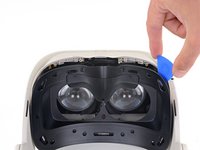
      • Insert an opening pick into the upper-left corner of the facerest.

      • Twist the opening pick to release the plastic clip securing the facerest.

      • Repeat for the upper-right corner.

      • Don't remove the facerest yet. It's still attached by the facerest sensor ribbon cable.

      crwdns2952109:0crwdne2952109:0

      crwdns2917038:0crwdne2917038:0

    3. HTC Vive Focus Proximity Sensor Array Replacement, Remove the facerest sensor: crwdns2935265:04crwdnd2935265:01crwdnd2935265:03crwdne2935265:0 HTC Vive Focus Proximity Sensor Array Replacement, Remove the facerest sensor: crwdns2935265:04crwdnd2935265:02crwdnd2935265:03crwdne2935265:0 HTC Vive Focus Proximity Sensor Array Replacement, Remove the facerest sensor: crwdns2935265:04crwdnd2935265:03crwdnd2935265:03crwdne2935265:0
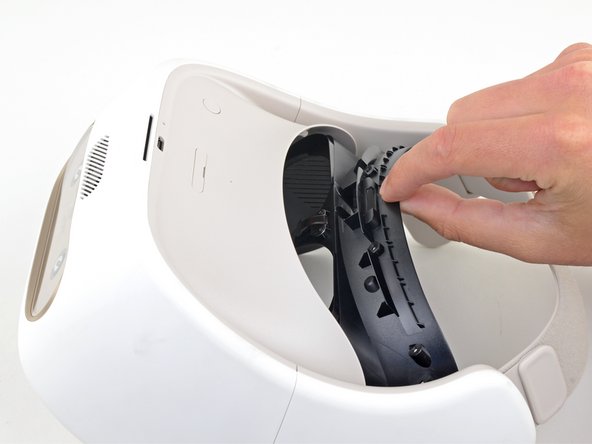
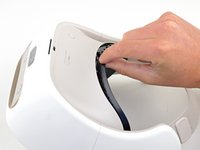
      • Carefully flip your device over.

      • Pull the facerest out just enough to access the screws securing the facerest sensor.

      • Don't put any strain on the facerest sensor ribbon cable.

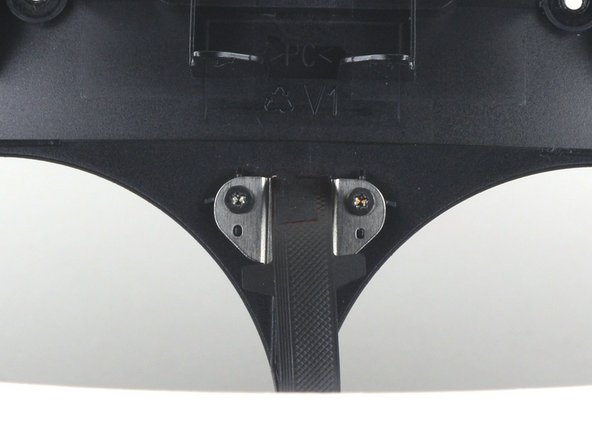
      • During reassembly, make sure the facerest sensor ribbon cable is positioned between the lenses before reinstalling the facerest.

      crwdns2952109:0crwdne2952109:0

      crwdns2917038:0crwdne2917038:0

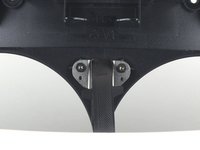
    4. HTC Vive Focus Proximity Sensor Array Replacement: crwdns2935265:05crwdnd2935265:01crwdnd2935265:01crwdne2935265:0
      • Use a T5 Torx screwdriver to remove the two 2.4 mm screws securing the facerest sensor to the facerest.

      crwdns2952109:0crwdne2952109:0

      crwdns2917038:0crwdne2917038:0

    5. HTC Vive Focus Proximity Sensor Array Replacement: crwdns2935265:06crwdnd2935265:01crwdnd2935265:01crwdne2935265:0
      • Remove the facerest.

      crwdns2952109:0crwdne2952109:0

      crwdns2917038:0crwdne2917038:0

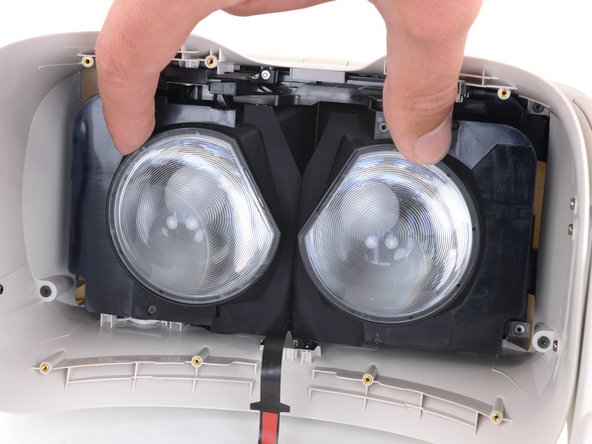
    1. HTC Vive Focus Proximity Sensor Array Replacement, Unscrew the front cover: crwdns2935265:07crwdnd2935265:01crwdnd2935265:02crwdne2935265:0 HTC Vive Focus Proximity Sensor Array Replacement, Unscrew the front cover: crwdns2935265:07crwdnd2935265:02crwdnd2935265:02crwdne2935265:0
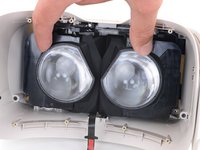
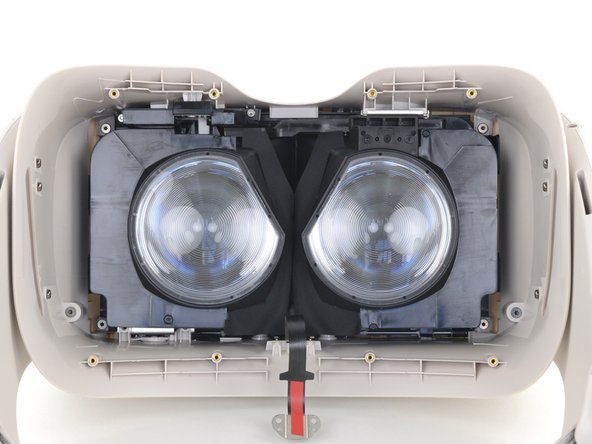
      • Use your fingers to slide the lenses towards each other so that they are positioned towards the center of the device.

      crwdns2952109:0crwdne2952109:0

      crwdns2917038:0crwdne2917038:0

    2. HTC Vive Focus Proximity Sensor Array Replacement: crwdns2935265:08crwdnd2935265:01crwdnd2935265:02crwdne2935265:0 HTC Vive Focus Proximity Sensor Array Replacement: crwdns2935265:08crwdnd2935265:02crwdnd2935265:02crwdne2935265:0
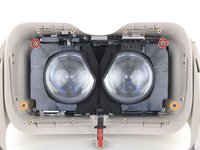
      • Use a T5 Torx screwdriver to remove the four screws securing the front cover from inside the device:

      • Two 5.7 mm screws with fine threads

      • Two 5.5 mm screws with coarse threads

      • The coarse-thread screws can strip easily. During reassembly, tighten the coarse-thread screws until they're hand tight and then no more.

      crwdns2952109:0crwdne2952109:0

      crwdns2917038:0crwdne2917038:0

    3. HTC Vive Focus Proximity Sensor Array Replacement, Remove the front cover: crwdns2935265:09crwdnd2935265:01crwdnd2935265:02crwdne2935265:0 HTC Vive Focus Proximity Sensor Array Replacement, Remove the front cover: crwdns2935265:09crwdnd2935265:02crwdnd2935265:02crwdne2935265:0
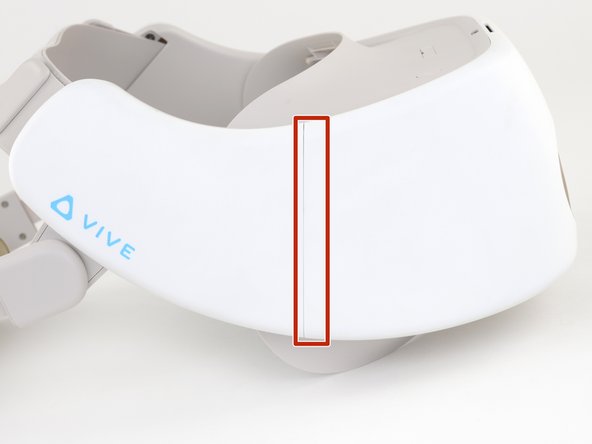
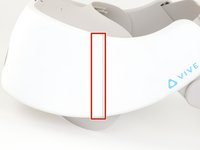
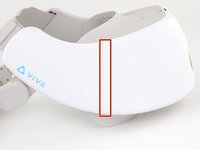
      • Note the location of the plastic welds on both vertical edges of the front cover.

      • After reassembly, the gap between the front cover and the side panels may no longer be flush. This is a cosmetic defect only and will not affect operation. The front cover's clips and screws are sufficient to secure it to the rest of the device.

      crwdns2952109:0crwdne2952109:0

      crwdns2917038:0crwdne2917038:0

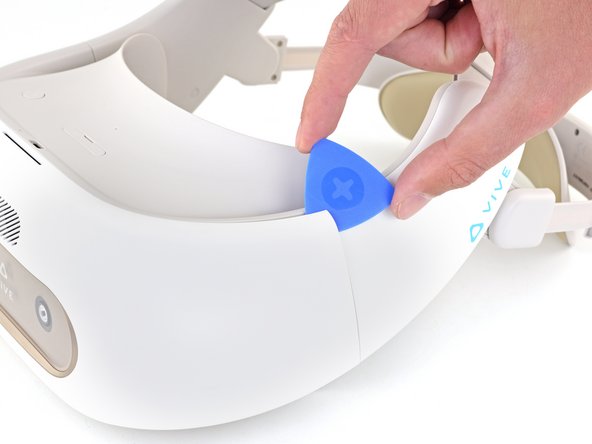
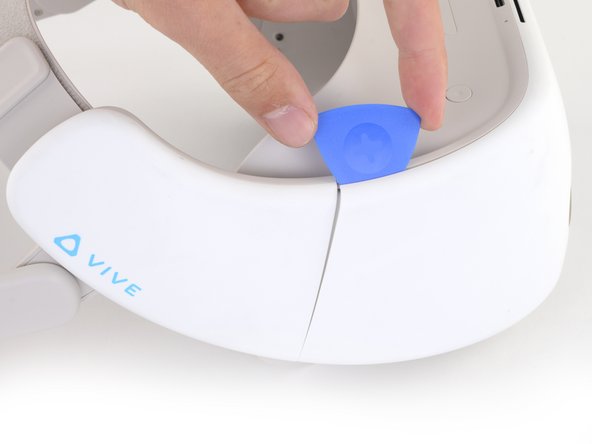
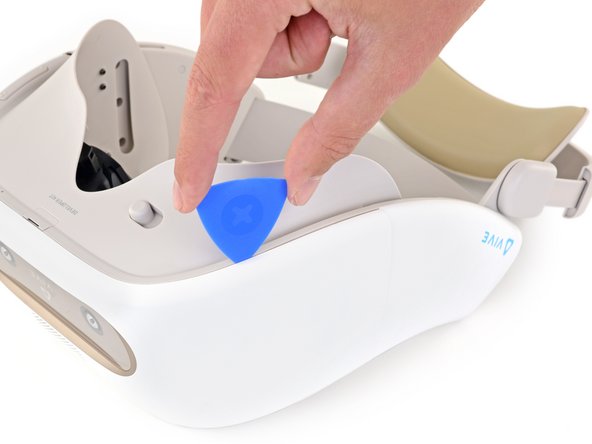
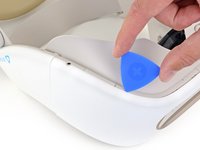
    4. HTC Vive Focus Proximity Sensor Array Replacement: crwdns2935265:010crwdnd2935265:01crwdnd2935265:03crwdne2935265:0 HTC Vive Focus Proximity Sensor Array Replacement: crwdns2935265:010crwdnd2935265:02crwdnd2935265:03crwdne2935265:0 HTC Vive Focus Proximity Sensor Array Replacement: crwdns2935265:010crwdnd2935265:03crwdnd2935265:03crwdne2935265:0
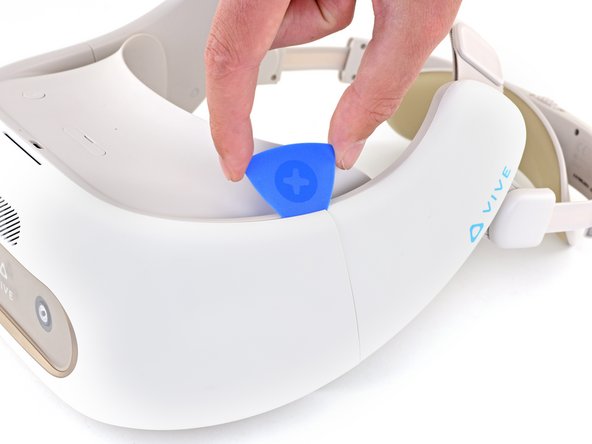
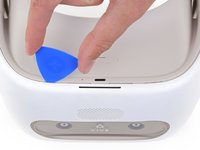
      • Insert an opening pick into the top of the front cover near the upper left corner.

      • Slide the opening pick around the upper left corner of the front cover.

      crwdns2952109:0crwdne2952109:0

      crwdns2917038:0crwdne2917038:0

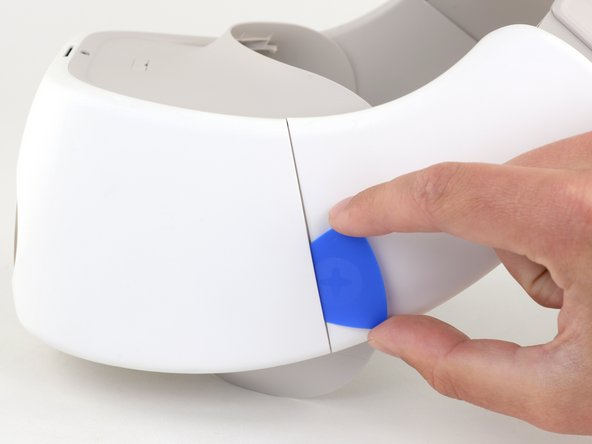
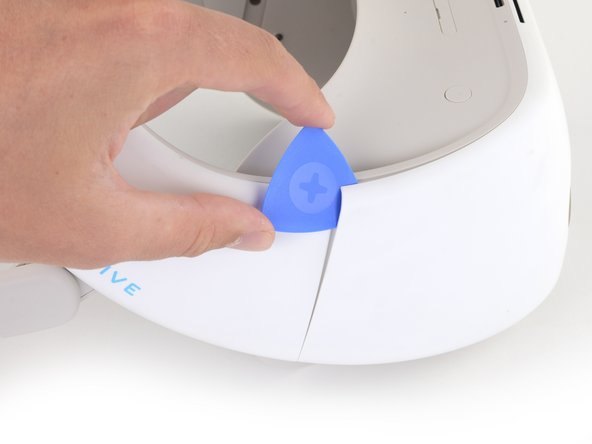
    5. HTC Vive Focus Proximity Sensor Array Replacement: crwdns2935265:011crwdnd2935265:01crwdnd2935265:02crwdne2935265:0 HTC Vive Focus Proximity Sensor Array Replacement: crwdns2935265:011crwdnd2935265:02crwdnd2935265:02crwdne2935265:0
      • Use the opening pick to separate the weld securing the left side vertical edge of the front cover.

      • The weld may require significant force to separate.

      crwdns2952109:0crwdne2952109:0

      crwdns2917038:0crwdne2917038:0

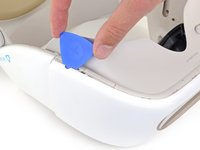
    6. HTC Vive Focus Proximity Sensor Array Replacement: crwdns2935265:012crwdnd2935265:01crwdnd2935265:03crwdne2935265:0 HTC Vive Focus Proximity Sensor Array Replacement: crwdns2935265:012crwdnd2935265:02crwdnd2935265:03crwdne2935265:0 HTC Vive Focus Proximity Sensor Array Replacement: crwdns2935265:012crwdnd2935265:03crwdnd2935265:03crwdne2935265:0
      • Insert an opening pick into the top of the front cover near the upper right corner.

      • Slide the opening pick around the upper right corner of the front cover.

      crwdns2952109:0crwdne2952109:0

      crwdns2917038:0crwdne2917038:0

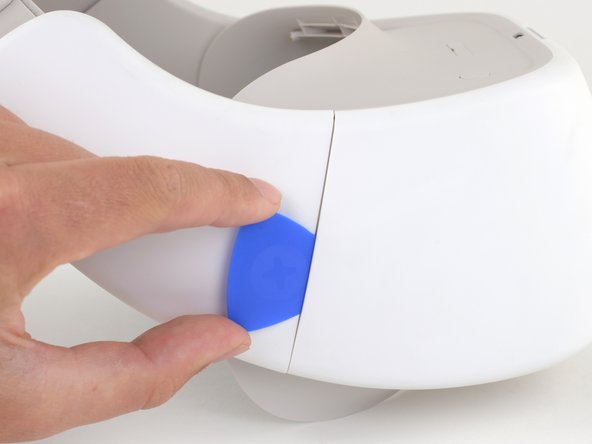
    7. HTC Vive Focus Proximity Sensor Array Replacement: crwdns2935265:013crwdnd2935265:01crwdnd2935265:02crwdne2935265:0 HTC Vive Focus Proximity Sensor Array Replacement: crwdns2935265:013crwdnd2935265:02crwdnd2935265:02crwdne2935265:0
      • Use the opening pick to separate the weld securing the right side vertical edge of the front cover.

      • The weld may require significant force to separate.

      crwdns2952109:0crwdne2952109:0

      crwdns2917038:0crwdne2917038:0

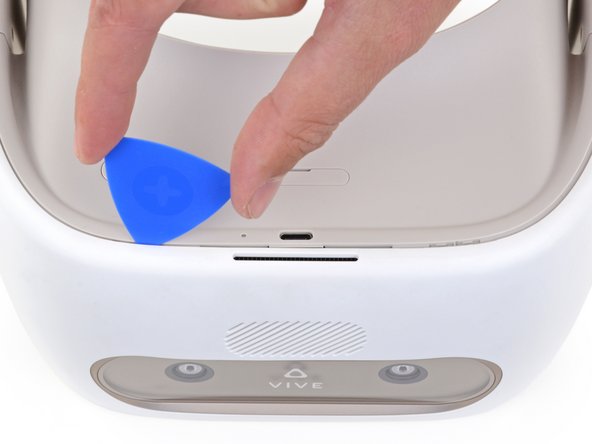
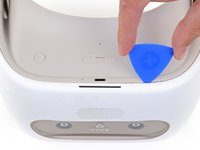
    8. HTC Vive Focus Proximity Sensor Array Replacement: crwdns2935265:014crwdnd2935265:01crwdnd2935265:03crwdne2935265:0 HTC Vive Focus Proximity Sensor Array Replacement: crwdns2935265:014crwdnd2935265:02crwdnd2935265:03crwdne2935265:0 HTC Vive Focus Proximity Sensor Array Replacement: crwdns2935265:014crwdnd2935265:03crwdnd2935265:03crwdne2935265:0
      • Flip the device upside-down.

      • Use an opening pick to disconnect the plastic clips securing the bottom right edge of the front cover to the device.

      crwdns2952109:0crwdne2952109:0

      crwdns2917038:0crwdne2917038:0

    9. HTC Vive Focus Proximity Sensor Array Replacement: crwdns2935265:015crwdnd2935265:01crwdnd2935265:02crwdne2935265:0 HTC Vive Focus Proximity Sensor Array Replacement: crwdns2935265:015crwdnd2935265:02crwdnd2935265:02crwdne2935265:0
      • Slide the opening pick along the bottom edge of the front cover to separate it from the device.

      crwdns2952109:0crwdne2952109:0

      crwdns2917038:0crwdne2917038:0

    10. HTC Vive Focus Proximity Sensor Array Replacement: crwdns2935265:016crwdnd2935265:01crwdnd2935265:02crwdne2935265:0 HTC Vive Focus Proximity Sensor Array Replacement: crwdns2935265:016crwdnd2935265:02crwdnd2935265:02crwdne2935265:0
      • Use the opening pick to disconnect the plastic clips securing the bottom-left edge of the front cover to the device.

      crwdns2952109:0crwdne2952109:0

      crwdns2917038:0crwdne2917038:0

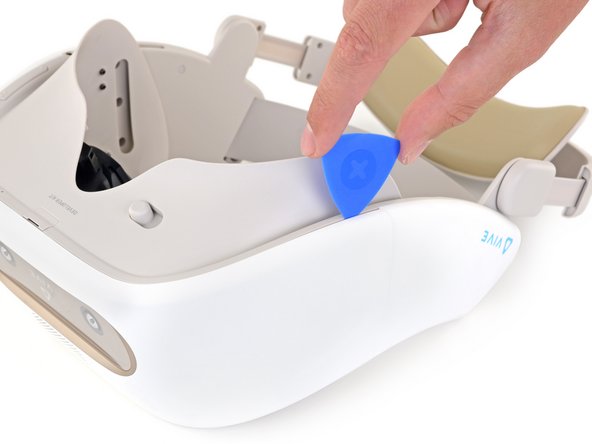
    11. HTC Vive Focus Proximity Sensor Array Replacement: crwdns2935265:017crwdnd2935265:01crwdnd2935265:02crwdne2935265:0 HTC Vive Focus Proximity Sensor Array Replacement: crwdns2935265:017crwdnd2935265:02crwdnd2935265:02crwdne2935265:0
      • Flip the device right-side up.

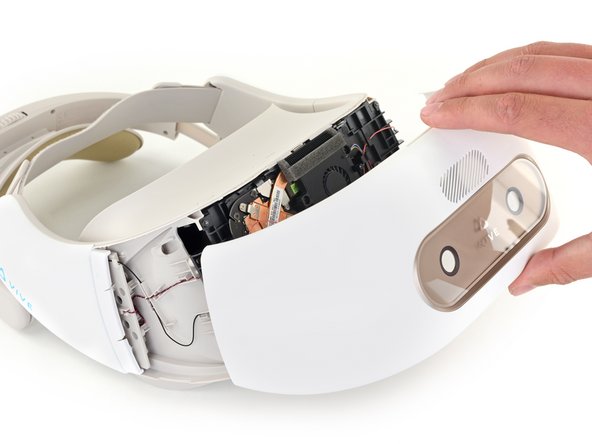
      • Use the opening pick to separate the last few plastic clips securing the top of the front cover.

      crwdns2952109:0crwdne2952109:0

      crwdns2917038:0crwdne2917038:0

    12. HTC Vive Focus Proximity Sensor Array Replacement: crwdns2935265:018crwdnd2935265:01crwdnd2935265:02crwdne2935265:0 HTC Vive Focus Proximity Sensor Array Replacement: crwdns2935265:018crwdnd2935265:02crwdnd2935265:02crwdne2935265:0
      • Remove the front cover.

      crwdns2952109:0crwdne2952109:0

      crwdns2917038:0crwdne2917038:0

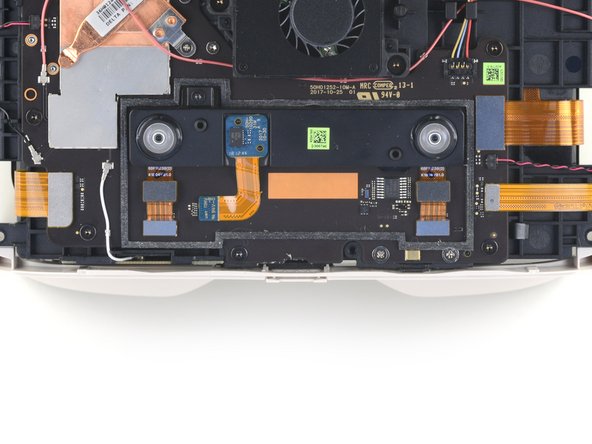
    1. HTC Vive Focus Proximity Sensor Array Replacement, Remove the proximity sensor array: crwdns2935265:019crwdnd2935265:01crwdnd2935265:02crwdne2935265:0 HTC Vive Focus Proximity Sensor Array Replacement, Remove the proximity sensor array: crwdns2935265:019crwdnd2935265:02crwdnd2935265:02crwdne2935265:0
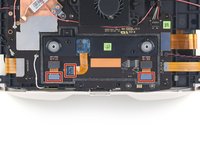
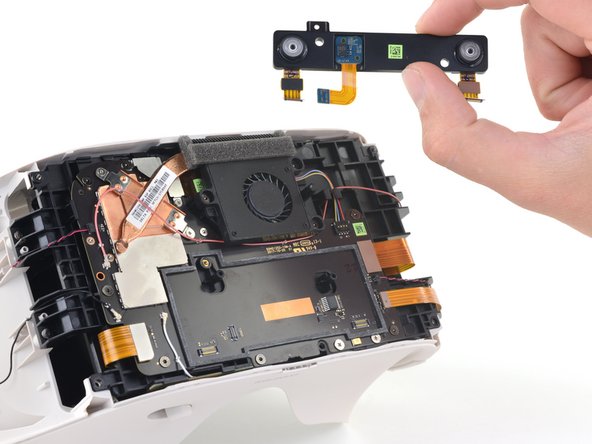
      • Use the flat end of a spudger to disconnect the three ribbon cables connecting the proximity sensor array to the motherboard.

      crwdns2952109:0crwdne2952109:0

      crwdns2917038:0crwdne2917038:0

    2. HTC Vive Focus Proximity Sensor Array Replacement: crwdns2935265:020crwdnd2935265:01crwdnd2935265:02crwdne2935265:0 HTC Vive Focus Proximity Sensor Array Replacement: crwdns2935265:020crwdnd2935265:02crwdnd2935265:02crwdne2935265:0
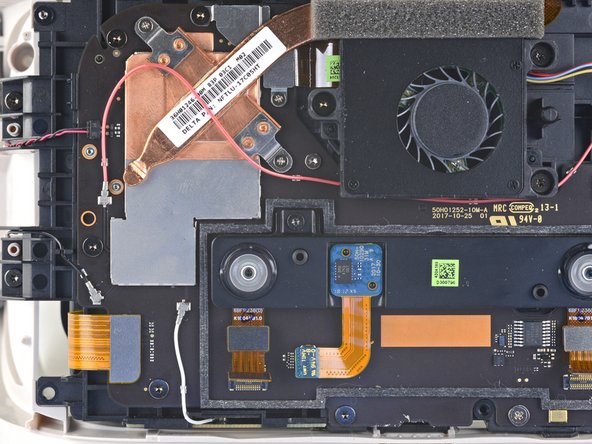
      • Use a T5 Torx screwdriver to remove the 4.5 mm screw from the proximity sensor array.

      crwdns2952109:0crwdne2952109:0

      crwdns2917038:0crwdne2917038:0

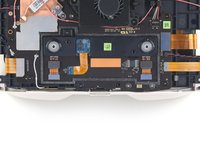
    3. HTC Vive Focus Proximity Sensor Array Replacement: crwdns2935265:021crwdnd2935265:01crwdnd2935265:02crwdne2935265:0 HTC Vive Focus Proximity Sensor Array Replacement: crwdns2935265:021crwdnd2935265:02crwdnd2935265:02crwdne2935265:0
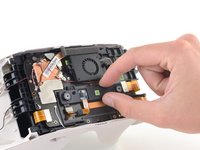
      • Remove the proximity sensor array from the motherboard.

      crwdns2952109:0crwdne2952109:0

      crwdns2917038:0crwdne2917038:0

crwdns2915888:0crwdne2915888:0

To reassemble your device, follow the above steps in reverse order.

Repair didn’t go as planned? Try some basic troubleshooting, or ask our Answers community for help.

crwdns2935221:0crwdne2935221:0

Sam Omiotek

crwdns2935283:002/25/19crwdne2935283:0

100,870 crwdns2915208:0crwdne2915208:0

crwdns2935297:0289crwdne2935297:0

crwdns2947412:00crwdne2947412:0

crwdns2917038:0crwdne2917038:0

crwdns2936625:0crwdne2936625:0:

crwdns2936751:024crwdne2936751:0 2

crwdns2936753:07crwdne2936753:0 9

crwdns2936753:030crwdne2936753:0 51

crwdns2942667:0crwdne2942667:0 714