crwdns2933423:0crwdne2933423:0
crwdns2947577:0crwdnd2947577:0crwdne2947577:0

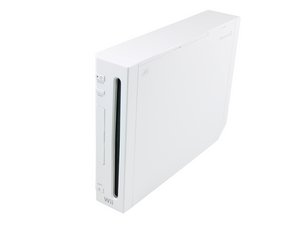
Released in North America in November 2006, the Wii was Nintendo's first home console to directly support Internet connectivity, supporting both online games and digital distribution of games and media applications through the Wii Shop Channel.

Drive Lens not moving.

I have the rvl-001 wii and the laser lens doesn't move along the track when I put the disc in. The only answer I found scouring the Internet is bad motor, or something might be jammed with dust or dry grease. I would like help in planning what I should do to identify the problem and how to fix it, because I don't wanna spend money to fix it.

crwdns2934089:0crwdne2934089:0 crwdns2934093:0crwdne2934093:0

crwdns2934109:0crwdne2934109:0

crwdns2889612:0crwdne2889612:0 0
crwdns2934285:0crwdne2934285:0

crwdns2933313:01crwdne2933313:0

crwdns2934057:0crwdne2934057:0

Hi!

Could be many things.

It's possible that the laser died and is even unable to see the disc, hence it won't move.

It's also possible that the worm motor is broken causing the laser not to move.

And it could be the laser's clamp/bracket.

I always check the laser clamp/bracket first, if it's fine, I replace the laser. Still not working? Then I solder a new worm motor in.

You can check this guide: Nintendo Wii DVD Drive Lens Replacement

Both are easy to replace (worm motor is a little soldering experience required).

I'm afraid you need to spend some money here. Glady, a laser and a worm motor is not that expensive. I would start with a new laser first, they are known to fail.

If you don't want to refurbish the drive, then just replace the whole drive and this should do the job as well. But this will be more expensive
crwdns2934105:0crwdne2934105:0

crwdns2889612:0crwdne2889612:0 1
crwdns2934285:0crwdne2934285:0

crwdns2934229:0crwdne2934229:0

Adrian Proffer crwdns2934231:0crwdne2934231:0
crwdns2936625:0crwdne2936625:0:

crwdns2936751:024crwdne2936751:0 0

crwdns2936753:07crwdne2936753:0 3

crwdns2936753:030crwdne2936753:0 11

crwdns2942667:0crwdne2942667:0 11