
Why is does my pc consume much data
My pc consumes so much data
crwdns2934109:0crwdne2934109:0
crwdns2889612:0crwdne2889612:0
0

crwdns2934065:0crwdne2934065:0: 11
 1
1
My pc consumes so much data
crwdns2934109:0crwdne2934109:0

crwdns2934065:0crwdne2934065:0: 102.5crwdns2936485:0crwdne2936485:0
435
 320
320
 165
165
A lot of it is likely Windows 11 - I'm assuming it's on W11 becuase the G8 has the "right" processor (Ryzen 4000) and HP shipped them with it for that series as I know from my 640 G9, 645 G11 and 6 G1a. Win11 is infamous for data usage :-(. It killed my 15GB data plan on vacation real quick with the usage and the telemetry that still gets through.
O&O SU10 tames a lot of it (and my God, even on a non metered connection, Microslop has way too much), but you can also "meter" the connection to delay the Windows Updates and help it that way:

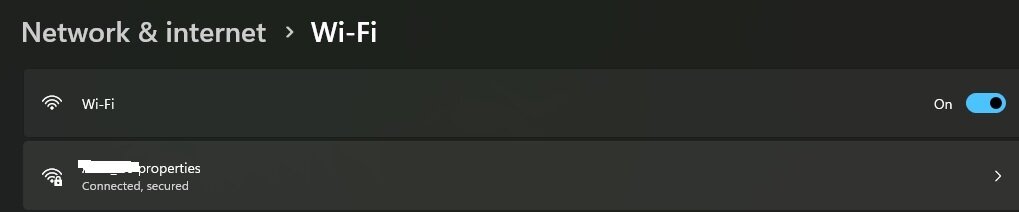

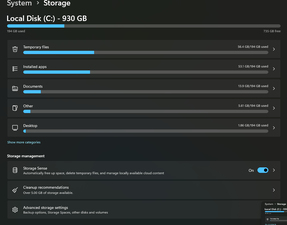
That said, you might want to check your storage too - not as likely because you'd know since most of these are 256GB or 512GB, but you can check here:
Another thing you can do is limit the bandwidth used by Windows Updates (Windows Update>Advanced Options>Delivery optimization):

crwdns2934105:0crwdne2934105:0
crwdns2936751:024crwdne2936751:0 1
crwdns2936753:07crwdne2936753:0 19
crwdns2936753:030crwdne2936753:0 120
crwdns2942667:0crwdne2942667:0 120

crwdns2944067:010crwdne2944067:0
Hi!
We need some more info. What is meant with consume more data? Storage capacity? If this is the case, what is the total capacity of your installed SSD? What is installed? Thank you!
crwdns2934271:0crwdnd2934271:0 koppie007 crwdne2934271:0
Thanks koppie007 for the reply! To clarify, I’m actually referring to internet data usage (bandwidth) rather than storage space. As a student, it’s really frustrating because my monthly subscription keeps running out before the end of the month, even when I'm not doing much. I’m looking for ways to track which apps are eating my data in the background and how to stop them.
crwdns2934271:0crwdnd2934271:0 Thomas BEM (Liege) crwdne2934271:0
@dan0 1) It's almost always the excess W11 telemetry. Always. I don't love Win11 as it's been worse then 10 since launch, but I went over due to OEMs and EOL of 10 - I put off the upgrade until the last 6 months. 2) These were 256/512 in most configs - my 645 G11 has 1TB but mine was shipped 256GB as were 95% of them, the G1x series is more often 512GB now 3) All of these use SSDs - been that way since the G4 being the last one which took SATA ANYTHING.
crwdns2934271:0crwdnd2934271:0 Nick crwdne2934271:0
@nick, thanks for clearing that up :)! I guess they are using NVME SSD’s all the time now? I still do see that some of them are shipped with 256GB’s SSD’s, but most of them have 512GB’s installed yeah. Not sure what the maximum is, is it 1TB? Thanks again :)!
crwdns2934271:0crwdnd2934271:0 koppie007 crwdne2934271:0
@dan0 Yep, all NVMe now. No limit, but a lot of the pre G1X units (and cheap G1X) are 256GB stock. My "good" G1a (backlit KB) was 256/16 stock, but many are shifting to 512GB in base setups. My 645 G11 was 256 stock, upgraded to 1TB.
crwdns2934271:0crwdnd2934271:0 Nick crwdne2934271:0
crwdns2934275:05crwdne2934275:0