I am thinking about buying either the new (mid-2012) MacBook Pro 13” or the new MacBook Air 13”. But I have a question. Since the MacBook Air is not RAM upgradable, I should buy it with the max RAM available in Apple Store (8 GB). But, what about the MacBook Pro? If I buy it with the max available (8 GB) in the Apple Store, will I be available to upgrade it to 16GB at some time? Thanks. That’s very important to me before I purchase my new Mac.
Other World Computing announced today OWC PC3-12800 DDR3L 1600MHz Memory Upgrades up to 16GB for the new MacBook Pro 13″ and 15″ non-Retina display models announced by Apple yesterday. OWC Memory upgrades offer owners of the newest MacBook Pro models up to double the maximum offered factory installed memory, savings up to 40 percent for same-sized memory upgrades, and upgrade options not available from the factory.
Update:
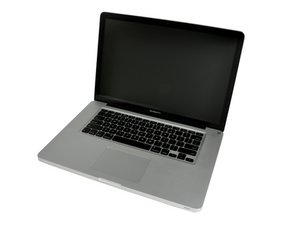
Standard RAM: 4 GB Maximum RAM: 16 GB*
Details: 4 GB of RAM is installed as two 2 GB modules, no slots free.
*Apple officially supports a maximum of 8 GB of RAM, but third-parties have determined that this model actually is capable of using up to 16 GB of RAM with two 8 GB memory modules.
Does anyone know if it can handle only 1 module of 16 gb ram?, It seems one of the slots is damaged so I want to buy a single memory of 16 on a macbook pro mid 2012
Just a note. If anyone needs to know what type and how much ram you need for a computer just visit crucial.com and use their memory guide. It only takes a minute and faster than searching all over the web for tech specs on various sites. :)
I just purchased RAM from OWC, 16 GB for my new MacBook Pro non-retina display. It should run great, these folks from OWC know their stuff. I've never had any problems with their recommendations.
I installed more RAM on a previous MacBook Pro 2007 model which came with just 2GB and I raised it to 4GB and can still raise it up to 6GB if I wanted. But since I now have this new model, 16GB should make it run like a charm.
I've always wondered why Apple does that with the RAM, saying that the minimum is 4GB but it's upgradable to 8GB when it's actually able to use 16GB of RAM instead!! lol Why is that u' think if Apple mentioned that they'd get more money that way...
EDIT: So are the 17" MBP Models discontinued now or what?? lol
The reason is probably because the bus speed is 1066, and these modules are available at max 4GB, thus 2 x 4GB = 8. You should be able however to use 1333mHz memory modules and they will scale down to 1066. This is not the correct spec according to the papers though and thats why I think Apple doesnt "approve" it. And of course, they prefer you buy a newer model, which is the real reason I guess.
Well, it's more about power, at the time memory modules consumed a lot of power so your battery life would go down and the system needed to supply enough juice to support the amount of memory the modules had. Over time better construction of the modules allowed less power comsumption and the amount of storage even doubled! Thus, bigger modules could be used that used less power than the previous generation.
There is a second issue here as your systems firmware needs to be the latest and in some models the logic is not present to support some of the larger modules and the location of memory addresses held by the video services may not be movable in some other models.
I would like to bring this machine up to 16GB of Ram. I was looking at Crucial and also Mac Memory by RamJet. Cruical seems pretty good based on reviews but something that I've noticed is that the Mac Memory by RamJet folks say they sell "Non-Stacked Ram" and that it's got lower power consumption and produces less heat then the cheaper stacked Ram. The excact claim is copy & pasted below. So whats the deal, is one better then the other?
Non-Stacked IC's: Ramjet uses a Non-stacked module for the 8GB DDR3 module for the MacBook Pro. The cheaper stacked IC variety of 4GB SO-DIMM draws more power, which increases heat and decreases battery life. Ramjet ONLY uses premium non-stacked chips.**
Everybody are saying that I can upgrade my MacBook Pro 15 inch to 16 GB RAM but when I went to MacBook official site I saw that my computer is upgradable to only 8 GB of RAM maximum.
My question is, can I really have 16 GB of RAM or my computer just recognize 8 GB of RAM then it's useless buying 16 GB RAM.
Pedro, if you have MB Pro 2011 or later you can run it without any worries. I'm running on 16GB about 2 years on MB Pro 15 late 2011. Just be careful to buy RAM modules with the same frequencies, timing and maybe voltage as you have on your model.
I have a mid-2012 Macbook Pro 13"with the original 4gb of RAM. I ordered 16Gb of memory from Crucial and, after three attempts and three returns I tried OWC. Same story, multiple returns and attempts with no luck. During my attempts with OWC they had me do a number of key stroke combinations. One of them corrupted my OS and had to have Apple do a clean install which wiped out my applications. I restored files from my back up which I do every day. A tech from OWC said this is a known problem with some mid-2012 Macbooks but they don't have a solution yet.
I'm going to upgrade to 8Gb and hope that it works. At this point, even though I have no problem swapping out memory modules, I'm going to let the Geek squad do it, so if it doesn't work it's their problem. I can bring my own memory but they have them there. I'm just tired of returning and working with tech support multiple times.
Any thoughts or opinions would be welcome.
Update (11/06/2016)
Here's the info from System Preferences:
SMC 2.2f41
Boot ROM MBP 112.0138.B15
MacBook Pro 9,2
Intel core i5
It would be great if updates can solve the problem.

 2
2  1
1 
 2.6crwdns2936485:0crwdne2936485:0







crwdns2944067:08crwdne2944067:0
PLEASE don't spend any $$$$ on RAM upgrades from Apple. Just buy the standard 4 Gb and then buy 16Gb (2x8Gb) for half the price Apple is charging.
crwdns2957956:0crwdnd2957956:0 Batbaatar Jigjidsuren crwdne2957956:0
batbaatar - I mentioned that in my answer.
crwdns2957956:0crwdnd2957956:0 mayer crwdne2957956:0
What If there are 16GB RAM on one chip. Is there a chance of running 32GB of RAM?
crwdns2957956:0crwdnd2957956:0 Julian crwdne2957956:0
Julian,
No. The motherboard will only be able to use 16GB. Actually, it will only see 16 out of the 32 GB.
crwdns2957956:0crwdnd2957956:0 Gabriel Beaudoin crwdne2957956:0
Hi @Gabriel Beaudoin, I ever read that processor i7 3520m can handle 32gb. Please advise.
crwdns2957956:0crwdnd2957956:0 juve_hanson_1 crwdne2957956:0
crwdns2934275:03crwdne2934275:0