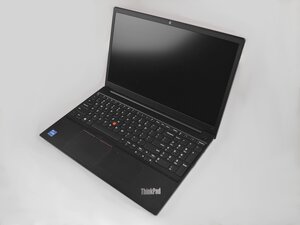
Some buttons are not typing
some buttons have stopped working
crwdns2934109:0crwdne2934109:0
crwdns2889612:0crwdne2889612:0
0

some buttons have stopped working
crwdns2934109:0crwdne2934109:0

crwdns2934065:0crwdne2934065:0: 853,4crwdns2936485:0crwdne2936485:0
 1,4crwdns2936485:0crwdne2936485:0
 960
960
 2,4crwdns2936485:0crwdne2936485:0
@tamerathot67644 it's possible that your keyboard has failed. Start off by using an external keyboard and see if that works. If it does, I would suggest you replace the keyboard on your Lenovo. The biggest challenge here is that the keyboard is actually part of the top case. To work on it, use the Lenovo ThinkPad E15 Gen 2 Hardware Maintenance Manual Page 89 will tell you what needs to be removed to replace the keyboard assembly. Of course, first make sure that all the connectors are firmly attached to the motherboard and that the ribbon cables are not corroded or torn.
crwdns2934105:0crwdne2934105:0
thank you for your support, and yes I've tried an external and it worked just fine
once again thanks for sharing the manual, it would be very helpful for me.
crwdns2936751:024crwdne2936751:0 2
crwdns2936753:07crwdne2936753:0 10
crwdns2936753:030crwdne2936753:0 29
crwdns2942667:0crwdne2942667:0 119
