This is usually an imaging drum failure as drums can fail due to age with extremely short runs, but it doesn't happen often as 8/10 of them fail due to being exposed to light too long. This issue is what forced an early drum swap on my Lexmark printer due to age and light abuse before I got it as I'm the 2nd owner. The other issue is Samsung's split drum color lasers were the combined drum type where the toner, developer kit and OPC drum are split, which were dominant as a way to cut production cost for a long time on consumer lasers with color. The easiest way to know is to pull the document before it hits the fuser - if it happens there, it's a bad drum. Brother and Lexmark do it on a lot of their color models too (Samsung isn't alone, their implementation was the worst of the lot as you wore the same drum down for color AND mono prints, so the yields matched), but as much as I hate throwing away an entire drum unit for a CS or CX that's nicer then the 4 series when I probably just need a K drum and dev (or K and one heavily used color), Lexmark at least lets you buy a CMYK, CMY and K kit so you can recover the remaining developers which are still intact and save some money. Brother resets all 4 as a set on some, others are sold as set only but the drums reset individually and the others copy Lexmark except for the separate drum and toner carriers. Maybe if you get lucky it’s a bad toner but run a 4 color half sheet test and see which one does it. If you do a 4 panel CMYK test with lots of separation for it to ghost and all 4 do it the drum is bad, but if one or two are isolated a new toner might help.
If it happens after being passed through the drum and isn't present before the final page output, it's a worn fuser. Unless you can find the Samsung part number and it's still in production, you might be hard pressed to find one now because HP stopped making a lot of the Samsung parts - unless they have dead stock, almost all of the toner and supplies for all but a few models were discontinued. The part# is CLT-R406 best I can tell. Sometimes you get lucky and HP Canada still sells a lot of the Samsung supplies, but the US? We scrapped a lot of the native US supply. Samsung at least put a resistor pack on their drums over a chip, so no checking the regionalization (Ex: Lexmark NA parts work in US/CAN printers, so I can use CAN origin toner and drums in my US printer but the EU uses a different chip and part - warranty is a whole matter, but Lexmark and all of them shoot just about every claim down anyway as they're consumables, so if I might get denied, I'm buying them from Canada and saving money).
crwdns2934105:0crwdne2934105:0
crwdns2934113:0crwdne2934113:0
crwdns2915270:0crwdne2915270:0
crwdns2889612:0crwdne2889612:0
2

 1
1 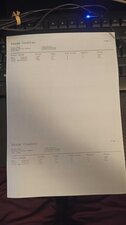

 296
296  157
157 
crwdns2947414:01crwdne2947414:0
@nachettt let's see if our printer guru @nick has a solution for you.
crwdns2934271:0crwdnd2934271:0 oldturkey03 crwdne2934271:0