crwdns2933423:0crwdne2933423:0

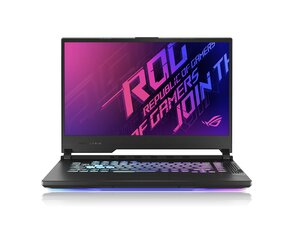
Device and repair information for the ASUS ROG Strix G15 G513. This gaming laptop was released in 2021. Features AMD Ryzen 9 processors and NVIDIA GeForce RTX 30-series graphics, designed for high-performance gaming and multitasking. Model: G513QR-ES96, Gaming Laptop.

The charging pin is getting hot

the charger pin is getting hot, and I don’t know why. I’ve already replaced both the charger and the battery, but the issue still remains — can you help me figure it out?

crwdns2934089:0crwdne2934089:0 crwdns2934093:0crwdne2934093:0

crwdns2934109:0crwdne2934109:0

crwdns2889612:0crwdne2889612:0 0

crwdns2934285:0crwdne2934285:0

crwdns2933313:01crwdne2933313:0

crwdns2934057:0crwdne2934057:0

Here’s the English translation of your detailed explanation regarding the overheating charging pin issue on the ASUS ROG Strix G15 G513:

🔥 Main Causes of Charging Pin Overheating

  • Poor Contact in the DC Jack (Charging Port)
    • Long-term use or frequent plugging/unplugging may cause wear or deformation of the pin.
    • Even slight misalignment or looseness can lead to unstable current flow and heat generation.
  • Charging Under High Load
    • During gaming or video editing, when the GPU and CPU are running at full capacity, power consumption increases, making the charger and pin prone to heating.
  • Heat from Fast Charging
    • ASUS gaming laptops support high-output fast charging, which can concentrate heat around the pin area.
  • Dust Accumulation and Cooling Issues
    • Dust buildup in the cooling fan or heat sink can hinder heat dissipation, causing the charging area to heat up.
  • Malfunction in the Motherboard’s Power Circuit
    • If replacing the battery and charger doesn’t resolve the issue, the problem may lie in the motherboard’s power control IC or circuitry.
    • I'm sorry if my English isn't perfect.

crwdns2934105:0crwdne2934105:0

crwdns2889612:0crwdne2889612:0 1
crwdns2934285:0crwdne2934285:0

crwdns2934229:0crwdne2934229:0

ilyas touil crwdns2934231:0crwdne2934231:0
crwdns2936625:0crwdne2936625:0:

crwdns2936751:024crwdne2936751:0 0

crwdns2936753:07crwdne2936753:0 5

crwdns2936753:030crwdne2936753:0 18

crwdns2942667:0crwdne2942667:0 66