
crwdns2933423:0crwdne2933423:0
crwdns2947577:0crwdnd2947577:0crwdne2947577:0

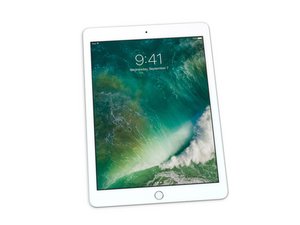
Repair guides, disassembly, and troubleshooting information for the 5th-generation Apple iPad with Wi-Fi, available with 32 or 128 GB of storage. Released in March 2017. Identified by model number A1822. Features a 9.7" Retina display and 64-bit A9 processor.

Home button ribbon flex

Hi all

In need of some help, I stupidly pulled apart the flex on the home button on this iPad 5th generation A1822, and need this to work again, can this be repaired, pictures attached.

crwdns2915344:0crwdne2915344:0
crwdns2934089:0crwdne2934089:0 crwdns2934093:0crwdne2934093:0

crwdns2934109:0crwdne2934109:0

crwdns2889612:0crwdne2889612:0 1
crwdns2934285:0crwdne2934285:0

crwdns2933313:01crwdne2933313:0

crwdns2934057:0crwdne2934057:0

Looks like you ripped the cable. Luckily you can use the iPad 5 Wi-Fi Home Button Assembly Replacement guide and replace it. Since this is an iPad with a physical button replacing it will only loose Touch ID but the regular home button functionality remains.

crwdns2934105:0crwdne2934105:0

crwdns2889612:0crwdne2889612:0 1
crwdns2934285:0crwdne2934285:0

crwdns2934229:0crwdne2934229:0

colin crwdns2934231:0crwdne2934231:0
crwdns2936625:0crwdne2936625:0:

crwdns2936751:024crwdne2936751:0 1

crwdns2936753:07crwdne2936753:0 7

crwdns2936753:030crwdne2936753:0 21

crwdns2942667:0crwdne2942667:0 307