
Google Home Mute Button Switch Replacement

crwdns2959932:0crwdnd2959932:0Gabe Hyuncrwdnd2959932:0crwdnd2959932:0crwdne2959932:0
crwdns2959936:0Kho 18, 2018crwdne2959936:0
crwdns2869540:0crwdne2869540:0: 1,5K
crwdns2959988:0crwdne2959988:0
- crwdns2959990:0crwdne2959990:0
- 3
- crwdns2959992:0crwdne2959992:0
- 20
- crwdns2959994:0crwdne2959994:0
- 67
- crwdns2959996:0crwdne2959996:0
- 1.536
crwdns2955950:0crwdne2955950:0: 0
crwdns2959998:0crwdne2959998:0
crwdns2960000:0crwdne2960000:0crwdns2959984:0crwdne2959984:0: 1 2
crwdns2959972:01crwdne2959972:0
crwdns2959970:02crwdne2959970:0
crwdns2959986:0crwdne2959986:0: 0 1
crwdns2959958:0crwdne2959958:0
crwdns2959976:01crwdne2959976:0
crwdns2915892:0crwdne2915892:0
crwdns2959928:0crwdne2959928:0 ↓This guide will teach you how to replace a faulty mute button switch in your Google Home with a new one.
crwdns2959930:0crwdne2959930:0
crwdns2943215:0crwdne2943215:0


-
-
-
Pull off the Google Home’s magnetically attached base and set it aside.
-
Using a Torx T6 screwdriver head, unscrew the four 1.7mm Torx screws deep in the speaker recess so that you can remove the lid.
-
After all four screws are out, pop the lid off the device to open the capsule.
 crwdns2952109:0crwdne2952109:0
-
-
crwdns2935267:0crwdne2935267:0Tweezers$4.99
-
Carefully remove the interconnect cable using a pair of tweezers.
-
-
-
-
-
-
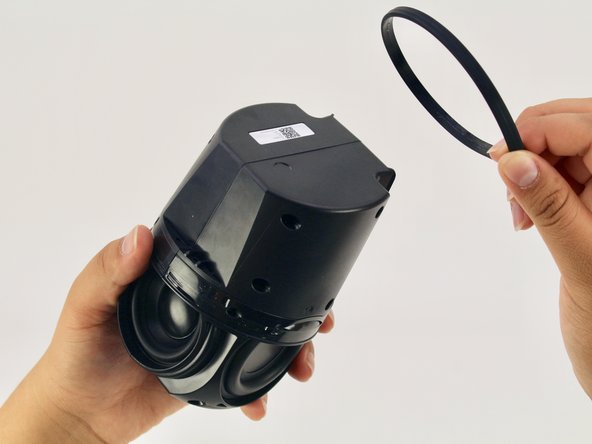
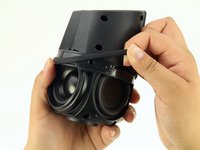
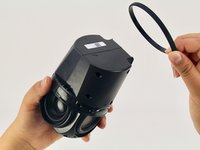
Remove the ‘O-ring’ that wraps around the device holding the switch panel in place.
-
-
-
Using a Torx T6 screwdriver head, unscrew the four black 1.7mm Torx screws.
-
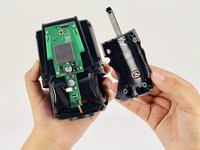
Remove the panel and the mute button switch. If done correctly you should now be able to see the device’s guitar-shaped motherboard.
-
-





To reassemble your device, follow these instructions in reverse order.
crwdns2935221:0crwdne2935221:0
crwdns2935227:0crwdne2935227:0

crwdns2935287:0crwdne2935287:0

Cal Poly, Team S24-G11, Maness Spring 2018 crwdns2935289:0Cal Poly, Team S24-G11, Maness Spring 2018crwdne2935289:0
CPSU-MANESS-S18S24G11
crwdns2931471:04crwdne2931471:0
crwdns2935297:060crwdne2935297:0
