crwdns2915892:0crwdne2915892:0
Use this guide to remove, replace or upgrade the RAM in your iMac Intel 27" Retina 5K Display.
crwdns2942213:0crwdne2942213:0
-
-
-
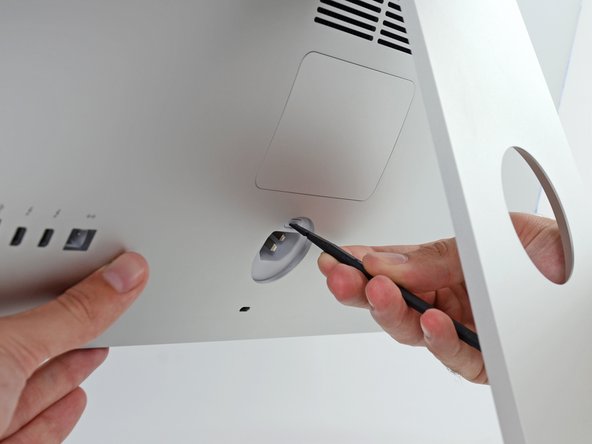
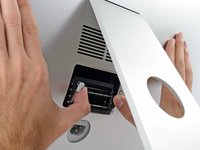
While holding the display steady, use the flat end of a spudger to press in on the RAM door release button, located just above the power port.
 crwdns2952109:0crwdne2952109:0
-
-
-
Pull the RAM access door off the back of the iMac.
-
-
-
-
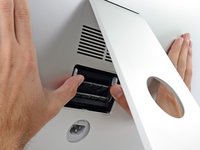
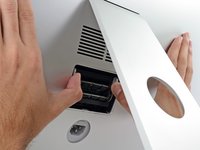
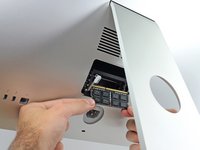
Use your thumbs or index fingers to unlock the tray by pushing the tabs outward, away from the RAM.
-
Pull the tabs out and down, swinging the RAM tray down to a near-horizontal position.
-
-
-
Remove a stick of RAM by grabbing it with two hands and pulling straight out of the RAM tray.
-
To install a new module, insert the module into the desired slot in the tray and press it firmly in place. Push the tray back up until it locks in place.
-
Re-insert the RAM access door back into its place.
-
-







Take your e-waste to an R2 or e-Stewards certified recycler.
Repair didn’t go as planned? Try some basic troubleshooting, or ask our Answers community for help.
crwdns2935221:0crwdne2935221:0
crwdns2935229:0117crwdne2935229:0


crwdns2947412:022crwdne2947412:0
At the end: "To reassemble your device, follow these instructions in reverse and use our adhesive strip replacement guide to reattach the display glass."
This does not make sense for a memory replacement guide.
xiepengpeng - crwdns2934203:0crwdne2934203:0 crwdns2950251:0crwdne2950251:0
I made a few changes to the guide to make it more readable. Thanks for the tip!
Miroslav Djuric - crwdns2934203:0crwdne2934203:0 crwdns2950251:0crwdne2950251:0
I am thinking about getting me an iMac 5K but not really interested in overpaying for my RAM - can I access all 4 slots in the newest iMac 5K so I could buy the entry level with 8GB and then upgrade it to 32GB myself?
sdjensen - crwdns2934203:0crwdne2934203:0 crwdns2950251:0crwdne2950251:0
Yes, but make sure they are the same frequency so there won't be any issues. (1867)
vsomme - crwdns2934203:0crwdne2934203:0 crwdns2950251:0crwdne2950251:0
Is it possible for 4GB x 2 model to add 8GB x 2 and having 24GB RAM
christmas - crwdns2934203:0crwdne2934203:0 crwdns2950251:0crwdne2950251:0
