crwdns2933423:0crwdne2933423:0
crwdns2947577:0crwdnd2947577:0crwdne2947577:0

Xbox Duke Controller Potentiometer Replacement

crwdns2942213:0crwdne2942213:0

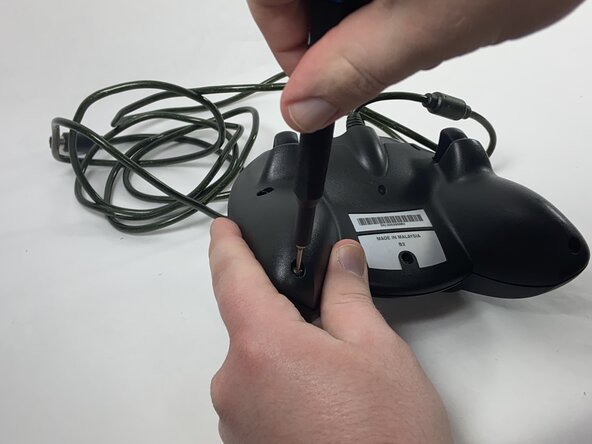
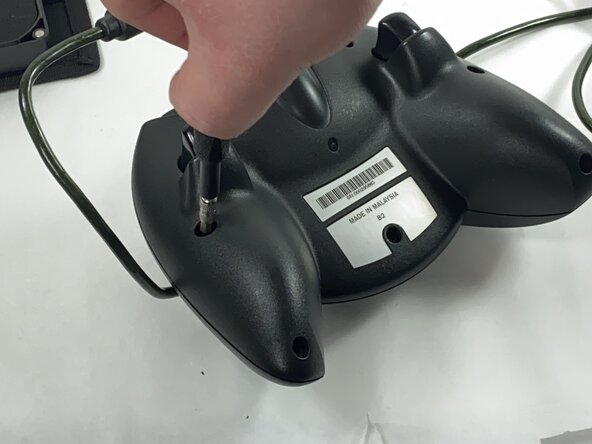
    1. Xbox Duke Controller Potentiometer Replacement, Face Plate: crwdns2935265:01crwdnd2935265:01crwdnd2935265:03crwdne2935265:0 Xbox Duke Controller Potentiometer Replacement, Face Plate: crwdns2935265:01crwdnd2935265:02crwdnd2935265:03crwdne2935265:0 Xbox Duke Controller Potentiometer Replacement, Face Plate: crwdns2935265:01crwdnd2935265:03crwdnd2935265:03crwdne2935265:0
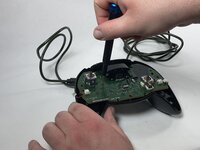
      • Remove the seven black 8 mm screws holding the two halves of the Duke together using a Phillips #1 screwdriver.

      • To reach the deeply set screws, use a longer screw driver or a 4.0 socket bit in addition to the PH1 bit.

      crwdns2952109:0crwdne2952109:0

      crwdns2917038:0crwdne2917038:0

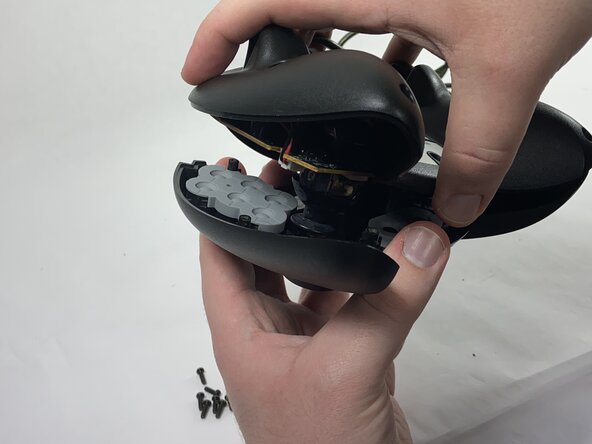
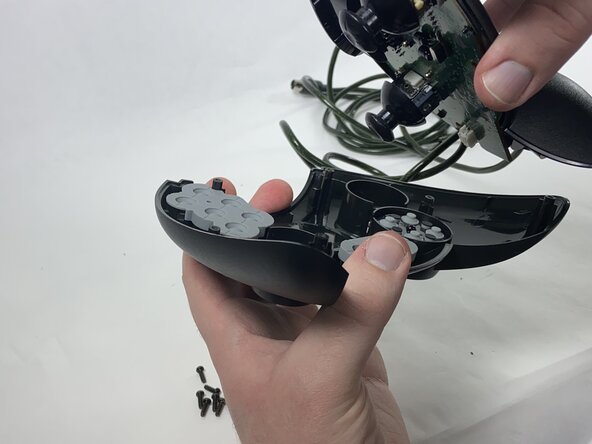
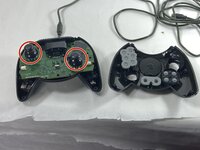
    2. Xbox Duke Controller Potentiometer Replacement: crwdns2935265:02crwdnd2935265:01crwdnd2935265:03crwdne2935265:0 Xbox Duke Controller Potentiometer Replacement: crwdns2935265:02crwdnd2935265:02crwdnd2935265:03crwdne2935265:0 Xbox Duke Controller Potentiometer Replacement: crwdns2935265:02crwdnd2935265:03crwdnd2935265:03crwdne2935265:0
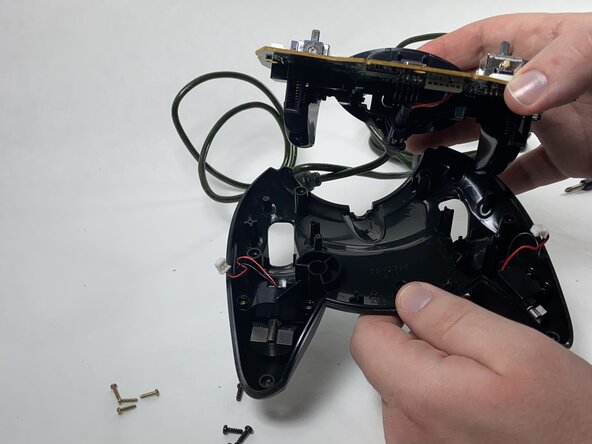
      • Remove the two halves of the Duke, placing the top plate face-down so the buttons don't fall out.

      crwdns2952109:0crwdne2952109:0

      crwdns2917038:0crwdne2917038:0

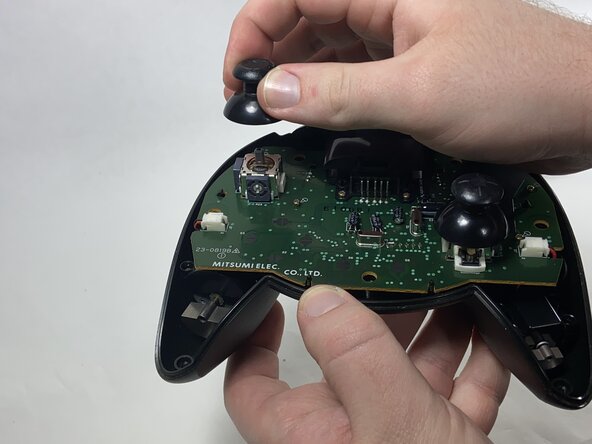
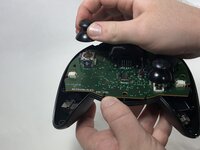
    1. Xbox Duke Controller Potentiometer Replacement, Potentiometer: crwdns2935265:03crwdnd2935265:01crwdnd2935265:02crwdne2935265:0 Xbox Duke Controller Potentiometer Replacement, Potentiometer: crwdns2935265:03crwdnd2935265:02crwdnd2935265:02crwdne2935265:0
      • Remove the stick caps from the potentiometers.

      crwdns2952109:0crwdne2952109:0

      crwdns2917038:0crwdne2917038:0

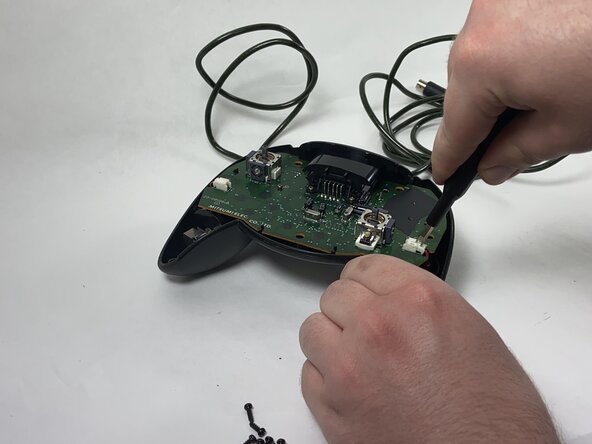
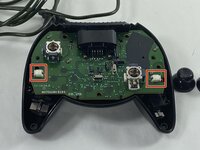
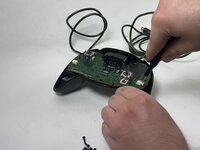
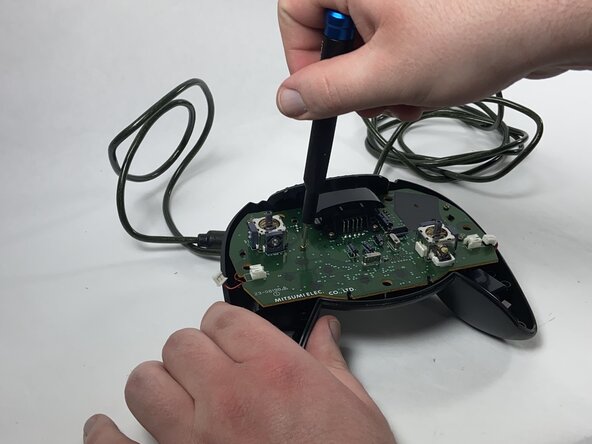
    2. Xbox Duke Controller Potentiometer Replacement: crwdns2935265:04crwdnd2935265:01crwdnd2935265:02crwdne2935265:0 Xbox Duke Controller Potentiometer Replacement: crwdns2935265:04crwdnd2935265:02crwdnd2935265:02crwdne2935265:0
      • Disconnect the connectors attaching the rumble motors to the motherboard using a pair of tweezers.

      • Be gentle when slipping the tweezers underneath the flaps of the connectors; they are fragile and can snap.

      crwdns2952109:0crwdne2952109:0

      crwdns2917038:0crwdne2917038:0

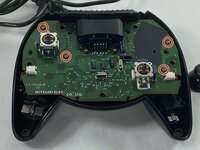
    3. Xbox Duke Controller Potentiometer Replacement: crwdns2935265:05crwdnd2935265:01crwdnd2935265:02crwdne2935265:0 Xbox Duke Controller Potentiometer Replacement: crwdns2935265:05crwdnd2935265:02crwdnd2935265:02crwdne2935265:0
      • Using a Phillips #1 screwdriver, remove the four yellow 8 mm screws holding the motherboard to the bottom half of the controller.

      crwdns2952109:0crwdne2952109:0

      crwdns2917038:0crwdne2917038:0

    4. Xbox Duke Controller Potentiometer Replacement: crwdns2935265:06crwdnd2935265:01crwdnd2935265:02crwdne2935265:0 Xbox Duke Controller Potentiometer Replacement: crwdns2935265:06crwdnd2935265:02crwdnd2935265:02crwdne2935265:0
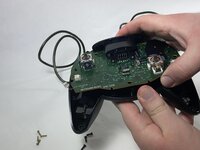
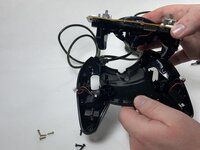
      • Remove the motherboard from the bottom half of the controller.

      crwdns2952109:0crwdne2952109:0

      crwdns2917038:0crwdne2917038:0

    5. Xbox Duke Controller Potentiometer Replacement: crwdns2935265:07crwdnd2935265:01crwdnd2935265:03crwdne2935265:0 Xbox Duke Controller Potentiometer Replacement: crwdns2935265:07crwdnd2935265:02crwdnd2935265:03crwdne2935265:0 Xbox Duke Controller Potentiometer Replacement: crwdns2935265:07crwdnd2935265:03crwdnd2935265:03crwdne2935265:0
      • Desolder the connector pins holding the left trigger assembly in place.

      • Remove the trigger assembly by pushing on the black connectors that hold them to the motherboard.

      crwdns2952109:0crwdne2952109:0

      crwdns2917038:0crwdne2917038:0

    6. Xbox Duke Controller Potentiometer Replacement: crwdns2935265:08crwdnd2935265:01crwdnd2935265:01crwdne2935265:0
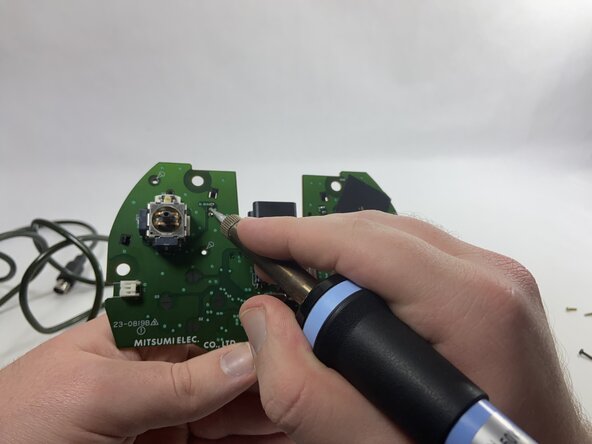
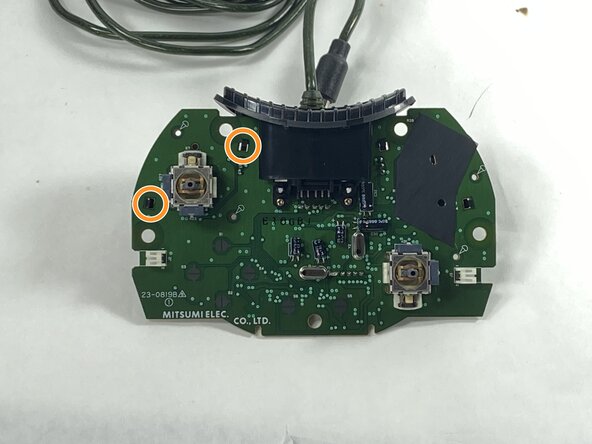
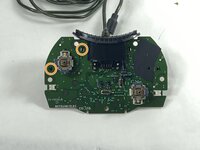
      • Desolder all of the connector pins holding the potentiometer in place.

      • Pull out the potentiometers and solder the new ones into place.

      crwdns2952109:0crwdne2952109:0

      crwdns2917038:0crwdne2917038:0

crwdns2915888:0crwdne2915888:0

To reassemble your device, follow these instructions in reverse order.

crwdns2935221:0crwdne2935221:0

crwdns2935227:0crwdne2935227:0

Anthony Casino

crwdns2935283:002/15/25crwdne2935283:0

660 crwdns2915208:0crwdne2915208:0

crwdns2935297:04crwdne2935297:0

crwdns2935287:0crwdne2935287:0

UMass Dartmouth, Team 1-1, Gulbrandsen Spring 2025 crwdns2935289:0UMass Dartmouth, Team 1-1, Gulbrandsen Spring 2025crwdne2935289:0

UMASSD-GULBRANDSEN-S25S1G1

crwdns2934841:01crwdne2934841:0

crwdns2935297:048crwdne2935297:0

crwdns2947412:00crwdne2947412:0

crwdns2917038:0crwdne2917038:0

crwdns2936625:0crwdne2936625:0:

crwdns2936751:024crwdne2936751:0 0

crwdns2936753:07crwdne2936753:0 13

crwdns2936753:030crwdne2936753:0 84

crwdns2942667:0crwdne2942667:0 912