crwdns2933423:0crwdne2933423:0
crwdns2947577:0crwdnd2947577:0crwdne2947577:0

VTech Safe and Sound DM111-2 Baby Unit Motherboard replacement Guide

crwdns2942213:0crwdne2942213:0

  1. VTech Safe and Sound DM111-2  Baby Unit Motherboard replacement Guide, Baby Unit Motherboard replacement Guide: crwdns2935265:01crwdnd2935265:01crwdnd2935265:01crwdne2935265:0
    • Along the back of unit there are two 4mm philips head screws towards the bottom of the unit. Start by removing these two screws using your PH0 screwdriver.

    crwdns2952109:0crwdne2952109:0
  2. VTech Safe and Sound DM111-2  Baby Unit Motherboard replacement Guide: crwdns2935265:02crwdnd2935265:01crwdnd2935265:02crwdne2935265:0 VTech Safe and Sound DM111-2  Baby Unit Motherboard replacement Guide: crwdns2935265:02crwdnd2935265:02crwdnd2935265:02crwdne2935265:0
    • Using the plastic spudger gently pry along the middle of the 2 sections of the plastic housing in order to release plastic latches on the inside of the housing.

    • Unlike the parent unit there are no wires across the two housing pieces, so once the latches are undone simply pull it apart without worry of disconnecting anything.

    crwdns2952109:0crwdne2952109:0
  3. VTech Safe and Sound DM111-2  Baby Unit Motherboard replacement Guide: crwdns2935265:03crwdnd2935265:01crwdnd2935265:02crwdne2935265:0 VTech Safe and Sound DM111-2  Baby Unit Motherboard replacement Guide: crwdns2935265:03crwdnd2935265:02crwdnd2935265:02crwdne2935265:0
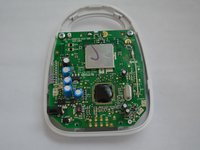
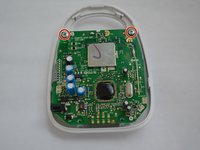
    • Once apart the motherboard will be exposed with two 4mm phillips head screws near the top and 4 wires leading leading to a circuit board hidden under the motherboard.

    • Remove the two screws near the top of the motherboard.

    crwdns2952109:0crwdne2952109:0
  4. VTech Safe and Sound DM111-2  Baby Unit Motherboard replacement Guide, Disconnect the microphone: crwdns2935265:04crwdnd2935265:01crwdnd2935265:02crwdne2935265:0 VTech Safe and Sound DM111-2  Baby Unit Motherboard replacement Guide, Disconnect the microphone: crwdns2935265:04crwdnd2935265:02crwdnd2935265:02crwdne2935265:0
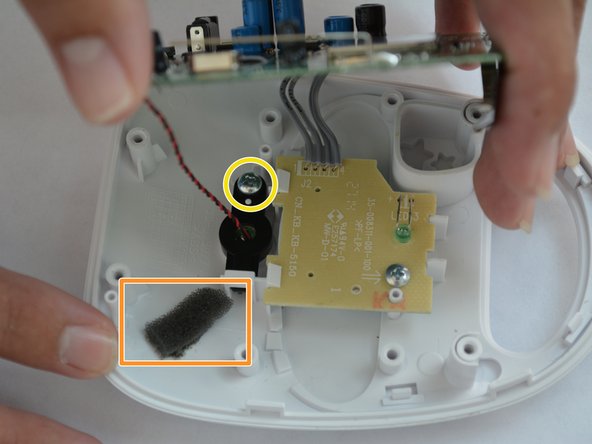
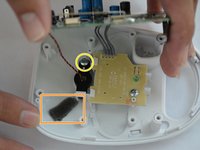
    • Remove the strip of adhesive tape located under the motherboard.

    • Gently lift the motherboard to expose the inner components.

    • Use a spudger to scrape away the adhesive and foam connecting the microphone.

    • Unscrew the 4mm phillips head screw holding the microphone in place.

    crwdns2952109:0crwdne2952109:0
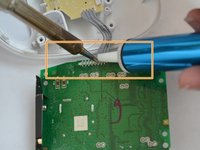
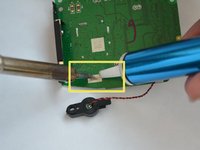
  5. VTech Safe and Sound DM111-2  Baby Unit Motherboard replacement Guide: crwdns2935265:05crwdnd2935265:01crwdnd2935265:03crwdne2935265:0 VTech Safe and Sound DM111-2  Baby Unit Motherboard replacement Guide: crwdns2935265:05crwdnd2935265:02crwdnd2935265:03crwdne2935265:0 VTech Safe and Sound DM111-2  Baby Unit Motherboard replacement Guide: crwdns2935265:05crwdnd2935265:03crwdnd2935265:03crwdne2935265:0
    crwdns2935267:0crwdne2935267:0
    Desoldering Pump
    $3.99
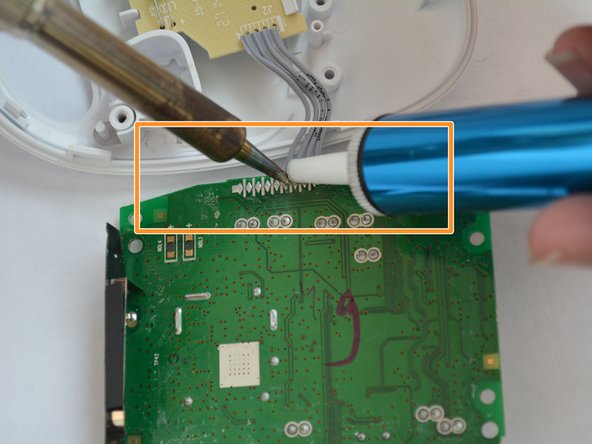
    • Before de-soldering, check to see no scorching or broken connections appear on the wires, power supply jack or antenna.

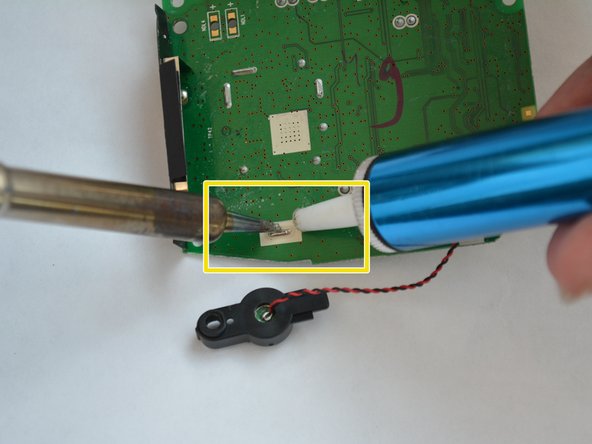
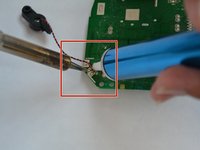
    • De-solder the connections from the motherboard using a soldering iron and a solder sucker.

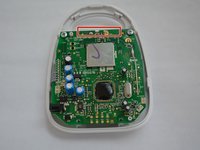
    • De-solder the connections to the microphone, located on the bottom left of the mother board.

    • De-solder the 4 wires connecting the LED board to the motherboard.

    • De-solder the antenna's solder joint, located above the microphone wire connection.

    crwdns2952109:0crwdne2952109:0
crwdns2915888:0crwdne2915888:0

To reassemble your device, follow these instructions in reverse order.

Jean Carlos

crwdns2935283:008/31/15crwdne2935283:0

201 crwdns2915208:0crwdne2915208:0

crwdns2935297:02crwdne2935297:0

crwdns2935287:0crwdne2935287:0

USF Tampa, Team 6-3, Remmell Fall 2015 crwdns2935289:0USF Tampa, Team 6-3, Remmell Fall 2015crwdne2935289:0

USFT-REMMELL-F15S6G3

crwdns2931471:04crwdne2931471:0

crwdns2935297:07crwdne2935297:0

crwdns2947412:00crwdne2947412:0

crwdns2917038:0crwdne2917038:0

crwdns2936625:0crwdne2936625:0:

crwdns2936751:024crwdne2936751:0 0

crwdns2936753:07crwdne2936753:0 2

crwdns2936753:030crwdne2936753:0 55

crwdns2942667:0crwdne2942667:0 1,261