crwdns2915892:0crwdne2915892:0
Do you need to remove the circuit board, motor, belts, or buttons on your TCM-450? Then you will need this guide to get to those parts. The PCB, motherboard, or circuit board for TCM-450 hides all of the important mechanical components that make TCM-450 work, and is the computer board that runs the device. This may be difficult because you desolder multiple wires to lift up the PCB.
crwdns2942213:0crwdne2942213:0
-
-
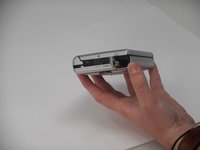
Remove the two 3.5 mm Phillips #00 screws from the bottom of the device.
-
-
-
Open the lid, and carefully remove the two 9.7 mm Phillips #0 screws from the inside of the front cabinet.
-
-
-
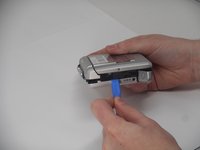
Open the battery cover, and gently remove the back cabinet with the iFixit Opening tool.
-
-
-
-
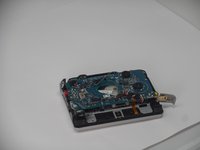
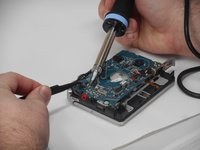
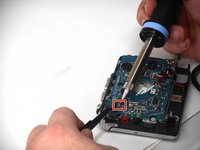
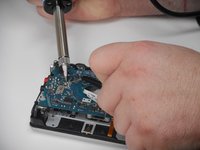
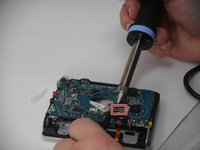
Carefully desolder each connection and gently remove each connected wire.
-
-
-
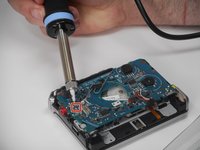
Carefully desolder the next set of connections and gently remove the connected wires.
-
-
-
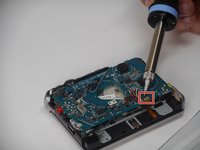
Carefully desolder the last two groups of connections and gently remove the wires.
-
-
-
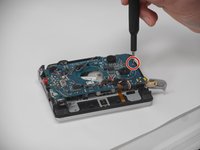
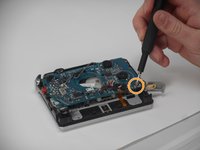
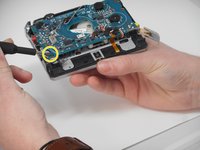
Carefully remove the three inner screws as shown from the circuit board to loosen it.
-
Remove the following screws in this order:
-
A 3.4 mm Phillips #00
-
A 4.6 mm Phillips #00
-
A 9.7 mm Phillips #0. To remove this screw you must lift the PCB at the same time.
-











To reassemble your device, follow the above steps in reverse order.
Take your e-waste to an R2 or e-Stewards certified recycler.
Repair didn’t go as planned? Try some basic troubleshooting or ask our Answers community for help.


crwdns2935287:0crwdne2935287:0

University of Memphis, Team 1-3, Sneed Fall 2024 crwdns2935289:0University of Memphis, Team 1-3, Sneed Fall 2024crwdne2935289:0
UM-SNEED-F24S1G3
crwdns2931471:04crwdne2931471:0
crwdns2935297:08crwdne2935297:0
