crwdns2915892:0crwdne2915892:0
The headphone drivers are responsible for producing all the sound you hear. Over time, they can fail due to wear, physical damage, or electrical issues, resulting in distortion, buzzing, or complete loss of audio in one ear. This guide will show you how to safely open the earcup and replace a faulty driver. Completing this repair can restore full, clear sound and extend the lifespan of your Sennheiser HD205 headphones.
crwdns2942213:0crwdne2942213:0
-
-
-
With your hands, carefully remove the ear cushions from the Sennheiser HD205 by pulling them away from the headphone earcup.
 crwdns2952109:0crwdne2952109:0
-
-
-
-
-
-
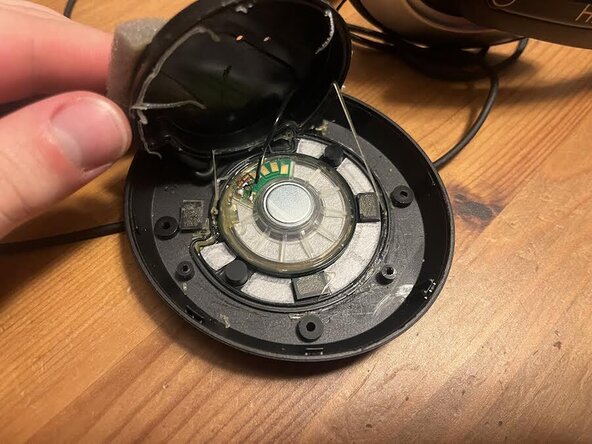
Using the 00-size screw bit, Remove the four screws and plastic cover from headphones. Flip over plastic cover to find the back of the drivers.
-
-
-
Use hair dyer to soften glue, pry protective cover up
-
Replace drivers
-
-




To reassemble your device, follow these instructions in reverse order. Take your e-waste to an R2 or e-Stewards certified recycler.

crwdns2935287:0crwdne2935287:0

UMass Dartmouth, Team 2-3, Bowman Fall 2025 crwdns2935289:0UMass Dartmouth, Team 2-3, Bowman Fall 2025crwdne2935289:0
UMASSD-BOWMAN-F25S2G3
crwdns2931471:04crwdne2931471:0
crwdns2935297:036crwdne2935297:0
