
Nokia E61i Microphone Replacement

crwdns2959932:0crwdnd2959932:0Christopher Pattoncrwdnd2959932:0crwdnd2959932:0crwdnd2959932:08crwdnd2959932:0crwdne2959932:0
crwdns2959936:0Sun 15, 2026crwdne2959936:0
crwdns2869540:0crwdne2869540:0: 2956
crwdns2959988:0crwdne2959988:0
- crwdns2959990:0crwdne2959990:0
- 2
- crwdns2959992:0crwdne2959992:0
- 14
- crwdns2959994:0crwdne2959994:0
- 89
- crwdns2959996:0crwdne2959996:0
- 2.956
crwdns2955950:0crwdne2955950:0: 0
crwdns2959998:0crwdne2959998:0
crwdns2960000:0crwdne2960000:0crwdns2959984:0crwdne2959984:0: 1 2
crwdns2959972:01crwdne2959972:0
crwdns2959970:02crwdne2959970:0
crwdns2959986:0crwdne2959986:0: 0 1
crwdns2959958:0crwdne2959958:0
crwdns2959976:01crwdne2959976:0
crwdns2890100:0crwdne2890100:0
crwdns2944378:0crwdne2944378:0
crwdns2869444:0crwdne2869444:0
crwdns2869445:0crwdne2869445:0
crwdns2862611:0crwdne2862611:0
crwdns2862612:0crwdne2862612:0
crwdns2915892:0crwdne2915892:0
crwdns2959928:0crwdne2959928:0 ↓If your Nokia E61i isn't recognizing headphones, creates a distorted sound or has a loose connection when headset is plugged in, the headset may need a replacement. This guide will walk you through how to open the phone and remove the faulty headset jack. Make sure you have a clean workspace and the correct tools before you begin.
crwdns2959930:0crwdne2959930:0
crwdns2943215:0crwdne2943215:0


-
-
-
First, gather all necessary tools.
-
Remove the back cover to access the battery by pushing the tab on the bottom of the cover.
-
Slide the back cover downwards off of the phone while pressing down on the tab.
 crwdns2952109:0crwdne2952109:0
-
-
-
Locate the bottom-left corner of the phone where there is a spot to remove the battery.
-
-
-
Lift the battery out using your finger.
-
-
-
-
-
To remove the top of the back cover, pry the sides and pop it off.
-
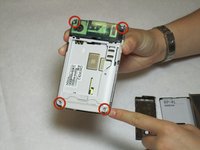
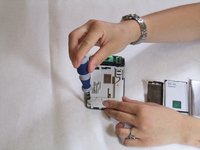
Remove the four screws that secure the front cover to the rest of the phone using a T7 screwdriver.
-
-
-
Remove the cover by pulling it up and off.
-
-
-
-
-
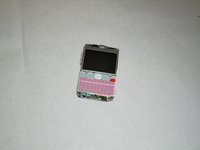
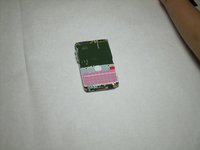
Take off the casing and keyboard.
-
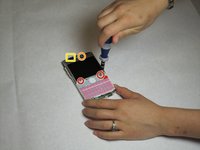
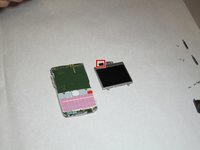
Remove the screws while holding the screen in place using a Torx T6 screwdriver.
-
Remove the single screw while holding the screen in place using a Torx T5 screwdriver.
-
Lift the ribbon, disconnecting contact with the motherboard.
-
-
-
Gently pull the screen off of the phone.
-
Be sure not to rip the sticker that connects the display and the motherboard.
-
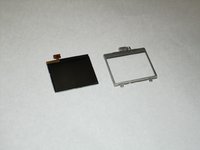
Pull the silver case off to completely free the cracked or damaged screen.
-
-
-
-
-
-
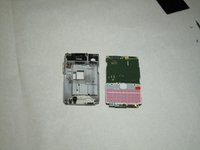
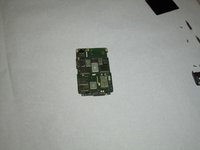
Pull the green motherboard from the back casing.
-
-
-
-
-
Remove the connector housing by pushing and sliding it off the back panel.
-
-
-
-
-
After the connector housing has been removed, there is nothing else holding the microphone in place. Simply remove it from the housing by pulling up.
-
-










To reassemble your device, follow these instructions in reverse order. Take your e-waste to an R2 or e-Stewards certified recycler.
crwdns2935221:0crwdne2935221:0
crwdns2935227:0crwdne2935227:0

crwdns2935287:0crwdne2935287:0

Cal Poly, Team 9-63, Walters Spring 2011 crwdns2935289:0Cal Poly, Team 9-63, Walters Spring 2011crwdne2935289:0
CPSU-WALTERS-S11S9G63
crwdns2931471:05crwdne2931471:0
crwdns2935297:0144crwdne2935297:0
