
Nokia 8290 Microphone Replacement

crwdns2959932:0crwdnd2959932:0Parker Niebauercrwdnd2959932:0crwdnd2959932:0crwdnd2959932:05crwdnd2959932:0crwdne2959932:0
crwdns2959936:0Mud 7, 2024crwdne2959936:0
crwdns2869540:0crwdne2869540:0: 852
crwdns2959988:0crwdne2959988:0
- crwdns2959990:0crwdne2959990:0
- 0
- crwdns2959992:0crwdne2959992:0
- 9
- crwdns2959994:0crwdne2959994:0
- 40
- crwdns2959996:0crwdne2959996:0
- 852
crwdns2955950:0crwdne2955950:0: 0
crwdns2959998:0crwdne2959998:0
crwdns2960000:0crwdne2960000:0crwdns2959984:0crwdne2959984:0: 1 2
crwdns2959972:01crwdne2959972:0
crwdns2959970:02crwdne2959970:0
crwdns2959986:0crwdne2959986:0: 0 1
crwdns2959958:0crwdne2959958:0
crwdns2959976:01crwdne2959976:0
crwdns2915892:0crwdne2915892:0
crwdns2959928:0crwdne2959928:0 ↓Installing a new microphone may be necessary if those receiving calls from you are unable to hear you. Installation should only be done as a last resort, after trying all other possible solutions as listed in the Nokia 8290 Troubleshooting Guide. Installation requires no prior knowledge of mobile phone microphones.
crwdns2959930:0crwdne2959930:0
crwdns2943215:0crwdne2943215:0
-
-
Spudger4.9
-


-
-
-
Locate the small button on the top of the phone.
-
Depress the button.
-
With your other hand, pull the front cover away from the phone.
 crwdns2952109:0crwdne2952109:0
-
-
-
-
-
Remove all six 5.3 mm long T6 screws.
-
Remove the circuit board/faceplate sub-assembly from the back of the phone.
-
-
-
-
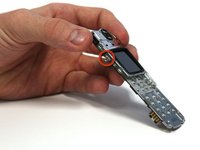
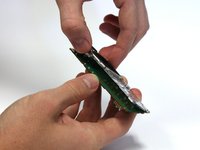
Using your fingers, pull the small plastic tab away from the circuit board/faceplate sub-assembly.
-
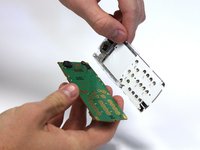
Rotate the faceplate away from the circuit board.
-
Gently remove the faceplate from the circuit board, taking care to not break the small plastic tab on the other side of the sub-assembly.
-
-
-
-
-
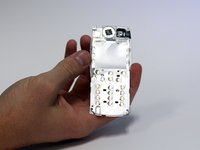
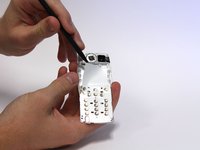
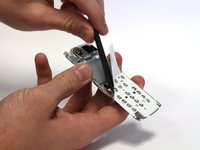
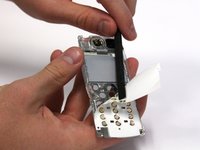
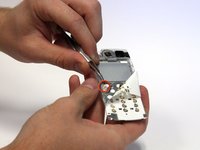
Use the spudger to peel back the top-left corner of the white adhesive film. This can be done by working the spudger back and forth underneath the film.
-
-
crwdns2935267:0crwdne2935267:0Tweezers$4.99
-
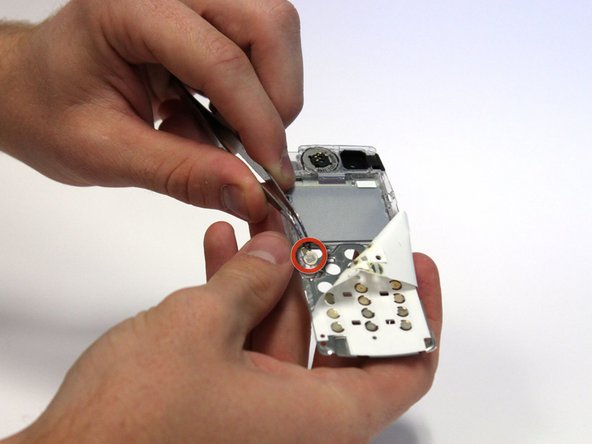
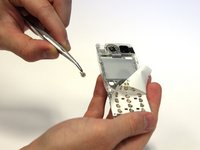
Continue to peel the film back until you can see the microphone.
-
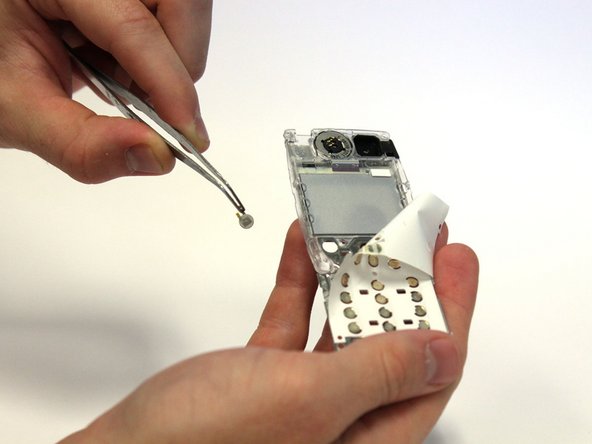
Use tweezers to remove the microphone.
-
-





To reassemble your device, follow these instructions in reverse order.
crwdns2935221:0crwdne2935221:0
crwdns2935227:0crwdne2935227:0

crwdns2935287:0crwdne2935287:0

Clemson, Team 15-3, Benson Fall 2012 crwdns2935289:0Clemson, Team 15-3, Benson Fall 2012crwdne2935289:0
CLEM-BENSON-F12S15G3
crwdns2931471:03crwdne2931471:0
crwdns2935297:0132crwdne2935297:0
