crwdns2933423:0crwdne2933423:0
crwdns2947577:0crwdnd2947577:0crwdne2947577:0

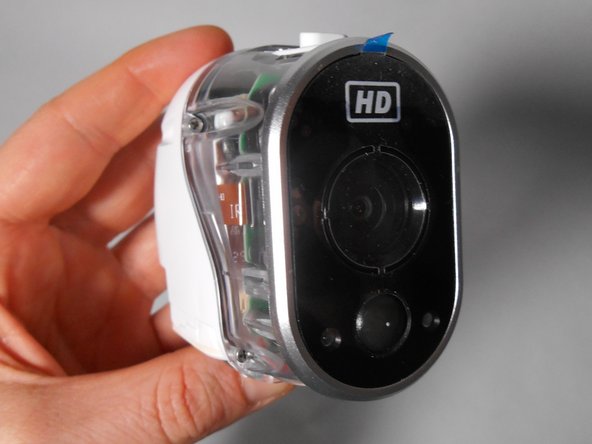
Netgear Arlo 2 Camera HD Security System Camera/Lens Replacement

crwdns2942213:0crwdne2942213:0

  1. Netgear Arlo 2 Camera HD Security System Camera/Lens  Replacement, Case: crwdns2935265:01crwdnd2935265:01crwdnd2935265:03crwdne2935265:0 Netgear Arlo 2 Camera HD Security System Camera/Lens  Replacement, Case: crwdns2935265:01crwdnd2935265:02crwdnd2935265:03crwdne2935265:0 Netgear Arlo 2 Camera HD Security System Camera/Lens  Replacement, Case: crwdns2935265:01crwdnd2935265:03crwdnd2935265:03crwdne2935265:0
    • Unscrew the two 3.0 mm Phillips #00 screws on the bottom of the camera.

    • Open the battery compartment on the bottom by pushing the switch marked in orange to the side and pushing the bottom of the camera back, sliding it open.

    crwdns2952109:0crwdne2952109:0

    crwdns2917038:0crwdne2917038:0

  2. Netgear Arlo 2 Camera HD Security System Camera/Lens  Replacement: crwdns2935265:02crwdnd2935265:01crwdnd2935265:02crwdne2935265:0 Netgear Arlo 2 Camera HD Security System Camera/Lens  Replacement: crwdns2935265:02crwdnd2935265:02crwdnd2935265:02crwdne2935265:0
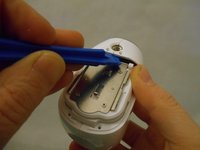
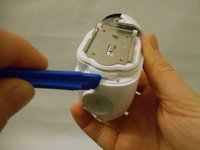
    • Remove the bottom piece of the case over the battery compartment by placing a plastic opening tool underneath the edge of the case and prying it up.

    • Unscrew the four 3.0 mm Phillips #00 screws on the outside of the battery pocket.

    crwdns2952109:0crwdne2952109:0

    crwdns2917038:0crwdne2917038:0

  3. Netgear Arlo 2 Camera HD Security System Camera/Lens  Replacement: crwdns2935265:03crwdnd2935265:01crwdnd2935265:02crwdne2935265:0 Netgear Arlo 2 Camera HD Security System Camera/Lens  Replacement: crwdns2935265:03crwdnd2935265:02crwdnd2935265:02crwdne2935265:0
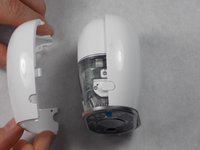
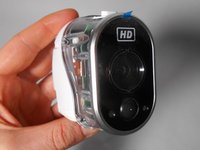
    • When facing the camera lens, the left panel of the case will be removed first (more steps are needed for the right panel).

    • Place the plastic opening tool between the two pieces of the case and pry them apart from the bottom.

    • Gently pull the side of the case off as it comes loose.

    crwdns2952109:0crwdne2952109:0

    crwdns2917038:0crwdne2917038:0

  4. Netgear Arlo 2 Camera HD Security System Camera/Lens  Replacement: crwdns2935265:04crwdnd2935265:01crwdnd2935265:02crwdne2935265:0 Netgear Arlo 2 Camera HD Security System Camera/Lens  Replacement: crwdns2935265:04crwdnd2935265:02crwdnd2935265:02crwdne2935265:0
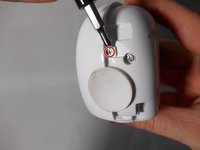
    • Unscrew the smaller 3.0 mm Phillips #00 screw in the center on the back of the device.

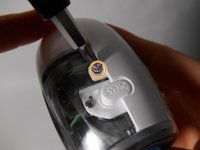
    • Flip the camera over and unscrew the center 3.0 mm Phillips #00 screw above the SYNC button.

    crwdns2952109:0crwdne2952109:0

    crwdns2917038:0crwdne2917038:0

  5. Netgear Arlo 2 Camera HD Security System Camera/Lens  Replacement: crwdns2935265:05crwdnd2935265:01crwdnd2935265:02crwdne2935265:0 Netgear Arlo 2 Camera HD Security System Camera/Lens  Replacement: crwdns2935265:05crwdnd2935265:02crwdnd2935265:02crwdne2935265:0
    • Using the plastic opening tool, gently pry the right panel from the device.

    • Replace either side of the plastic case as needed.

    crwdns2952109:0crwdne2952109:0

    crwdns2917038:0crwdne2917038:0

  6. Netgear Arlo 2 Camera HD Security System Camera/Lens  Replacement, Camera/Lens: crwdns2935265:06crwdnd2935265:01crwdnd2935265:03crwdne2935265:0 Netgear Arlo 2 Camera HD Security System Camera/Lens  Replacement, Camera/Lens: crwdns2935265:06crwdnd2935265:02crwdnd2935265:03crwdne2935265:0 Netgear Arlo 2 Camera HD Security System Camera/Lens  Replacement, Camera/Lens: crwdns2935265:06crwdnd2935265:03crwdnd2935265:03crwdne2935265:0
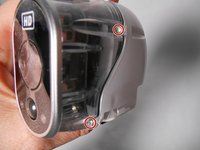
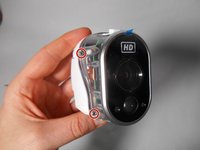
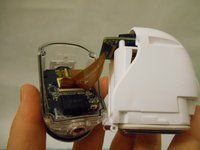
    • Unscrew the four 4.0 mm Phillips #00 screws on either side of the transparent case.

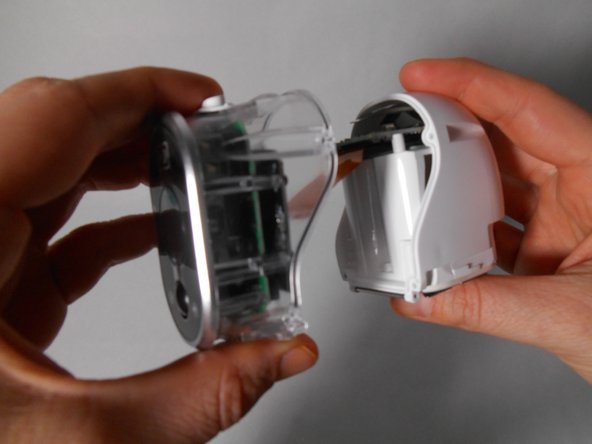
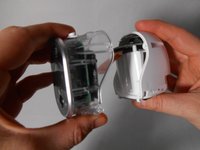
    • Separate the transparent half of the case from the white half.

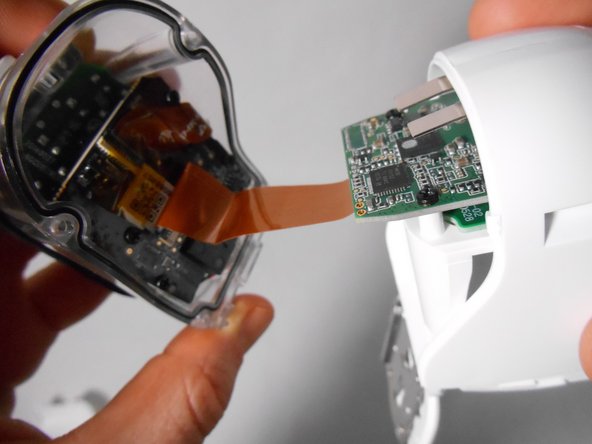
    • Only separate the two halves enough for them to be apart. The flat ribbon cable is short and its connection is delicate.

    crwdns2952109:0crwdne2952109:0

    crwdns2917038:0crwdne2917038:0

  7. Netgear Arlo 2 Camera HD Security System Camera/Lens  Replacement: crwdns2935265:07crwdnd2935265:01crwdnd2935265:02crwdne2935265:0 Netgear Arlo 2 Camera HD Security System Camera/Lens  Replacement: crwdns2935265:07crwdnd2935265:02crwdnd2935265:02crwdne2935265:0
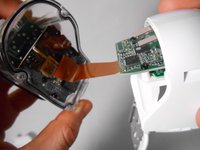
    • Lift the small thin black rectangular latch that covers the connectors of the flat ribbon cable.

    • The latch is very flat, so use a finger nail or a spudger to lift it. Do not use any sharp edge like a knife as it will likely damage the device!

    • With the latch lifted, the cable will pull away freely as you separate the white half from the transparent half.

    crwdns2952109:0crwdne2952109:0

    crwdns2917038:0crwdne2917038:0

  8. Netgear Arlo 2 Camera HD Security System Camera/Lens  Replacement: crwdns2935265:08crwdnd2935265:01crwdnd2935265:03crwdne2935265:0 Netgear Arlo 2 Camera HD Security System Camera/Lens  Replacement: crwdns2935265:08crwdnd2935265:02crwdnd2935265:03crwdne2935265:0 Netgear Arlo 2 Camera HD Security System Camera/Lens  Replacement: crwdns2935265:08crwdnd2935265:03crwdnd2935265:03crwdne2935265:0
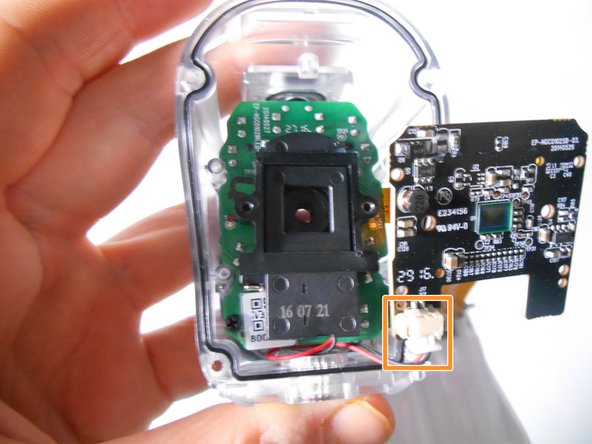
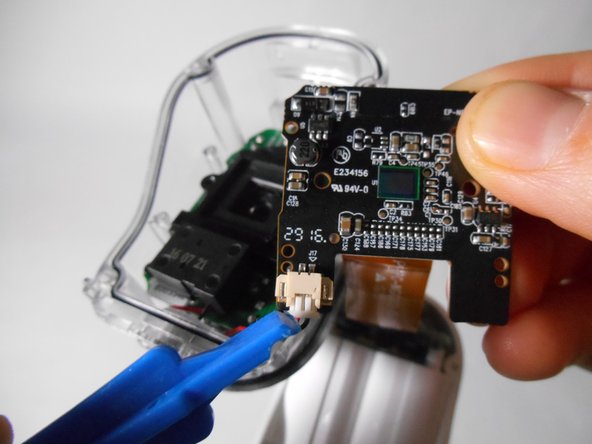
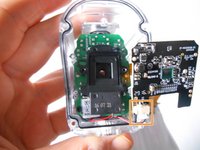
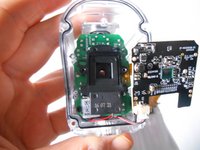
    • Repeat the same process as in Step 6 to release the flat ribbon cable from the black rectangular latch

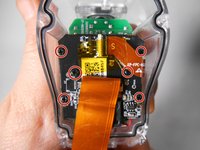
    • Unscrew the six black 3.0 mm Phillips #00 screws that hold the black motherboard on.

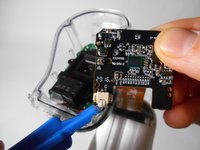
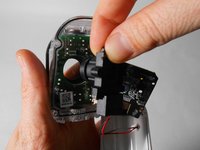
    • Release the clip at the bottom left corner of the black motherboard by pinching the wings at either side of the clip.

    • Be sure that the transparent case or the black motherboard are being held or resting on a surface so that neither falls when the clip is released.

    crwdns2952109:0crwdne2952109:0

    crwdns2917038:0crwdne2917038:0

  9. Netgear Arlo 2 Camera HD Security System Camera/Lens  Replacement: crwdns2935265:09crwdnd2935265:01crwdnd2935265:03crwdne2935265:0 Netgear Arlo 2 Camera HD Security System Camera/Lens  Replacement: crwdns2935265:09crwdnd2935265:02crwdnd2935265:03crwdne2935265:0 Netgear Arlo 2 Camera HD Security System Camera/Lens  Replacement: crwdns2935265:09crwdnd2935265:03crwdnd2935265:03crwdne2935265:0
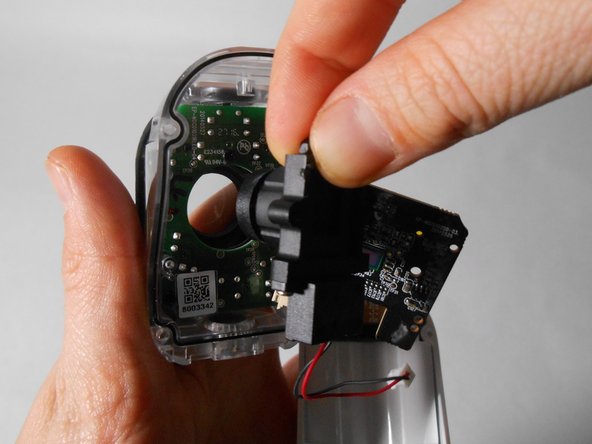
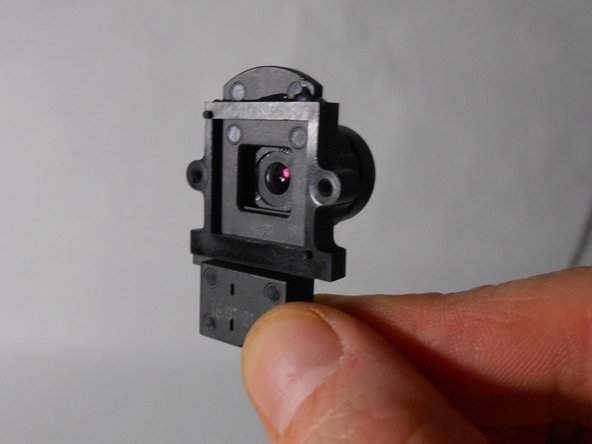
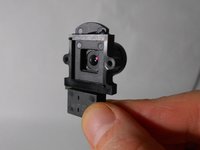
    • Remove the black plastic that contains the camera from its place.

    • Discard and replace this part as needed.

    crwdns2952109:0crwdne2952109:0

    crwdns2917038:0crwdne2917038:0

crwdns2915888:0crwdne2915888:0

To reassemble your device, follow these instructions in reverse order.

crwdns2935221:0crwdne2935221:0

Ben Ingleson

crwdns2935283:010/30/18crwdne2935283:0

109 crwdns2915208:0crwdne2915208:0

crwdns2935295:0crwdne2935295:0

crwdns2935287:0crwdne2935287:0

UMass Dartmouth, Team S2-G4, Peak Fall 2018 crwdns2935289:0UMass Dartmouth, Team S2-G4, Peak Fall 2018crwdne2935289:0

UMASSD-PEAK-F18S2G4

crwdns2931471:03crwdne2931471:0

crwdns2935297:010crwdne2935297:0

crwdns2947412:00crwdne2947412:0

crwdns2917038:0crwdne2917038:0

crwdns2936625:0crwdne2936625:0:

crwdns2936751:024crwdne2936751:0 3

crwdns2936753:07crwdne2936753:0 14

crwdns2936753:030crwdne2936753:0 46

crwdns2942667:0crwdne2942667:0 1,929