crwdns2933423:0crwdne2933423:0
crwdns2947577:0crwdnd2947577:0crwdne2947577:0

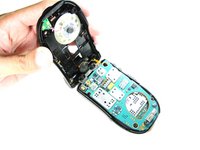
Motorola i90c Midframe Replacement

crwdns2942213:0crwdne2942213:0

    1. Motorola i90c Midframe Replacement, Battery: crwdns2935265:01crwdnd2935265:01crwdnd2935265:03crwdne2935265:0 Motorola i90c Midframe Replacement, Battery: crwdns2935265:01crwdnd2935265:02crwdnd2935265:03crwdne2935265:0 Motorola i90c Midframe Replacement, Battery: crwdns2935265:01crwdnd2935265:03crwdnd2935265:03crwdne2935265:0
      • Slide the notch downward while pulling the back cover off to remove it.

      crwdns2952109:0crwdne2952109:0

      crwdns2917038:0crwdne2917038:0

    2. Motorola i90c Midframe Replacement: crwdns2935265:02crwdnd2935265:01crwdnd2935265:03crwdne2935265:0 Motorola i90c Midframe Replacement: crwdns2935265:02crwdnd2935265:02crwdnd2935265:03crwdne2935265:0 Motorola i90c Midframe Replacement: crwdns2935265:02crwdnd2935265:03crwdnd2935265:03crwdne2935265:0
      • Use your fingers to push the battery upward from the bottom.

      • Lift upwards to remove the battery.

      crwdns2952109:0crwdne2952109:0

      crwdns2917038:0crwdne2917038:0

    1. Motorola i90c Midframe Replacement, Antenna: crwdns2935265:03crwdnd2935265:01crwdnd2935265:02crwdne2935265:0 Motorola i90c Midframe Replacement, Antenna: crwdns2935265:03crwdnd2935265:02crwdnd2935265:02crwdne2935265:0
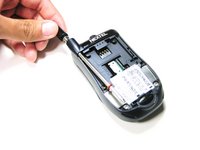
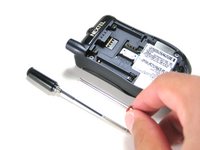
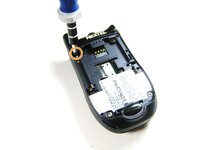
      • Unscrew the antenna in a counter-clockwise fashion.

      • Remove the aluminum cover.

      crwdns2952109:0crwdne2952109:0

      crwdns2917038:0crwdne2917038:0

    1. Motorola i90c Midframe Replacement, Midframe: crwdns2935265:04crwdnd2935265:01crwdnd2935265:03crwdne2935265:0 Motorola i90c Midframe Replacement, Midframe: crwdns2935265:04crwdnd2935265:02crwdnd2935265:03crwdne2935265:0 Motorola i90c Midframe Replacement, Midframe: crwdns2935265:04crwdnd2935265:03crwdnd2935265:03crwdne2935265:0
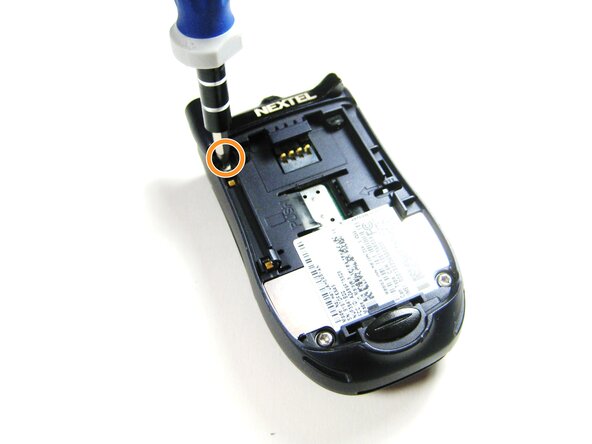
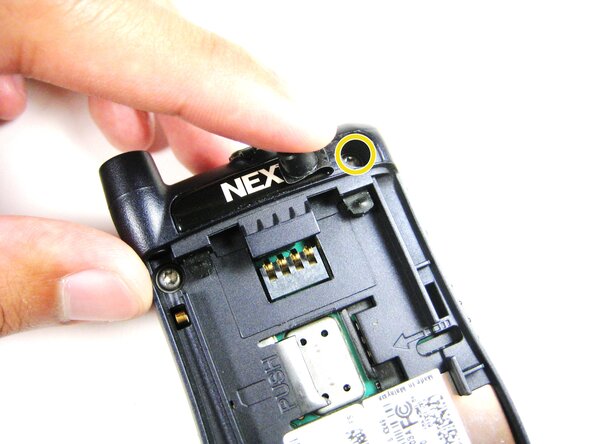
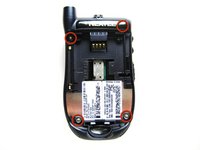
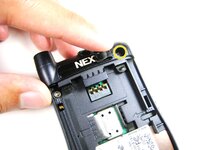
      • Unscrew the 3 screws shown.

      • Lift the right part of the Nextel logo

      • Remove the screw underneath.

      crwdns2952109:0crwdne2952109:0

      crwdns2917038:0crwdne2917038:0

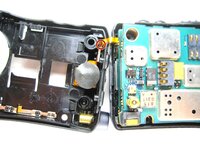
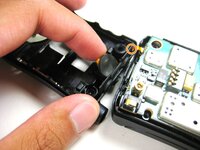
    2. Motorola i90c Midframe Replacement: crwdns2935265:05crwdnd2935265:01crwdnd2935265:02crwdne2935265:0 Motorola i90c Midframe Replacement: crwdns2935265:05crwdnd2935265:02crwdnd2935265:02crwdne2935265:0
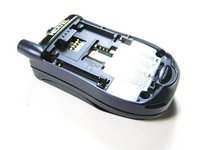
      • Forcing the cover off could damage the ribbon cable, so be careful when doing so.

      • Gently lift the back cover off.

      crwdns2952109:0crwdne2952109:0

      crwdns2917038:0crwdne2917038:0

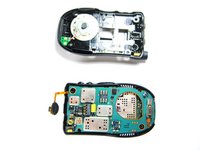
    3. Motorola i90c Midframe Replacement: crwdns2935265:06crwdnd2935265:01crwdnd2935265:03crwdne2935265:0 Motorola i90c Midframe Replacement: crwdns2935265:06crwdnd2935265:02crwdnd2935265:03crwdne2935265:0 Motorola i90c Midframe Replacement: crwdns2935265:06crwdnd2935265:03crwdnd2935265:03crwdne2935265:0
      • Find the connection between the headphone jack and logic board.

      • Begin separating the two pieces, slowly and carefully.

      crwdns2952109:0crwdne2952109:0

      crwdns2917038:0crwdne2917038:0

crwdns2915888:0crwdne2915888:0

To reassemble your device, follow these instructions in reverse order. Take your e-waste to an R2 or e-Stewards certified recycler.

crwdns2935221:0crwdne2935221:0

Grant Glazebrook

crwdns2935283:004/14/10crwdne2935283:0

7 crwdns2915208:0crwdne2915208:0

crwdns2935297:02crwdne2935297:0

crwdns2935287:0crwdne2935287:0

Cal Poly, Team 29-61, Johann Spring 2010 crwdns2935289:0Cal Poly, Team 29-61, Johann Spring 2010crwdne2935289:0

CPSU-JOHANN-S10S29G61

crwdns2931471:04crwdne2931471:0

crwdns2935297:072crwdne2935297:0

crwdns2947412:00crwdne2947412:0

crwdns2917038:0crwdne2917038:0

crwdns2936625:0crwdne2936625:0:

crwdns2936751:024crwdne2936751:0 0

crwdns2936753:07crwdne2936753:0 7

crwdns2936753:030crwdne2936753:0 27

crwdns2942667:0crwdne2942667:0 1,727