crwdns2915892:0crwdne2915892:0
Follow this guide to disassemble your Logitech VX Nano Wireless Mouse to either replace a broken scroll wheel or clean your current one.
crwdns2942213:0crwdne2942213:0
-
-
Pull down on the battery release tab to remove the battery cover.
-
Remove battery cover.
-
-
-
Pull the battery release tab away from the mouse until the two AA batteries come out.
-
-
-
If the Nano Receiver is still in the mouse, push the bright orange button to remove it. It should pop right out.
-
-
-
-
Use a Phillips #1 screwdriver to remove the two 6 mm-long screws at the bottom of the battery compartment.
-
-
-
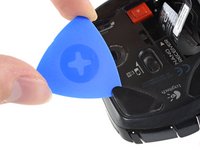
Insert an opening pick underneath the corner of one of the adhesive skates.
-
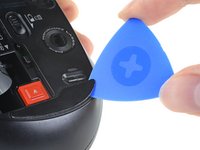
Continue to push the opening pick between the adhesive pad and the mouse case, slowly working the adhesive away from the case.
-
Repeat this same process for the two other skates.
-
-
-
Use a Phillips #1 screwdriver to remove the three 6 mm-long screws from the backside of the mouse.
-
-
-
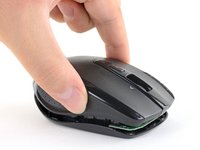
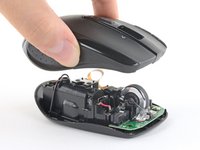
Lift the top shell straight up to separate the top plastic shell from the bottom case.
-
Remove the top shell.
-
-
crwdns2935267:0crwdne2935267:0Tweezers$4.99
-
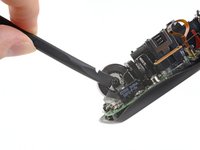
Use the flat end of a spudger to carefully pry one side of the scroll wheel out of its clear plastic housing.
-
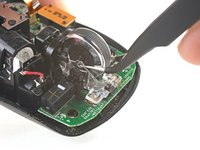
Use a set of tweezers to grasp either side of the scroll wheel near the axle. Use one side of the tweezers to keep the scroll wheel from popping back into the clear plastic housing on the side you already disconnected.
-
At the same time, use the other side of the tweezers to pull the opposite side of the scroll wheel loose from the clear plastic housing.
-
-
-
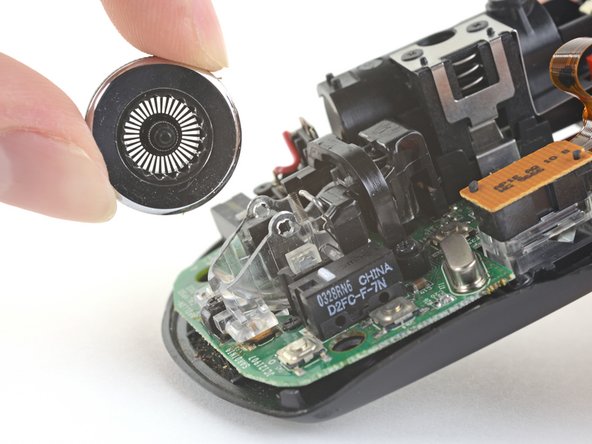
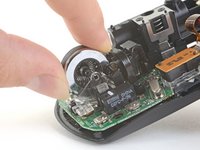
Pull the scroll wheel up and away from the clear plastic housing and the spring holding it in place.
-







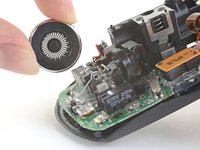
To reassemble your device, follow these instructions in reverse order.
Repair didn’t go as planned? Try some basic troubleshooting, or ask our Answers community for help.
Reuse or Recycle—Never put discarded electronic parts in household waste. Visit Logitech Recycling to find your nearest recycling points, including the option to mail back old devices to Logitech for free if there’s no convenient solution in your area. You can also take your e-waste to any R2 or e-Stewards certified recycler. And don’t let good working parts or repaired devices die a slow death in your sock drawer—pass them along to someone who can use them.
Share your experience—Leave a comment here or send your feedback directly to Logitech at repair@logitech.com to help shape future repair guides and product design.
crwdns2935221:0crwdne2935221:0
crwdns2935229:04crwdne2935229:0



crwdns2947412:02crwdne2947412:0
Thanks for the instruction!
Although I think it is impossible to remove the skates (pads, feet, whatever you call them) without damaging them.
But the replacement is still relatively easy to find on Ali or ebay.
You’re totally right! I’ll add this clarification to the step. Thanks!
