
Logitech K750 Keyboard Battery Replacement

crwdns2959932:0crwdnd2959932:0Carsten Frauenheimcrwdnd2959932:0crwdnd2959932:0crwdne2959932:0
crwdns2959936:0Yan 11, 2026crwdne2959936:0
crwdns2869540:0crwdne2869540:0: 293 k
crwdns2959988:0crwdne2959988:0
- crwdns2959990:0crwdne2959990:0
- 34
- crwdns2959992:0crwdne2959992:0
- 326
- crwdns2959994:0crwdne2959994:0
- 1,423
- crwdns2959996:0crwdne2959996:0
- 292,951
crwdns2955950:0crwdne2955950:0: 126
crwdns2960004:031crwdne2960004:0, crwdns2960008:095crwdne2960008:0
crwdns2960000:0crwdne2960000:0crwdns2959984:0crwdne2959984:0: 213 214
crwdns2959974:0213crwdne2959974:0
crwdns2959970:0214crwdne2959970:0
crwdns2959986:0crwdne2959986:0: 10 11
crwdns2959982:010crwdne2959982:0
crwdns2959978:011crwdne2959978:0
crwdns2862627:0crwdne2862627:0
crwdns2862628:0crwdne2862628:0
crwdns2918348:0crwdne2918348:0
crwdns2942335:0crwdne2942335:0
crwdns2948837:0crwdne2948837:0
crwdns2948839:0crwdne2948839:0
crwdns2959930:0crwdne2959930:0


crwdns2915892:0crwdne2915892:0
crwdns2959928:0crwdne2959928:0 ↓Use this guide to safely remove and replace the battery in a Logitech K750 Solar wireless keyboard.
Note: The K750 Solar requires a rechargeable ML2032 coin cell battery as a replacement. Although it's the same size and shape as the more common CR2032, CR2032s are not rechargeable. You can also use a LIR2032 rechargeable battery as well.
-
-
-
Before you begin, flip the keyboard's power switch into the OFF position.
 crwdns2952109:0crwdne2952109:0
-
-
-
Flip the entire keyboard over, keys facing down.
-
-
-
-
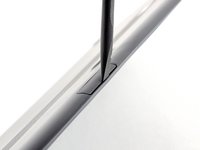
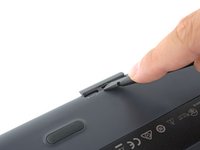
Insert the flat end of a spudger into the gap between the battery tray and the top surface of the keyboard.
-
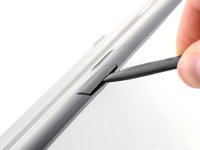
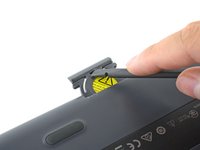
Pivot the spudger down, towards the top of the keyboard, to begin to pry the tray out of its cavity.
-
-
-
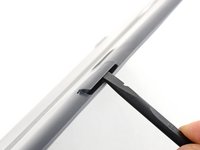
Use the flat end of the spudger to push the battery tray out and away from the keyboard.
-
If you're having trouble, use the end of a spudger or a flat blade screwdriver to "walk" the tray out, pushing on alternating sides instead of directly in the middle.
-
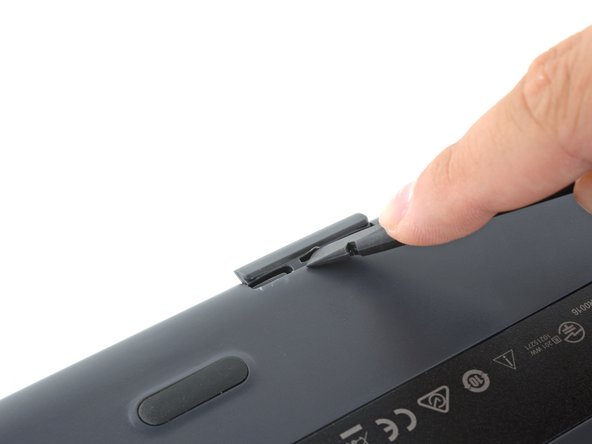
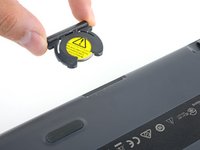
Remove the battery tray.
-
-
-
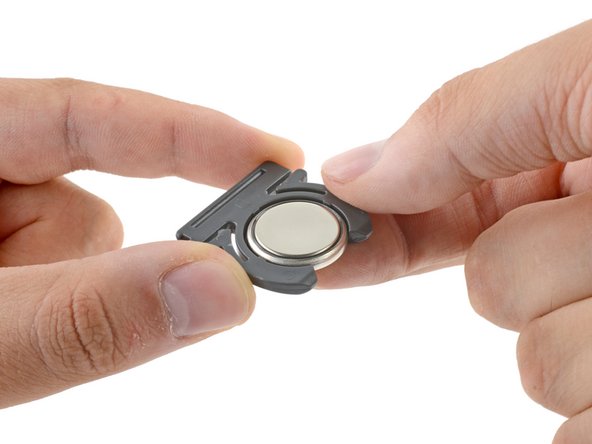
Push the battery out of the tray to remove it.
-
-





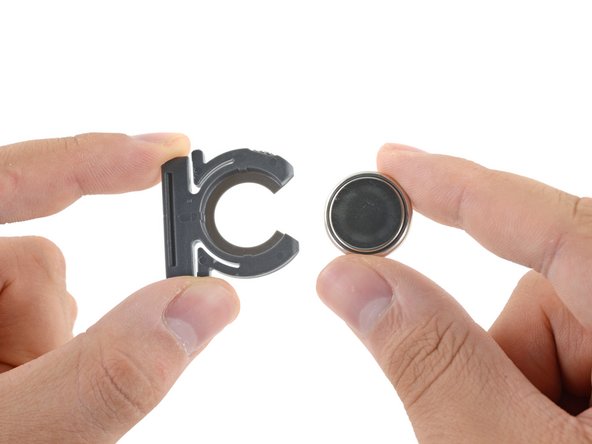
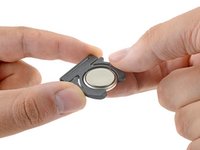
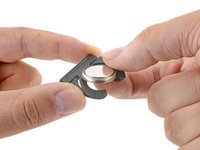
To reassemble your device, follow the above steps in reverse order.
Take your e-waste to an R2 or e-Stewards certified recycler.
Repair didn’t go as planned? Check out our Answers community for troubleshooting help.
crwdns2935221:0crwdne2935221:0
crwdns2935229:0213crwdne2935229:0

crwdns2947412:095crwdne2947412:0
Thank you. Worked perfectly. Gained trust in this site. Lost respect for Logitech.
henry - crwdns2934203:0crwdne2934203:0 crwdns2950251:0crwdne2950251:0
My sentiments, exactly!
Melinda Mcvay - crwdns2934203:0crwdne2934203:0 crwdns2950251:0crwdne2950251:0
There a better way to open it
put the knife or better a screwdriver on the other side (keys upside); worked for me without damage the keyboard :D
yannick NR - crwdns2934203:0crwdne2934203:0 crwdns2950251:0crwdne2950251:0
Thank You! That did work much better!
Matt Anderson - crwdns2934203:0crwdne2934203:0 crwdns2950251:0crwdne2950251:0
Here is an even better method.
You can also totally prevent damage by finding a laminated biz card and cutting it into 2 one inch strips and inserting both of them into the slot on the top side (solar side) of the battery compartment.
Then get your tool ( I like small pointed scissors) and pry it out between the cards.
Very easy!
David Powers - crwdns2934203:0crwdne2934203:0 crwdns2950251:0crwdne2950251:0
