crwdns2915892:0crwdne2915892:0
After removing the motherboard, compare the replacement and original display assembly to determine which parts need to be transferred. Some steps may not apply to your replacement part.
crwdns2942213:0crwdne2942213:0
-
-
-
Remove the back cover by inserting a fingernail or opening pick here and disengaging the plastic clips.
-
Lift battery up here
 crwdns2952109:0crwdne2952109:0
-
-
-
-
-
Remove 11 Philips screws.
-
-
-
Use fingernails or insert an opening pick into the gap between the digitizer and the midframe and pull the midframe outwards to disengage the plastic clips.
-
Carefully disengage the clips on the bottom as the headphone jack goes through the midframe.
-
Once all the clips have been disengaged, move the midframe outwards and downwards to disengage it from the headphone jack.
-
-
-
-
crwdns2935267:0crwdne2935267:0Halberd Spudger$2.99
-
Use a Halberd spudger or an opening pick to disconnect the front camera flex from its connector on the motherboard.
-
-
-
-
-
crwdns2935267:0crwdne2935267:0Halberd Spudger$2.99
-
Use an opening pick or a Halberd spudger to disconnect the front camera flex from its socket on the motherboard.
-
The front camera is held in by adhesive. Carefully pry between the camera and its bracket on the frame of the phone to remove it.
-
If you're having difficulty removing the front-facing camera, remove the motherboard to make more room.
-
-
-
-
-
Using the tip of a Halberd spudger or an opening pick, disconnect the display flex cable from its socket on the motherboard.
-
Starting from the bottom, insert an opening pick between the motherboard and frame and lever apart.
-
-
-
-
-
The volume button assembly is held onto the frame with fragile plastic tabs.
-
Use the tip of a spudger or similar tool to gently pry the plastic tabs upwards and outwards.
-
-
-
-
-
The vibrator motor is held in with strong adhesive.
-
Insert the tip of a metal spudger on the right side of the vibrator motor and pry it upwards.
-
-
-
-
-
The flex cable and speaker are held in with adhesive. Use heat to soften the adhesive.
-
Carefully insert a Jimmy between the flex cable and the frame and detach the cable from the adhesive.
-
Then use the tip of a metal spudger to continue carefully prying the ear speaker up out of its housing.
-
-
-
-
-
The headphone jack is adhered to the frame, and its flex cable is adhered to the frame and the strip of Kapton tape.
-
Use heat to soften the adhesive, then insert an opening pick here to separate the flex cable from the frame.
-
Use an opening pick to pry around the headphone jack to separate it from the adhesive in its housing.
-
-
-
-
-
For best results, transfer this piece of Kapton tape to the new display assembly, if necessary.
-
It is adhered under the bottom tab of the antenna contact cable. Use heat to soften the adhesive, then use an opening pick to gently pry the contact upwards.
-
-


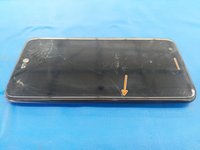
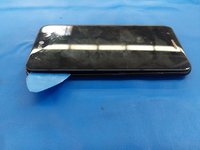


To reassemble your device, follow these instructions in reverse order.
crwdns2935221:0crwdne2935221:0
crwdns2935229:010crwdne2935229:0

crwdns2947412:05crwdne2947412:0
You forgot to mention that the volume button flex needs to be transferred from the original unit.
Jeana Morales - crwdns2934203:0crwdne2934203:0 crwdns2950251:0crwdne2950251:0
Hi! my parent drop the LG K20 and now the charger cable is loose, and the volume buttons are in the same frame, the phone is not charging. I need that frame. that’s what my cousin told me ¿can I buy that part?
Roberto lopez - crwdns2934203:0crwdne2934203:0 crwdns2950251:0crwdne2950251:0
Thank you great job!!
Roberto lopez - crwdns2934203:0crwdne2934203:0 crwdns2950251:0crwdne2950251:0
Podia ser em português.
ferreiraclaudemir.33 - crwdns2934203:0crwdne2934203:0 crwdns2950251:0crwdne2950251:0
My screen is jumping around. How do I fix
Todd Carlson - crwdns2934203:0crwdne2934203:0 crwdns2950251:0crwdne2950251:0
