crwdns2933423:0crwdne2933423:0
crwdns2947577:0crwdnd2947577:0crwdne2947577:0

How to Clean Corroded Battery Terminals

crwdns2869540:0crwdne2869540:0: 80.223

crwdns2959988:0crwdne2959988:0

crwdns2959990:0crwdne2959990:0
73
crwdns2959992:0crwdne2959992:0
582
crwdns2959994:0crwdne2959994:0
2.689
crwdns2959996:0crwdne2959996:0
80.223
crwdns2955950:0crwdne2955950:0: 6

crwdns2960004:04crwdne2960004:0, crwdns2960008:02crwdne2960008:0

crwdns2960000:0crwdne2960000:0
crwdns2959984:0crwdne2959984:0: 22

crwdns2959974:022crwdne2959974:0

crwdns2959986:0crwdne2959986:0: 9

crwdns2959982:09crwdne2959982:0

crwdns2955944:0crwdne2955944:0: 15 - 30 crwdns2931279:0crwdne2931279:0
crwdns2955970:0crwdne2955970:0: crwdns2937799:0crwdne2937799:0
How to Clean Corroded Battery Terminals

crwdns2959930:0crwdne2959930:0

crwdns2943215:0crwdne2943215:0

crwdns2915892:0crwdne2915892:0

crwdns2959928:0crwdne2959928:0 ↓

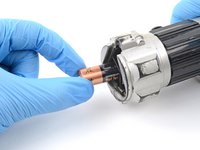
If you open your device and see white, crusty crystals on your battery terminals (aka battery contacts), they’ve most likely corroded. Common replaceable batteries like AAs and AAAs degrade and start to break down over time, and a chemical reaction causes corrosion. Corrosion can stop the flow of electricity and damage your device’s metal contacts. Use this guide to remove corrosion and clean the battery terminals in your small electronic devices.

Note: This guide is specifically for small electronic devices such as video game controllers, TV remotes, or portable speakers. This guide is not suited for car batteries and other large lead-acid batteries.

    1. How to Clean Corroded Battery Terminals, Safety precautions: crwdns2935265:01crwdnd2935265:01crwdnd2935265:01crwdne2935265:0
      • Wear gloves to protect your hands from the corrosion—it's a skin irritant.

      • If your device still works, power it down completely before starting.

      crwdns2952109:0crwdne2952109:0

      crwdns2917038:0crwdne2917038:0

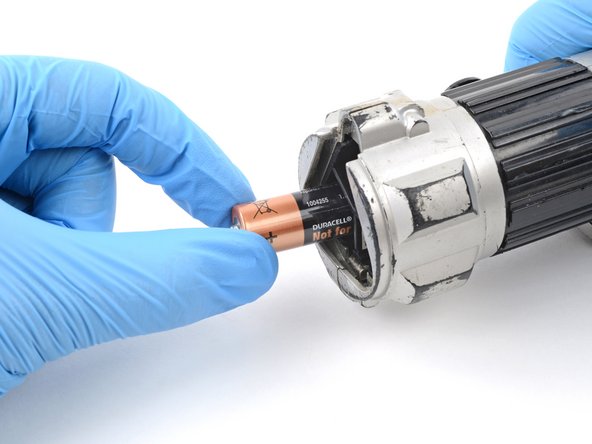
    2. How to Clean Corroded Battery Terminals, Remove the batteries: crwdns2935265:02crwdnd2935265:01crwdnd2935265:03crwdne2935265:0 How to Clean Corroded Battery Terminals, Remove the batteries: crwdns2935265:02crwdnd2935265:02crwdnd2935265:03crwdne2935265:0 How to Clean Corroded Battery Terminals, Remove the batteries: crwdns2935265:02crwdnd2935265:03crwdnd2935265:03crwdne2935265:0
      • Remove the batteries from your device.

      • If there's a lot of corrosion, the batteries may be stuck in their recess. Don't try to force them out...unless you're a small, green, force-sensitive creature.

      • If any batteries are stuck, follow the next step as normal to clean around them.

      crwdns2952109:0crwdne2952109:0

      crwdns2917038:0crwdne2917038:0

    3. How to Clean Corroded Battery Terminals, Remove big chunks of corrosion: crwdns2935265:03crwdnd2935265:01crwdnd2935265:03crwdne2935265:0 How to Clean Corroded Battery Terminals, Remove big chunks of corrosion: crwdns2935265:03crwdnd2935265:02crwdnd2935265:03crwdne2935265:0 How to Clean Corroded Battery Terminals, Remove big chunks of corrosion: crwdns2935265:03crwdnd2935265:03crwdnd2935265:03crwdne2935265:0
      crwdns2935267:0crwdne2935267:0
      Anti-Static Brush
      $2.99
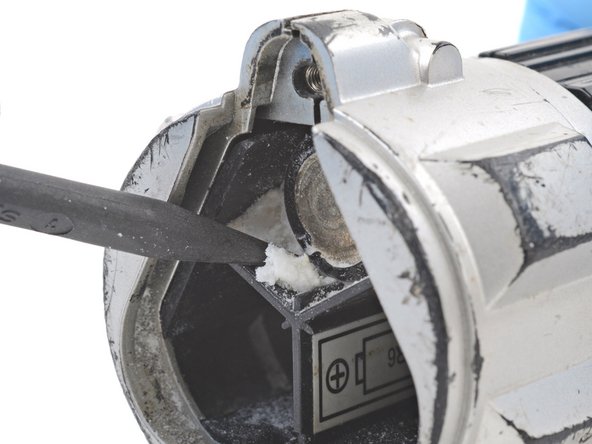
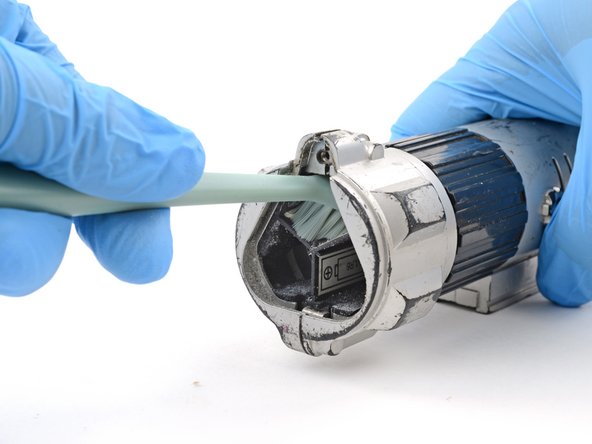
      • Use a toothbrush or anti‑static brush to gently remove any bigger chunks of corrosion from the battery terminals and battery recess.

      • Use the point of a spudger to pick out any bits that are stuck.

      • Pick around the batteries, and not at the batteries themselves.

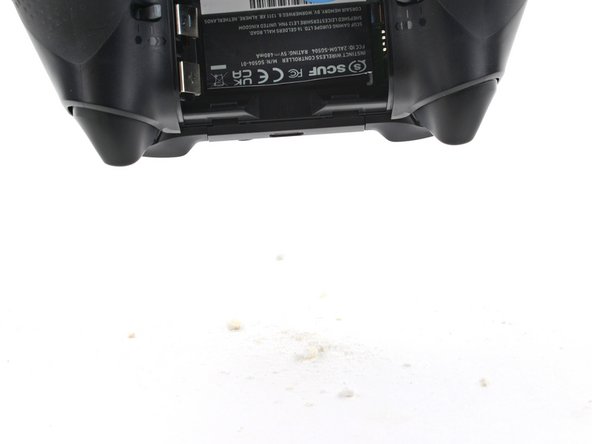
      • Flip your device over and gently shake out the loose corrosion and debris.

      • Dispose of the corrosion and debris in the trash.

      crwdns2952109:0crwdne2952109:0

      crwdns2917038:0crwdne2917038:0

    4. How to Clean Corroded Battery Terminals, Remove any stuck batteries: crwdns2935265:04crwdnd2935265:01crwdnd2935265:02crwdne2935265:0 How to Clean Corroded Battery Terminals, Remove any stuck batteries: crwdns2935265:04crwdnd2935265:02crwdnd2935265:02crwdne2935265:0
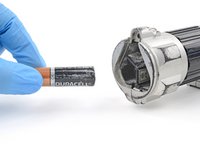
      • You should now be able to remove any batteries that were previously stuck.

      • Clean out the battery recess with a toothbrush.

      crwdns2952109:0crwdne2952109:0

      crwdns2917038:0crwdne2917038:0

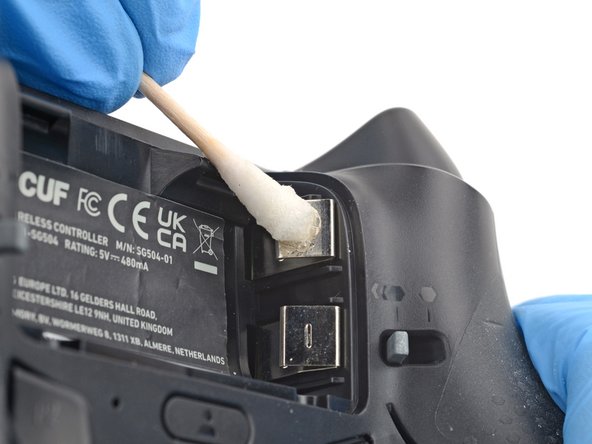
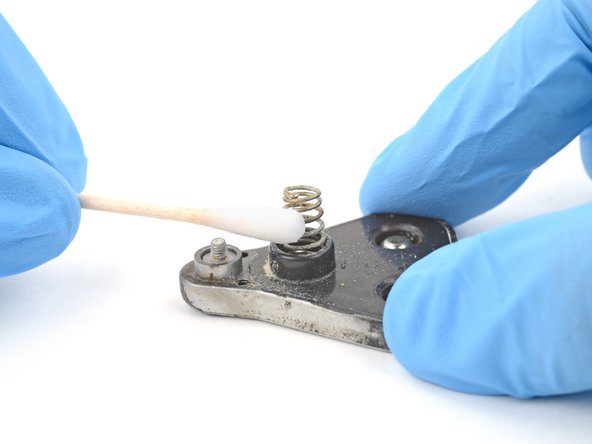
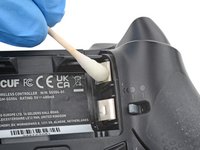
    5. How to Clean Corroded Battery Terminals, Clean the terminals: crwdns2935265:05crwdnd2935265:01crwdnd2935265:03crwdne2935265:0 How to Clean Corroded Battery Terminals, Clean the terminals: crwdns2935265:05crwdnd2935265:02crwdnd2935265:03crwdne2935265:0 How to Clean Corroded Battery Terminals, Clean the terminals: crwdns2935265:05crwdnd2935265:03crwdnd2935265:03crwdne2935265:0
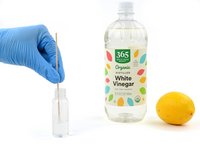
      • Alkaline batteries contain a base, which is what corrosion is made of. An acid like white vinegar or lemon juice will neutralize this base.

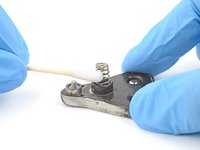
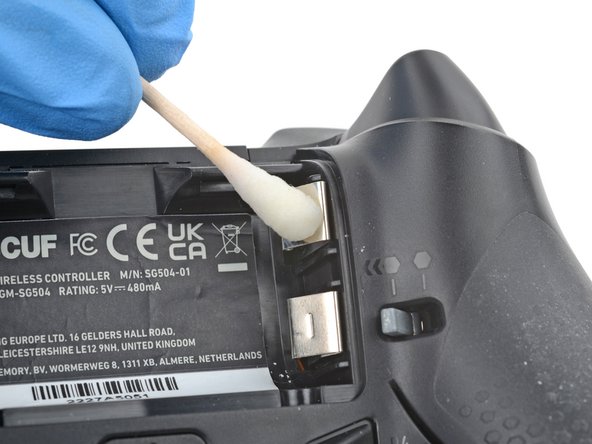
      • Lightly dip a cotton swab in white vinegar or lemon juice.

      • Don't soak the cotton swab. Only use a small amount of liquid at a time.

      • Gently rub the battery terminals with the cotton swab to dissolve and remove the corrosion.

      • The corrosion may fizz and bubble. Don't worry, this is normal.

      • Continue this process until there's no corrosion on the terminals.

      crwdns2952109:0crwdne2952109:0

      crwdns2917038:0crwdne2917038:0

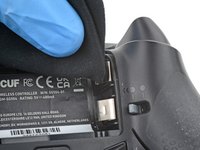
    6. How to Clean Corroded Battery Terminals: crwdns2935265:06crwdnd2935265:01crwdnd2935265:03crwdne2935265:0 How to Clean Corroded Battery Terminals: crwdns2935265:06crwdnd2935265:02crwdnd2935265:03crwdne2935265:0 How to Clean Corroded Battery Terminals: crwdns2935265:06crwdnd2935265:03crwdnd2935265:03crwdne2935265:0
      crwdns2935267:0crwdne2935267:0
      Microfiber Cleaning Cloths
      $3.99
      • Isopropyl alcohol will remove any residue left from the previous step.

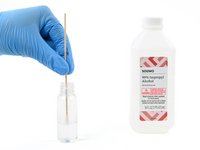
      • Lightly dip a cotton swab in highly-concentrated isopropyl alcohol (over 90%).

      • Don't soak the cotton swab. Only use a small amount of liquid at a time.

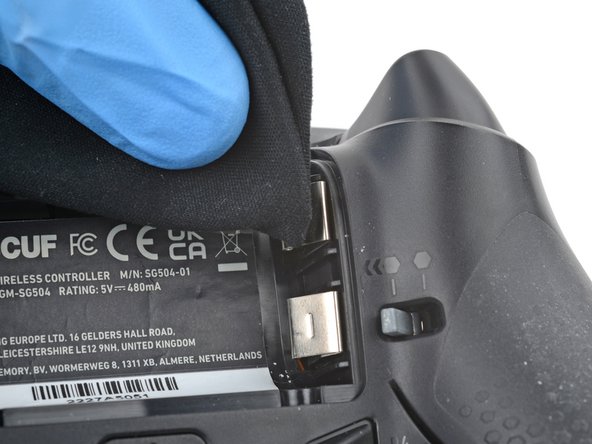
      • Gently rub the battery terminals with the cotton swap to remove any remaining residue from the previous step.

      • Wipe the residue away with a microfiber or lint-free cloth.

      • Repeat this process until the terminals are completely clean.

      • Wait two minutes to allow any residual alcohol to evaporate.

      crwdns2952109:0crwdne2952109:0

      crwdns2917038:0crwdne2917038:0

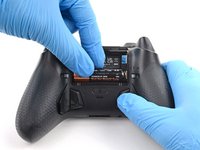
    7. How to Clean Corroded Battery Terminals, Install new batteries: crwdns2935265:07crwdnd2935265:01crwdnd2935265:03crwdne2935265:0 How to Clean Corroded Battery Terminals, Install new batteries: crwdns2935265:07crwdnd2935265:02crwdnd2935265:03crwdne2935265:0 How to Clean Corroded Battery Terminals, Install new batteries: crwdns2935265:07crwdnd2935265:03crwdnd2935265:03crwdne2935265:0
      crwdns2952109:0crwdne2952109:0

      crwdns2917038:0crwdne2917038:0

crwdns2915888:0crwdne2915888:0

Cleaning didn’t go as planned? Ask our Answers community for help.

For other electronics skills, click here.

crwdns2935221:0crwdne2935221:0

crwdns2935229:022crwdne2935229:0

crwdns2862417:0crwdne2862417:0

crwdns2935291:0crwdne2935291:0

Spencer Day

crwdns2935283:009/14/22crwdne2935283:0

210.608 crwdns2915208:0crwdne2915208:0

crwdns2935297:01.265crwdne2935297:0

crwdns2935287:0crwdne2935287:0

iFixit crwdns2935289:0iFixitcrwdne2935289:0

Staff

crwdns2931471:0119crwdne2931471:0

crwdns2935297:072.966crwdne2935297:0

crwdns2947412:02crwdne2947412:0

crwdns2917038:0crwdne2917038:0

crwdns2936625:0crwdne2936625:0:

crwdns2936751:024crwdne2936751:0 73

crwdns2936753:07crwdne2936753:0 582

crwdns2936753:030crwdne2936753:0 2,689

crwdns2959996:0crwdne2959996:0 80,223