crwdns2915892:0crwdne2915892:0
Use this guide to replace the display in your Framework 16" laptop.
crwdns2942213:0crwdne2942213:0
-
-
Unplug all cables and fully shut down your laptop.
-
-
-
Slide your fingernail under the inside edge of either bottom corner of the bezel.
-
Pull the bezel away from the screen to release the first few magnets.
-
-
-
Lift the bezel around the perimeter of the screen until all of its magnets are released.
-
Remove the bezel.
-
-
-
-
Use a T5 Torx screwdriver to remove the four 2.4 mm‑long screws securing the display.
-
-
-
Grab the display and pull it straight off the screen frame to free it from its alignment pegs.
-
Flip the front of the display down and rest it on the keyboard.
-
-
-
Use your fingers to flip up the plastic tab and access the connector underneath.
-
-
-
Use the flat end of a spudger to lift up the metal locking tab over the display connector.
-
-
-
Grip the display cable where it meets the connector head.
-
Slide the connector straight out of its socket to disconnect it.
-
Remove the display.
-


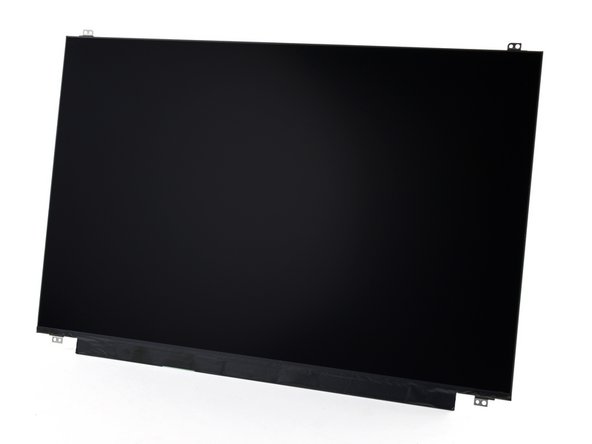


To reassemble your device, follow these instructions in reverse order.
Take your e-waste to an R2 or e-Stewards certified recycler.
Repair didn’t go as planned? Try some basic troubleshooting, or ask our Answers Community for help.
crwdns2935221:0crwdne2935221:0
crwdns2935229:02crwdne2935229:0



