crwdns2933423:0crwdne2933423:0
crwdns2947577:0crwdnd2947577:0crwdne2947577:0

Framework Laptop 12 Fastener Guide

crwdns2942213:0crwdne2942213:0

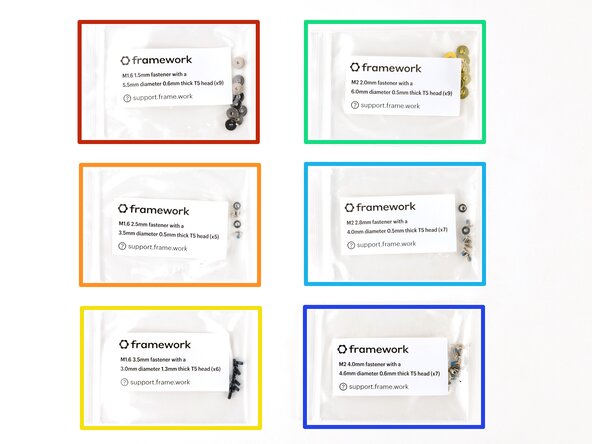
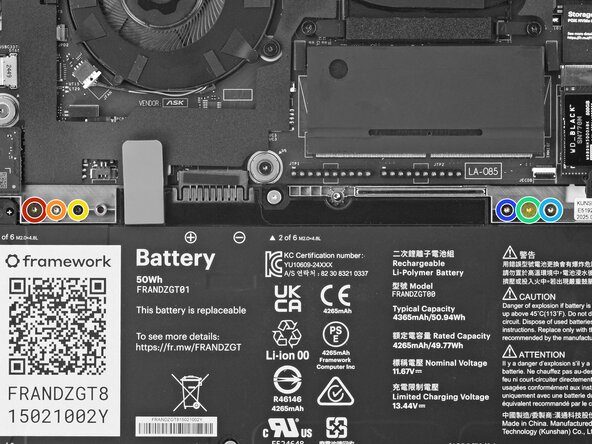
  1. Framework Laptop 12 Fastener Guide, Fasteners information: crwdns2935265:01crwdnd2935265:01crwdnd2935265:02crwdne2935265:0 Framework Laptop 12 Fastener Guide, Fasteners information: crwdns2935265:01crwdnd2935265:02crwdnd2935265:02crwdne2935265:0
    • The Fastener Kit contains the following:

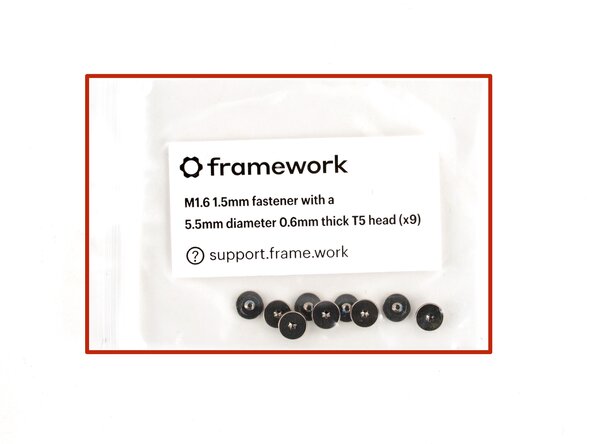
    • Grey screws labeled "M1.6 1.5mm fastener with a 5.5mm diameter 0.6mm thick T5 head"

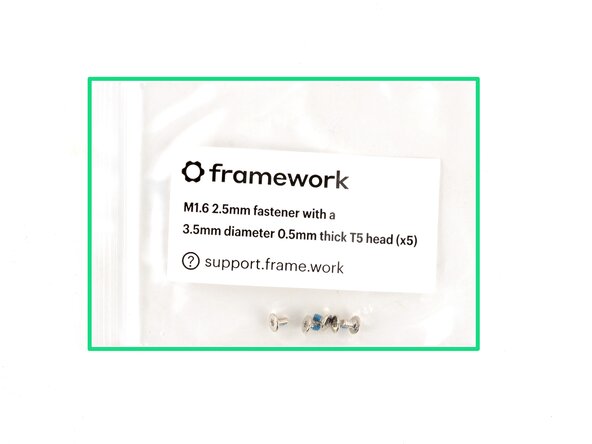
    • Silver screws labeled "M1.6 2.5mm fastener with a 3.5mm diameter 0.5mm thick T5 head"

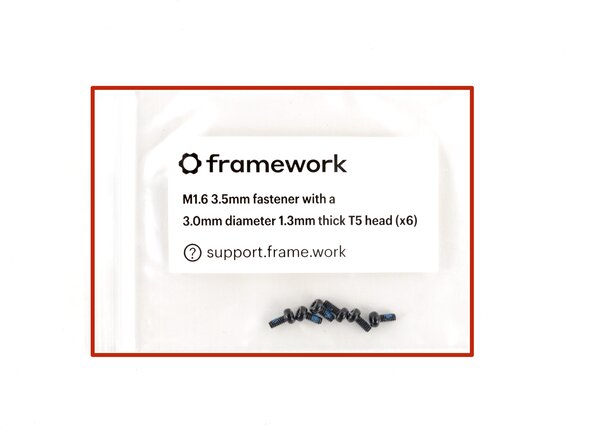
    • Black screws labeled "M1.6 3.5mm fastener with a 3.0mm diameter 1.3mm thick T5 head"

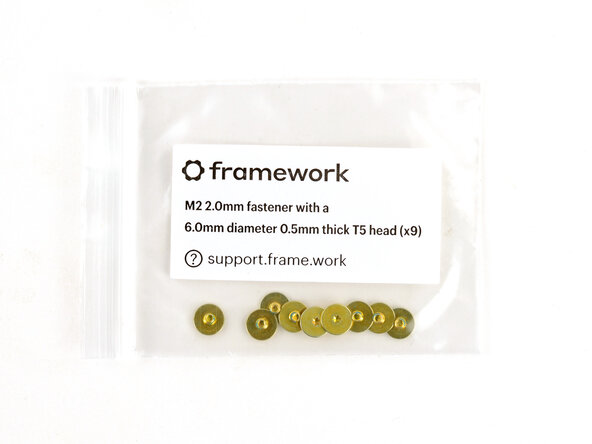
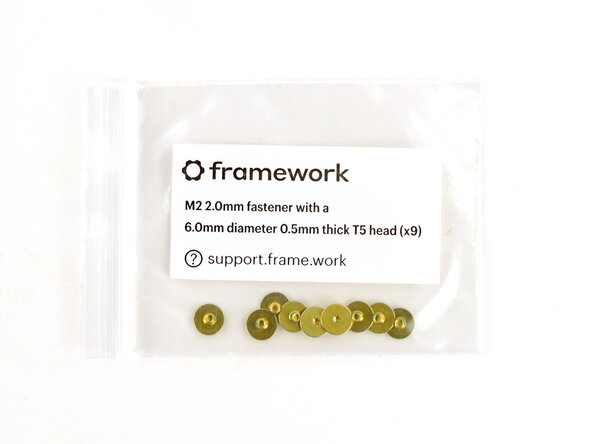
    • Gold screws labeled "M2 2.0mm fastener with a 6.0mm diameter 0.5mm thick T5 head"

    • Silver screws labeled "M2 2.8mm fastener with a 4.0mm diameter 0.5mm thick T5 head"

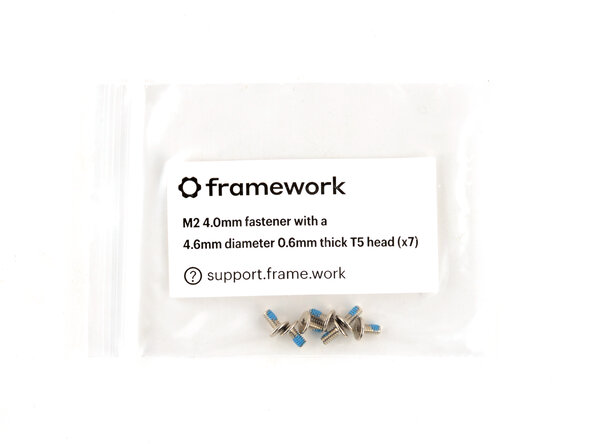
    • Silver screws labeled "M1.6 4.0mm fastener with a 4.6mm diameter 0.6mm thick T5 head"

    • Your Framework Laptop comes with a spare screw of each size, attached to the chassis above the battery. You can use the Fastener Kit to replenish any screws you used there.

    crwdns2952109:0crwdne2952109:0

    crwdns2917038:0crwdne2917038:0

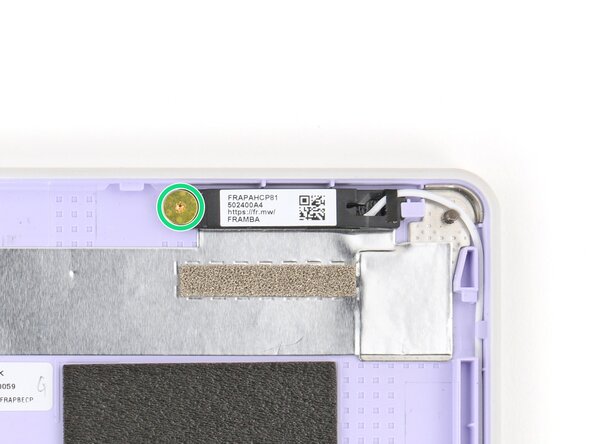
  2. Framework Laptop 12 Fastener Guide, Antenna screws: crwdns2935265:02crwdnd2935265:01crwdnd2935265:03crwdne2935265:0 Framework Laptop 12 Fastener Guide, Antenna screws: crwdns2935265:02crwdnd2935265:02crwdnd2935265:03crwdne2935265:0 Framework Laptop 12 Fastener Guide, Antenna screws: crwdns2935265:02crwdnd2935265:03crwdnd2935265:03crwdne2935265:0
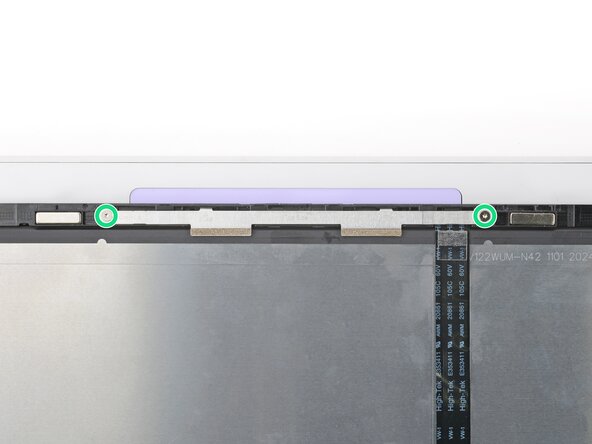
    • Use the gold screws labeled "M2 2.0mm fastener with a 6.0mm diameter 0.5mm thick T5 head" to secure the antennas.

    crwdns2952109:0crwdne2952109:0

    crwdns2917038:0crwdne2917038:0

  3. Framework Laptop 12 Fastener Guide, Display screws: crwdns2935265:03crwdnd2935265:01crwdnd2935265:02crwdne2935265:0 Framework Laptop 12 Fastener Guide, Display screws: crwdns2935265:03crwdnd2935265:02crwdnd2935265:02crwdne2935265:0
    • Use the silver screws labeled "M2 2.8mm fastener with a 4.0mm diameter 0.5mm thick T5 head" to secure the display.

    • Tighten the screws until they're snug. Don't over-tighten them, or you may break the screw tabs.

    crwdns2952109:0crwdne2952109:0

    crwdns2917038:0crwdne2917038:0

  4. Framework Laptop 12 Fastener Guide, Expansion Card lock screws: crwdns2935265:04crwdnd2935265:01crwdnd2935265:03crwdne2935265:0 Framework Laptop 12 Fastener Guide, Expansion Card lock screws: crwdns2935265:04crwdnd2935265:02crwdnd2935265:03crwdne2935265:0 Framework Laptop 12 Fastener Guide, Expansion Card lock screws: crwdns2935265:04crwdnd2935265:03crwdnd2935265:03crwdne2935265:0
    • Use the black screws labeled "M1.6 3.5mm fastener with a 3.0mm diameter 1.3mm thick T5 head" to secure the Expansion Card latches.

    • Use the silver screws labeled "M1.6 2.5mm fastener with a 3.5mm diameter 0.5mm thick T5 head" to replace the Expansion Card lock screws.

    crwdns2952109:0crwdne2952109:0

    crwdns2917038:0crwdne2917038:0

  5. Framework Laptop 12 Fastener Guide, Hinge screws (bottom): crwdns2935265:05crwdnd2935265:01crwdnd2935265:03crwdne2935265:0 Framework Laptop 12 Fastener Guide, Hinge screws (bottom): crwdns2935265:05crwdnd2935265:02crwdnd2935265:03crwdne2935265:0 Framework Laptop 12 Fastener Guide, Hinge screws (bottom): crwdns2935265:05crwdnd2935265:03crwdnd2935265:03crwdne2935265:0
    • Use the silver screws labeled "M2 4.0mm fastener with a 4.6mm diameter 0.6mm thick T5 head" to secure the hinges to the Bottom Cover.

    crwdns2952109:0crwdne2952109:0

    crwdns2917038:0crwdne2917038:0

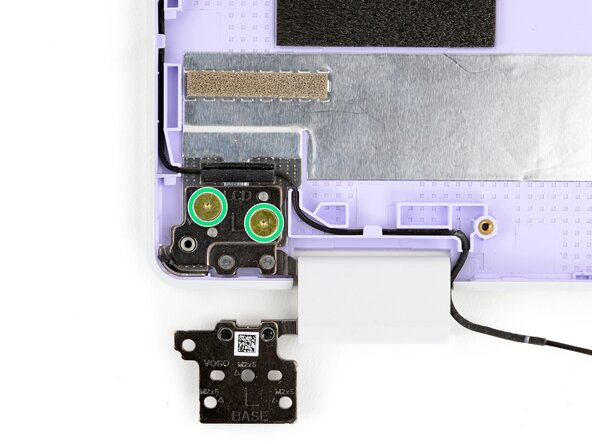
  6. Framework Laptop 12 Fastener Guide, Hinge screws (top): crwdns2935265:06crwdnd2935265:01crwdnd2935265:03crwdne2935265:0 Framework Laptop 12 Fastener Guide, Hinge screws (top): crwdns2935265:06crwdnd2935265:02crwdnd2935265:03crwdne2935265:0 Framework Laptop 12 Fastener Guide, Hinge screws (top): crwdns2935265:06crwdnd2935265:03crwdnd2935265:03crwdne2935265:0
    • Use the gold screws labeled "M2 2.0mm fastener with a 6.0mm diameter 0.5mm thick T5 head" to secure the hinges to the Top Cover.

    crwdns2952109:0crwdne2952109:0

    crwdns2917038:0crwdne2917038:0

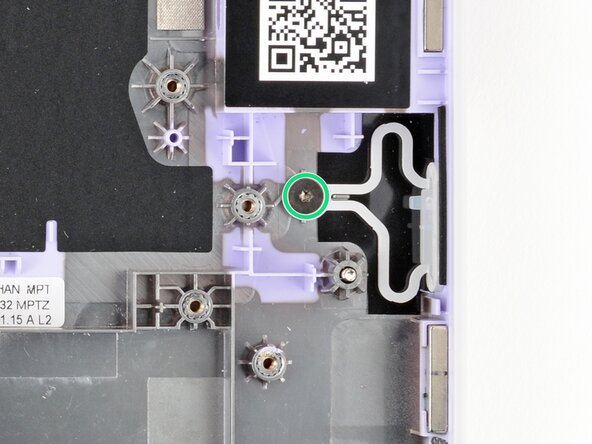
  7. Framework Laptop 12 Fastener Guide, Power Button screw: crwdns2935265:07crwdnd2935265:01crwdnd2935265:02crwdne2935265:0 Framework Laptop 12 Fastener Guide, Power Button screw: crwdns2935265:07crwdnd2935265:02crwdnd2935265:02crwdne2935265:0
    • Use the grey screw labeled "M1.6 1.5mm fastener with a 5.5mm diameter 0.6mm thick T5 head" to secure the Power Button.

    crwdns2952109:0crwdne2952109:0

    crwdns2917038:0crwdne2917038:0

  8. Framework Laptop 12 Fastener Guide, SSD clip screw: crwdns2935265:08crwdnd2935265:01crwdnd2935265:02crwdne2935265:0 Framework Laptop 12 Fastener Guide, SSD clip screw: crwdns2935265:08crwdnd2935265:02crwdnd2935265:02crwdne2935265:0
    • Use the black screw labeled "M1.6 3.5mm fastener with a 3.0mm diameter 1.3mm thick T5 head" to secure the SSD clip.

    crwdns2952109:0crwdne2952109:0

    crwdns2917038:0crwdne2917038:0

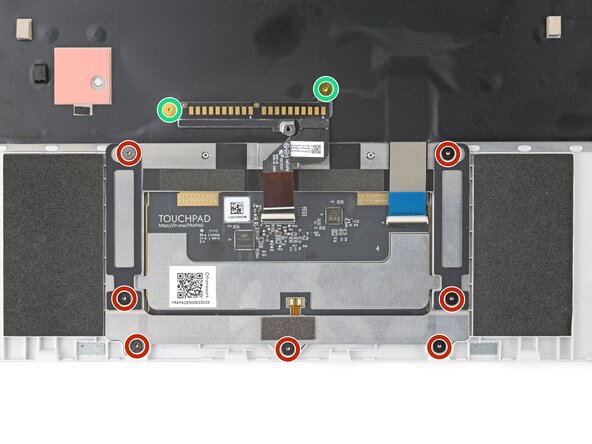
  9. Framework Laptop 12 Fastener Guide, Touchpad screws: crwdns2935265:09crwdnd2935265:01crwdnd2935265:03crwdne2935265:0 Framework Laptop 12 Fastener Guide, Touchpad screws: crwdns2935265:09crwdnd2935265:02crwdnd2935265:03crwdne2935265:0 Framework Laptop 12 Fastener Guide, Touchpad screws: crwdns2935265:09crwdnd2935265:03crwdnd2935265:03crwdne2935265:0
    • Use the grey screws labeled "M1.6 1.5mm fastener with a 5.5mm diameter 0.6mm thick T5 head" to secure the touchpad.

    • Use the gold screws labeled "M2 2.0mm fastener with a 6.0mm diameter 0.5mm thick T5 head" to secure the touchpad pogo connector.

    crwdns2952109:0crwdne2952109:0

    crwdns2917038:0crwdne2917038:0

  10. Framework Laptop 12 Fastener Guide, Webcam screws: crwdns2935265:010crwdnd2935265:01crwdnd2935265:02crwdne2935265:0 Framework Laptop 12 Fastener Guide, Webcam screws: crwdns2935265:010crwdnd2935265:02crwdnd2935265:02crwdne2935265:0
    • Use the silver screws labeled "M2 2.8mm fastener with a 4.0mm diameter 0.5mm thick T5 head" to secure the webcam.

    crwdns2952109:0crwdne2952109:0

    crwdns2917038:0crwdne2917038:0

crwdns2915888:0crwdne2915888:0

If you need help, contact Framework support.

crwdns2935221:0crwdne2935221:0

Arthur Shi

crwdns2935283:001/03/18crwdne2935283:0

337,729 crwdns2915208:0crwdne2915208:0

crwdns2935297:0851crwdne2935297:0

crwdns2947412:00crwdne2947412:0

crwdns2917038:0crwdne2917038:0

crwdns2936625:0crwdne2936625:0:

crwdns2936751:024crwdne2936751:0 0

crwdns2936753:07crwdne2936753:0 8

crwdns2936753:030crwdne2936753:0 37

crwdns2942667:0crwdne2942667:0 244