crwdns2915892:0crwdne2915892:0
Is your Canon PowerShot A80’s LCD screen blurry, cracked, or failing to display images? This guide walks you through replacing the faulty screen so your camera can function like new. A broken LCD makes it tough to focus on your subjects or navigate settings.
Important: Before starting, turn off the camera and remove the battery to avoid electric shock or damage. If you're unsure whether the screen is the issue, visit our troubleshooting page for more help.
crwdns2942213:0crwdne2942213:0
-
-
Using a Phillips #00 screwdriver, remove the two 2.9 mm screws on the side of the LCD screen.
 crwdns2952109:0crwdne2952109:0
-
-
-
Using a Phillips #00 screwdriver, remove the 2.9 mm screws on the other side of the screen to separate the front and back covers.
-
-
-
-
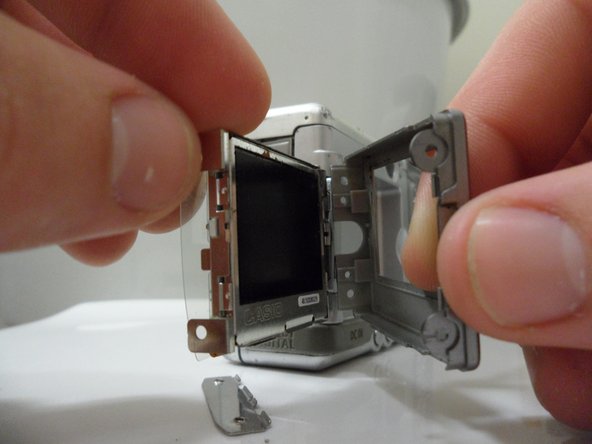
Gently remove the front and back covers from the screen.
-
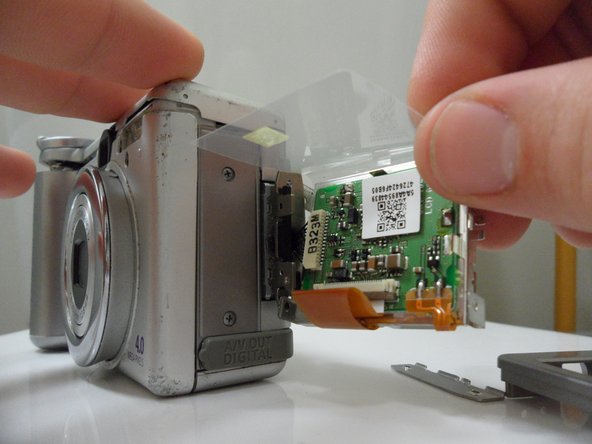
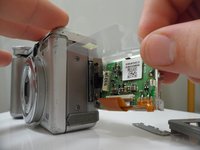
Peel back the plastic circuit cover.
-
-
-
Pull the screen away from the base.
-
-
-
Unplug the ribbon cable connected to the circuit board latch.
-




To reassemble your device, follow these instructions in reverse order. Take your e-waste to an R2 or e-Stewards certified recycler.
crwdns2935221:0crwdne2935221:0
crwdns2935229:04crwdne2935229:0

crwdns2935287:0crwdne2935287:0

Cal Poly, Team 7-31, Regan Winter 2011 crwdns2935289:0Cal Poly, Team 7-31, Regan Winter 2011crwdne2935289:0
CPSU-REGAN-W11S7G31
crwdns2931471:06crwdne2931471:0
crwdns2935297:012crwdne2935297:0
crwdns2947412:02crwdne2947412:0
MY screen is dark after touched water, do I need to change this screen? Where can I buy this screen? How much?
Thank you for the guidance.
jennifer
yu123xi@yahoo.com
yu123xi - crwdns2934203:0crwdne2934203:0 crwdns2950251:0crwdne2950251:0
Do you know where can I find a replacement LCD over internet?
Paolo Gai - crwdns2934203:0crwdne2934203:0 crwdns2950251:0crwdne2950251:0
