Battery
|
crwdns2933315:07crwdne2933315:0 crwdns2934263:07crwdne2934263:0 |
Is there a Hack for Charging from USB instead of Firewire? |
|
crwdns2933313:01crwdne2933313:0 crwdns2934263:02crwdne2934263:0 |
Folder with exclamation icon |
|
crwdns2933315:06crwdne2933315:0 crwdns2934263:06crwdne2934263:0 |
Anyone tried SSD in 3rd Gen iPod? |
|
crwdns2933315:04crwdne2933315:0 crwdns2934263:02crwdne2934263:0 |
My iPod won't start up, just displays apple symbol. Fixable? |
A1040 10 GB, A1040 15 GB, A1040 20 GB, A1040 30 GB, A1040 40 GB
Track down a number of hardware problems using the 3rd Generation iPod Troubleshooting Guide.
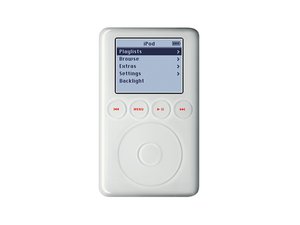
Apple completely redesigned the third generation iPod in early 2003, making it more ergonomic by rounding the edges of the front panel and making it thinner. The four control buttons around the click wheel of the second generation were moved below the display. Even if you know which iPod you have, check it against the Identification section on this page before you order parts.
crwdns2936751:024crwdne2936751:0 16
crwdns2936753:07crwdne2936753:0 187
crwdns2936753:030crwdne2936753:0 838
crwdns2959996:0crwdne2959996:0 188,347