
Back Cover
|
crwdns2933315:02crwdne2933315:0 crwdns2934263:00crwdne2934263:0 |
Why do I get sound out of only one speaker? |
crwdns2935065:0crwdne2935065:0
Click here for the Xelio P1001A-BK Troubleshooting Guide
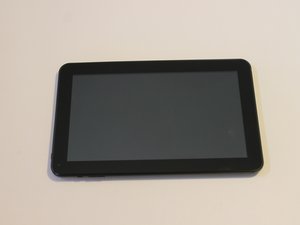
To identify if you have an Xelio P1001A-BK tablet check the back cover, it has the Xelio logo in the middle and it lists model # P1001A-BK.
This tablet is in the line of a family of three Xelio tablets(P717A-BK, P900A-BK, P1001A-BK). The P1001A-BK is the largest in the family with a 10.1" display while the other two have 7" and 9" displays respectively.
Xelio Website:
The Xelio Website has support information on the entire family of Xelio tablets.
What to do if tablet won't turn on?:
This Youtube videoprovides step-by-step instruction on what to do if your android tablet does not turn on.
Additional Questions:
If you have any additional questions feel free to ask any other Xelio Tablet Owners at this owner's forum:
UCCS-PANKO-S15S4G2
crwdns2931471:03crwdne2931471:0
crwdns2935297:072crwdne2935297:0
crwdns2936751:024crwdne2936751:0 2
crwdns2936753:07crwdne2936753:0 10
crwdns2936753:030crwdne2936753:0 39
crwdns2942667:0crwdne2942667:0 1,558



