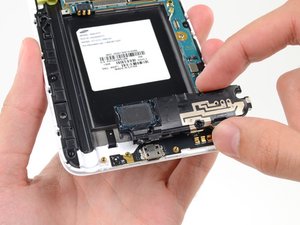
Antenna Connectors
|
crwdns2933315:03crwdne2933315:0 crwdns2934263:028crwdne2934263:0 |
How to fix emergency call only and not registered on network? |
|
crwdns2933315:02crwdne2933315:0 crwdns2934263:01crwdne2934263:0 |
cleaned phone with (isopropyl 70%) , now no one can hear me |
|
crwdns2933315:07crwdne2933315:0 crwdns2934263:032crwdne2934263:0 |
Phone wont charge or turn on. |
|
crwdns2933315:03crwdne2933315:0 crwdns2934263:04crwdne2934263:0 |
Phone won't turn on or charge after power outage? Is my phone fried? |
AT&T (N910A), Europe (N910F), Sprint (N910P), T-Mobile (N910T), Verizon (N910V)
A troubleshooting wiki exists for this device here.
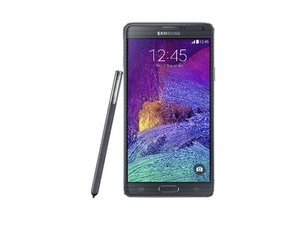
The Samsung Galaxy Note 4 was released in October of 2014 as the newest smartphone in Samsung's Note family. The phone is sometimes referred to as a 'phablet' due to its large size approaching that of a tablet. The Note 4 is 6.04 inches by 3.1 inches.
It ships from the factory with the Android 4.4 operating system, known as Kitkat and comes in white, charcoal, bronze and pink. The stylus, which is used for writing digitally, is housed in the phone itself.
The phone is labeled with the Samsung logo on both the front and back. The back side of the phone contains a square-shaped camera, with an LED and light detector between the camera and Samsung logo. There is also a Galaxy Note 4 logo on the bottom back. To verify the phone's model, open About phone in the phone's settings menu. 'Galaxy Note 4' should be displayed under Model Number.
Announce date: September, 2014
Color Display: QHD 5.7 inch Super AMOLED
Processor: Qualcomm Snapdragon 805
Screen Resolution: 1440 x 2560 pixels (515 ppi)
RAM: 3 GB
Storage: 16/32 GB internal with optional microSD card, up to additional 128 GB
Wireless: Wi-Fi 802.11, Bluetooth 4.1, A2DP, EDR, LE
Battery: Li-ion 3220 mAH
Weight: 6.21 oz (176 g)
Dimensions: 6.04 x 3.09 x 0.33 in. (153.5 x 78.6 x 8.5 mm)
Camera: 16 MP rear facing, 3.7 MP front facing
Sensors: Accelerometer, gyro, proximity, compass, barometer, gesture, UV, heart rate, GPS, NFC, Infrared
Extra Features:
Samsung GALAXY Note 4 User Manual
Samsung GALAXY Note 4 User Manual
Samsung Galaxy Note 4 User Manual
Samsung Galaxy Note 4 Sprint User Guide
Samsung Galaxy Note 4 User Manual
Samsung SM-N910C/SM-N910F/SM-N910H Benutzerhandbuch
Samsung Galaxy Note 4 Smartphone User Manual
Samsung SM-N910C, SM-N910F y SM-N910H — Manual de usuario
Samsung SM-N910C / SM-N910F / SM-N910H Kasutusjuhend
Samsung SM-N910C/SM-N910F/SM-N910H دفترچه راهنمای کاربر
Samsung SM-N910C/SM-N910F/SM-N910H Navodila za uporabo
Samsung SM-N910C/SM-N910F/SM-N910H Uputstvo za upotrebu
Samsung Galaxy Note 4 Lietotāja rokasgrāmata
Samsung Galaxy Note 4 Manuale dell'utente
Samsung SM-N910C/SM-N910F/SM-N910H Korisnički priručnik
crwdns2936751:024crwdne2936751:0 4
crwdns2936753:07crwdne2936753:0 41
crwdns2936753:030crwdne2936753:0 184
crwdns2959996:0crwdne2959996:0 286,777