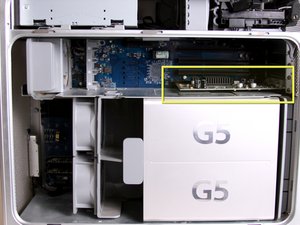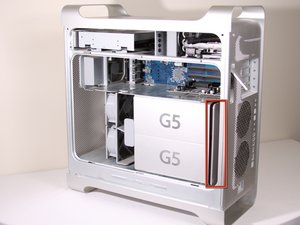
Bottom Right Cooling Fan Unit
|
crwdns2933315:09crwdne2933315:0 crwdns2934263:06crwdne2934263:0 |
Why won't my G5 boot? |
|
crwdns2933313:01crwdne2933313:0 crwdns2934263:02crwdne2934263:0 |
Power light blinks twice, fans high |
|
crwdns2933315:02crwdne2933315:0 crwdns2934263:00crwdne2934263:0 |
How to connect Power Mac G5 to HDMI monitor/TV? |
|
crwdns2933315:08crwdne2933315:0 crwdns2934263:09crwdne2934263:0 |
SSD in a PowerMac G5? |
1.6 GHz, 1.8 GHz (EMC No. 1969), 1.8 GHz (Late 2004), 1.8 GHz Dual (EMC No. 1969), 1.8 GHz Dual (EMC No. 1969C), 2.0 GHz Dual (EMC No. 1969), 2.0 GHz Dual (EMC No. 1969C), 2.0 GHz Dual (EMC No. 2023), 2.0 GHz Dual (EMC No. 2061), 2.3 GHz Dual (EMC No. 2023), 2.3 GHz Dual (EMC No. 2061), 2.5 GHz Dual (EMC No. 1969C), 2.5 GHz Quad, 2.7 GHz Dual
Determine a variety of problems associated with the device by going to the PowerMac G5 Troubleshooting Guide
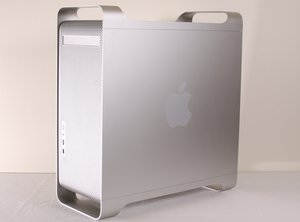
The Apple Power Mac G5 is a desktop computer first produced in 2003 by the Apple Corporation. This guide will review the repair process of an Apple PowerMac G5 model number A1047 EMC 2061 from 2004. The model number is located on the underside of the computer. The model can also be determined from the desktop specifications when the computer is operational. This particular model contains a 2.0 GHz processor, 1GB RAM, 160GB hard drive, and a single super-multi DVD drive in the front bay of the computer. The guide will underline this particular model, but future models should follow similar guidelines.
It is possible to upgrade a few components on the desktop.
Power Mac G5 (Late 2004) Service Source
Power Mac G5 Service Manual (including June 2004 and Early 2005)
Service Source Power Mac G5 (Late 2005)
Power Mac G5 Technology Overview (October 2005)
Power Mac G5 User's Guide (Manual)
Power Mac G5 AirPort Extreme Card Replacement Instructions
Power Mac G5 Hard Drive Replacement Instructions
Power Mac G5 Optical Drive Standoffs Replacement Instructions
Power Mac G5 Access Panel Replacement Instructions
Power Mac G5 Front Panel Board Cable Replacement Instructions
Power Mac G5 Optical Drive Replacement Instructions
Power Mac G5 PCI Card Guide Replacement Instructions
Power Mac G5 User's Guide (Manual)
Power Mac G5 Developer Note (Legacy)
Apple - Power Mac G5 - Technical Specifications
Apple Power Mac G5 User's Guide
Power Mac G5 AGP/PCI Card Replacement Instructions
Apple Power Mac G5 Service Source Manual
crwdns2936751:024crwdne2936751:0 2
crwdns2936753:07crwdne2936753:0 75
crwdns2936753:030crwdne2936753:0 358
crwdns2959996:0crwdne2959996:0 349,278