
Button
|
crwdns2933315:09crwdne2933315:0 crwdns2934263:011crwdne2934263:0 |
Why are the blender blades not rotating? |
|
crwdns2933315:04crwdne2933315:0 crwdns2934263:07crwdne2934263:0 |
Why will my NJ600 not turn on? |
|
crwdns2933313:01crwdne2933313:0 crwdns2934263:01crwdne2934263:0 |
Where can I buy the ciurcuit board? |
|
crwdns2933313:01crwdne2933313:0 crwdns2934263:01crwdne2934263:0 |
Why is my food not being blended properly? |
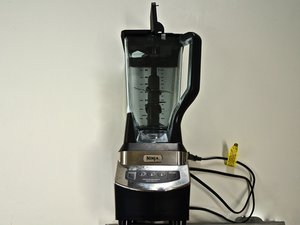
The NJ600 Professional Blender is only available in one distinct color scheme: a black plastic body with a silver panel. Each button, excluding the "PULSE" button, has an LED light underneath it that lights up when the button is activated. The "Power" button will light up when the device is turned on. The NJ600 also features a three-level blade column (two blades on either side of the column at each level).
To find the model (NJ600) of your Ninja Professional Blender, look at the small information section at the bottom of the base of the blender.
Ninja NJ600 Professional device home page.
Some spare parts and accessories are available from the manufacturer.
User reviews and some other helpful information.
CPSU-LANCASTER-S15S24G2
crwdns2931471:04crwdne2931471:0
crwdns2935297:069crwdne2935297:0
crwdns2936751:024crwdne2936751:0 4
crwdns2936753:07crwdne2936753:0 18
crwdns2936753:030crwdne2936753:0 75
crwdns2942667:0crwdne2942667:0 13,214



