Battery

|
crwdns2933307:0crwdne2933307:0 crwdns2934263:00crwdne2934263:0 |
How to change user ID when I can't remember it? |
|
crwdns2933313:01crwdne2933313:0 crwdns2934263:0-1crwdne2934263:0 |
How to remove and change a fan |
crwdns2935065:0crwdne2935065:0
Solve technical issues with our LE1600 Troubleshooting Guide.
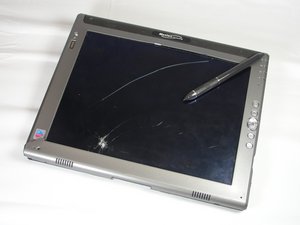
The Motion Computing LE1600 was released in 2005. This model was replaced in 2006 by the LE1600TS, which uses a touch screen. You can determine if you have an LE1600 by looking at the back panel above the hard drive cover, on the right side.
The model information should be printed clearly, indicating the device as the "LE1600."
CPSU-FORTE-S12S15G14
crwdns2931471:05crwdne2931471:0
crwdns2935297:060crwdne2935297:0
crwdns2936751:024crwdne2936751:0 2
crwdns2936753:07crwdne2936753:0 38
crwdns2936753:030crwdne2936753:0 95
crwdns2942667:0crwdne2942667:0 9,587