
crwdns2933423:0crwdne2933423:0
crwdns2947577:0crwdnd2947577:0crwdne2947577:0

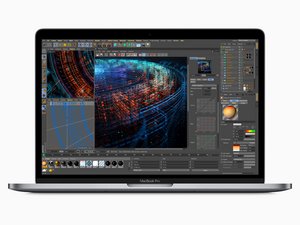
Released in July 2018, the 15" MacBook Pro, model A1990, features a 15.4 inch LED-Backlight display with True Tone technology, TouchID, and up to 6 Core i9 Processor.

Unresponsive TouchID/power button (compatibility issues)

Dear All,

I browsed through the previous questions and it is my understanding that the touchID button in the MacBook Pro 15" is paired with the logic board.

In our case the button is unresponsive both for the ID and for turning on and off the machine. The click is audible and working.

Assuming the piece had a torn connection and we did not need the touchID function, could we substitute the button alone, without need of the whole, "twinned" touchID+logic board?

Thank you in advance for the help!

crwdns2934089:0crwdne2934089:0 crwdns2934093:0crwdne2934093:0

crwdns2934109:0crwdne2934109:0

crwdns2889612:0crwdne2889612:0 0

crwdns2934285:0crwdne2934285:0

crwdns2933313:01crwdne2933313:0

You still face the fact the data on the drive won't be accessible with a different button.

But given your symptoms I'm not sure that's the issue here. Do you have access to a DVM? So you can check the power rails.

crwdns2934105:0crwdne2934105:0

crwdns2889612:0crwdne2889612:0 0
crwdns2934285:0crwdne2934285:0

crwdns2934229:0crwdne2934229:0

Teru.0s crwdns2934231:0crwdne2934231:0
crwdns2936625:0crwdne2936625:0:

crwdns2936751:024crwdne2936751:0 7

crwdns2936753:07crwdne2936753:0 7

crwdns2936753:030crwdne2936753:0 7

crwdns2959996:0crwdne2959996:0 7