
crwdns2933423:0crwdne2933423:0
crwdns2947577:0crwdnd2947577:0crwdne2947577:0

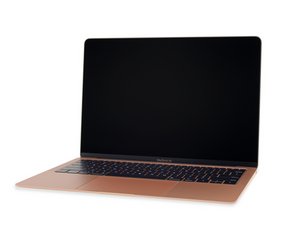
Repair information and guides for the minor refresh of the Late 2018 MacBook Air, with the same model number (A1932) and EMC number (3184). This model features a True Tone display and a slightly revised battery.

Keyboard issues after battery chane

After replacing the battery I noticed the spacebar, G key, and comma keys are only responsive when I push down hard, the computer heats up, or I'm typing for some time. I assume that some of the adhesive got carried with isopropyl alcohol under the keyboard and is now affecting the keys. The other keys mostly work perfect except a few random ones that I noticed I have to click again. I tried putting a small amount of alcohol under the keys (broke my G key and got it replaced) but it didn't do much.

I really don't want to replace the keyboard, any thoughts or advice would be very much appreciated.

Update (09/15/26)

The battery seems good, its more the keys that are the issue.

crwdns2915344:0crwdne2915344:0
crwdns2934089:0crwdne2934089:0 crwdns2934093:0crwdne2934093:0

crwdns2934109:0crwdne2934109:0

crwdns2889612:0crwdne2889612:0 0

crwdns2947414:01crwdne2947414:0

Let's get a better view of things, install this gem of an app! CoconutBattery withe the charger plugged in take a snapshot of the Apps main window posting it here so we can see what it tells us.

crwdns2957956:0crwdnd2957956:0crwdne2957956:0

crwdns2934285:0crwdne2934285:0

crwdns2933313:01crwdne2933313:0

crwdns2934057:0crwdne2934057:0

The reason we needed to look at the battery is to see the health of the battery as a swollen battery can press against the keyboard causing issues like you reported.

Yes, the battery looks good so that only leaves how you mounted the battery. The adhesive sheet/tabs should have been thin did you alter them in any way? Did you have a hard time getting the battery out (the pulls didn't pull cleanly for you). Could you have bent the case half? And lastly, did you fully clean the case side of any remnants?

crwdns2934105:0crwdne2934105:0

crwdns2889612:0crwdne2889612:0 1

crwdns2947414:01crwdne2947414:0:

1) alter sheets: no not on the new battery at all I just stuck them down

2) definitely had to work to get the battery out and then had to scrape the remnants off after (not of the battery just the adhesive strips that remained)

3) I don't think I bent anything

4) I did my best, there was some adhesive where the battery used to be but I figured putting by putting the new battery in the same spot that it would not cause an issue

crwdns2957956:0crwdnd2957956:0crwdne2957956:0

crwdns2934285:0crwdne2934285:0

crwdns2934229:0crwdne2934229:0

Cashig crwdns2934231:0crwdne2934231:0
crwdns2936625:0crwdne2936625:0:

crwdns2936751:024crwdne2936751:0 5

crwdns2936753:07crwdne2936753:0 34

crwdns2936753:030crwdne2936753:0 34

crwdns2942667:0crwdne2942667:0 34