
Wireless card not detected
My laptop is not connecting with the wifi and its showing that wireless card not detected
crwdns2934109:0crwdne2934109:0
crwdns2889612:0crwdne2889612:0
0
My laptop is not connecting with the wifi and its showing that wireless card not detected
crwdns2934109:0crwdne2934109:0
crwdns2934065:0crwdne2934065:0: 861.2crwdns2936485:0crwdne2936485:0
 1.5crwdns2936485:0crwdne2936485:0
 978
978
 2.4crwdns2936485:0crwdne2936485:0
@sharifurra67608 you are not telling us where or what does not detect the card. If you are using Windows as your OS we need to know which version. when you try to push the Fn + F12 key you should see the light on the wireless key should turn Blue to ensure it turns on. You did not tell us if yours is Red or Amber. Red means it's off and Amber it's disabled.
Next open your Device Manager:
If the card is totally missing in your Device Manager entirely (even under "Other devices"), the driver may be corrupt or missing. Connect to the internet via ethernet cable , go to the HP site and download the proper driver for your system.
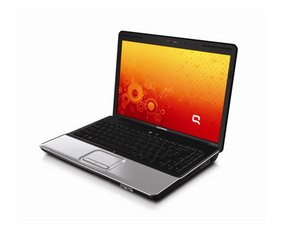
If the WiFi card still fails to show in your Device Manager you most likely have a bad card. Use the Compaq Presario CQ40 Maintenance And Service Guide and go to page 38 in the manual. Here you can see how to work on your WiFi (WLAN) card.
crwdns2934105:0crwdne2934105:0
crwdns2936751:024crwdne2936751:0 2
crwdns2936753:07crwdne2936753:0 7
crwdns2936753:030crwdne2936753:0 15
crwdns2942667:0crwdne2942667:0 99

