crwdns2933423:0crwdne2933423:0
crwdns2947577:0crwdnd2947577:0crwdne2947577:0

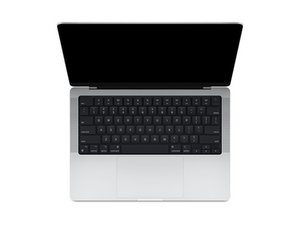
Repair guides and disassembly information for the 14-inch MacBook Pro released in October of 2021, featuring Apple-designed M1 Pro and M1 Max SoCs. Model A2442.

Can I replace or fix the microphone?

The microphone on my M1 Macbook Pro is very muffled.

After some investigation, I'm fairly sure the problem is a blocked grille. But it's hard to identify which (if any) of the hundreds of dimples on the left-hand side are actual holes and therefore need cleaning. Is there any information on this?

crwdns2934081:0crwdne2934081:0 crwdns2934083:0crwdne2934083:0 crwdns2934093:0crwdne2934093:0

crwdns2934109:0crwdne2934109:0

crwdns2889612:0crwdne2889612:0 1
crwdns2947414:01crwdne2947414:0

Faced with exactly the same problem. I suffered for a long time. In the end, I solved the problem using an old toothbrush and isopropyl alcohol. I soaked the brush in alcohol and massaged the mesh for a few minutes. The computer was turned off. I waited 10 minutes and turned it on. The problem has been resolved

crwdns2934271:0crwdnd2934271:0crwdne2934271:0

crwdns2934285:0crwdne2934285:0

crwdns2933313:01crwdne2933313:0

crwdns2934051:0crwdne2934051:0

I poked around with a pin in the 'holes' on the left hands side, and found some holes that were deeper than the normal divots, about 5 rows in from the right hand side, near the tab and caps lock key. Poking the pin into these fixed the problem.

crwdns2934105:0crwdne2934105:0

crwdns2889612:0crwdne2889612:0 1
crwdns2934285:0crwdne2934285:0

crwdns2934229:0crwdne2934229:0

Ben crwdns2934231:0crwdne2934231:0
crwdns2936625:0crwdne2936625:0:

crwdns2936751:024crwdne2936751:0 0

crwdns2936753:07crwdne2936753:0 9

crwdns2936753:030crwdne2936753:0 38

crwdns2942667:0crwdne2942667:0 208