crwdns2933423:0crwdne2933423:0
crwdns2947577:0crwdnd2947577:0crwdne2947577:0

1.8GHz dual-core Intel Core i5 or dual-core 2.0GHz i7. (Turbo Boost up to 2.8GHz) with 3MB shared L3 cache

Cannot run Apple Diagnostics

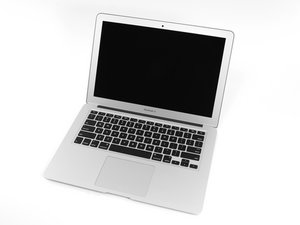
2012 MBA 13" A1466 (Board # 820-3209)

I bought a CHEAP 2012 MBA for $10 in perfect cosmetic condition.

I was told by the seller it had no SSD as they wanted to keep it because of sensitive files or whatever & that the Fan would either not spin or spin at full speed and suddenly self shutdown. I opened up the unit and immediately noticed a swollen battery, So I threw that away and booted it with no battery and got the 3 beeps of RAM nightmare. I then gave it a fresh thermal paste, then put in a working battery which is charging normally and CoconutBattery is reporting all is OK, I then reset the PRAM & SMC, and put my tester 64 GB SSD for this model as it is all I have available with the 2012 pin layout and everything is really working fine, it has a clean install of Catalina which I updated to 10.1.5.8 on this machine, all good. Then I tried to run apple diagnostics to see if there was any hidden issue, and after I entered the WiFi PW it went to a black screen with Apple Diagnostics: Error: 0x8000000000000003, / Cannot load efi/drivers/testsupport.efi / Status: 0x00000003.

I did a search on this and it came up with you may have a dying SSD...... @danj Has this SSD or motherboard itself got some issue that I cannot detect? It seems to be working fine other that the AHT error..... I have not seen this before,.

Out of curiosity I ran the diagnostics on another 2012 MBA without any problem, so I cannot see it being some sort of server issue.

crwdns2934089:0crwdne2934089:0 crwdns2934093:0crwdne2934093:0

crwdns2934109:0crwdne2934109:0

crwdns2889612:0crwdne2889612:0 0
crwdns2934285:0crwdne2934285:0

crwdns2933313:01crwdne2933313:0

Not likely as issue with you logic board or SSD, Apple broke Diagnostics with one of their firmware updates. It was reported a few times before Apple pulled support for both the 2012 systems as well as Catalina.

I use TG-Pro which the version I have still works in diagnosing hardware issues.

crwdns2934105:0crwdne2934105:0

crwdns2889612:0crwdne2889612:0 0

crwdns2944067:07crwdne2944067:0:

There is nothing apparently wrong with the fan, I am certain the high speed fan was caused by the faulty battery triggering the system into a high speed fan CPU safe mode. Diagnostics is working using another 2012 model with Catalina...... It's really weird. Let me check it with TG Pro & EtreCheck.... back to you with the results ASAP.

crwdns2934271:0crwdnd2934271:0crwdne2934271:0

@livfe - Compare the firmware versions, booting up from a Catalina boot drive is not quite the same as a system which has run the OS installer.

crwdns2934271:0crwdnd2934271:0crwdne2934271:0

@danj Firmware is 429.0.0.0.0. / All clear on TGP & EtreCheck. Previous owner said that is was running Catalina before.System really is running well, I think it is just an issue with running diagnostics.

crwdns2934271:0crwdnd2934271:0crwdne2934271:0

@livfe - So both are the same? Then the fan is not the correct one.

crwdns2934271:0crwdnd2934271:0crwdne2934271:0

@danj Huh? The fan is the correct one as other fans cannot fit properly. Not sure what you mean by that?

one of the 2012's can run diagnostics, the other not. Fans are functioning well.

crwdns2934271:0crwdnd2934271:0crwdne2934271:0

crwdns2934275:02crwdne2934275:0

crwdns2934285:0crwdne2934285:0

crwdns2934229:0crwdne2934229:0

livfe crwdns2934231:0crwdne2934231:0
crwdns2936625:0crwdne2936625:0:

crwdns2936751:024crwdne2936751:0 34

crwdns2936753:07crwdne2936753:0 34

crwdns2936753:030crwdne2936753:0 34

crwdns2942667:0crwdne2942667:0 34
