
crwdns2933423:0crwdne2933423:0
crwdns2947577:0crwdnd2947577:0crwdne2947577:0

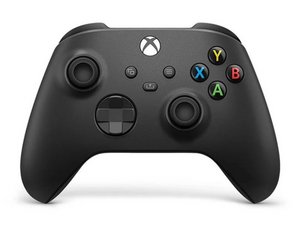
The third revision of the classic Xbox Wireless Controller was released in November 2020, bundled with the Xbox Series X and Series S. This controller is backwards compatible with previous Xbox One consoles, and PCs.

New TMR Sticks Not Working

I am nee to soldering and know the basics. I replaced both joysticks with new TMR sticks with new Xbox joystick soldering tool. Replacement and soldering went well. But when I go to check controller with Xbox app, it connects but I can't move or use any part of controller. Any thoughts?

crwdns2934089:0crwdne2934089:0 crwdns2934093:0crwdne2934093:0

crwdns2934109:0crwdne2934109:0

crwdns2889612:0crwdne2889612:0 0

crwdns2944067:02crwdne2944067:0:

Hi!

Did you tried it here as well > https://hardwaretester.com/gamepad

What is working and what isn't?

crwdns2934271:0crwdnd2934271:0crwdne2934271:0

Nothing works other than the controller turning on and connecting to xbox. I'd post a video if I could

crwdns2934271:0crwdnd2934271:0crwdne2934271:0

crwdns2934285:0crwdne2934285:0

crwdns2933313:01crwdne2933313:0

Hi!

Thanks for your comment!

Perhaps traces are damaged or the board went to hot.

Please check if everything is connected as it should and also for damaged traces.

I’m afraid your motherboard did die or isn’t connected properly.

Can you check this? Thanks!

crwdns2934105:0crwdne2934105:0

crwdns2889612:0crwdne2889612:0 0

crwdns2944067:02crwdne2944067:0:

I will have to check for this a little later, but that may be the case. I'm wondering if I may have had too much heat when desoldering the original analog sticks. Thank you

crwdns2934271:0crwdnd2934271:0crwdne2934271:0

That is possible yes... In this case you most likely want to replace the motherboard, but this isn't cheap...

crwdns2934271:0crwdnd2934271:0crwdne2934271:0

crwdns2934285:0crwdne2934285:0

crwdns2934229:0crwdne2934229:0

kmuetz crwdns2934231:0crwdne2934231:0
crwdns2936625:0crwdne2936625:0:

crwdns2936751:024crwdne2936751:0 0

crwdns2936753:07crwdne2936753:0 2

crwdns2936753:030crwdne2936753:0 16

crwdns2942667:0crwdne2942667:0 80