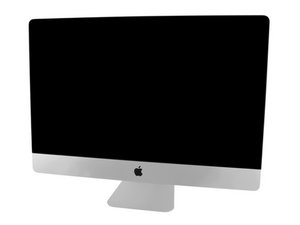
Model A1419 / EMC 3070 / Mid 2017 / 3.4, 3.5 or 3.8 GHz Core i5 or 4.2 GHz Core i7 Kaby Lake Processor (ID iMac18,3) / Retina 5K display. Refer to the older iMac Intel 27" Retina 5K Display (Late 2014 & 2015) guides as the system is very similar.
2TB fusion hard drive dead...Replace with internal or ...?
So my iMac hard drive is dead, will not boot up. Should I open the computer or is there a way to simply use an EXTERNAL SSD? If So, how do I boot up from it if my internal hard drive is dead? Which external SSD should I use? or should I just swap out the internal dead one with an SSD. I also hear the the existing Fusion hard drive might have some other thing inside that I have to replace.
Any external drive HDD or SSD that is setup as a bootable drive will allow you to at least test the system drive. Here is a bit weird as the HDD drive is the 2TB that is actually holding you files, the small Blade SSD hidden on the back side of the logic board is a Cache drive to the HHD hence where the Fusion Drive comes from.
So you'll need to create a bootable drive to start things off. Frankly I would just grab a 32GB thumb drive to use here. Do you have access to a second Mac as that makes things easier. From it reformat the thumb drive with a GUID Journaled file system so you have a clean drive. Then download to it from the Apple Store the same version your iMac is using. Copy the file to to the drive and then convert it into a bootable image following this guide Create a bootable installer for macOS
Then with it plugged in it should boot-up! Now go to the menu bar to open disk Utilities and run Disk first aid on the top level point did it run through cleanly?

 1
1 
 347
347  977
977 