
Loud speakers not working
Speaker not working except on headphones
crwdns2934109:0crwdne2934109:0
crwdns2889612:0crwdne2889612:0
0
Speaker not working except on headphones
crwdns2934109:0crwdne2934109:0
crwdns2934065:0crwdne2934065:0: 1
 3
3
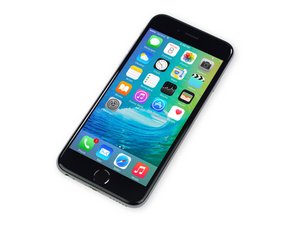
If the loudspeaker isn’t working but headphones do, it could be a hardware or system-level issue. Running a full panic log analysis can help identify if the phone is reporting any audio driver faults, power delivery issues to the speaker, or other system errors that explain why the built-in speakers aren’t functioning.
crwdns2934105:0crwdne2934105:0
crwdns2934065:0crwdne2934065:0: 861.9crwdns2936485:0crwdne2936485:0
1.5crwdns2936485:0crwdne2936485:0
 979
979
 2.4crwdns2936485:0crwdne2936485:0
@olufunmila21417 it is possible that your headphone jack is stuck. If so, it will not turn the speaker circuit back on. You can use a few puffs of compressed air to clear up some loose debris and then insert and remove a headphone jack a few times in quick succession. That may loosen the contacts. In theory you could also measure this with a multimeter and see if the jack is functioning but you will need to disassemble your phone for that. To replace a bad headphone jack, you would need to replace the Lightning Connector & Headphone Jack Flex Cable iPhone 6s Lightning Connector Assembly Replacement
crwdns2934105:0crwdne2934105:0
crwdns2936751:024crwdne2936751:0 0
crwdns2936753:07crwdne2936753:0 2
crwdns2936753:030crwdne2936753:0 15
crwdns2942667:0crwdne2942667:0 138



Which one? Ear speaker at the top or the speaker at the bottom?
crwdns2957956:0crwdnd2957956:0 Ted crwdne2957956:0