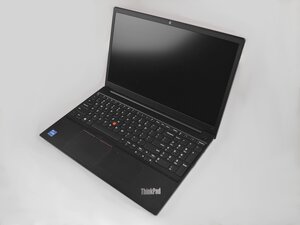

Charging port doesn't work.
Charging port doesn't work anymore with any charger, if I put it in a certain position it works, but rarely.
crwdns2934109:0crwdne2934109:0
crwdns2889612:0crwdne2889612:0
0
Charging port doesn't work anymore with any charger, if I put it in a certain position it works, but rarely.
crwdns2934109:0crwdne2934109:0
crwdns2934065:0crwdne2934065:0: 13
 1
1
When a charging port only works at a specific angle—or intermittently—the issue is usually mechanical or contact-related, rather than a problem with the charger itself.
Common causes include:
Debris or Lint Inside the Port - Pocket lint, dust, or corrosion can accumulate inside the charging port and prevent proper contact. This is the most frequent cause.
Worn or Bent Connector Pins - Repeated cable insertion can loosen or deform the internal pins, leading to unstable charging unless pressure is applied.
Loose Charging Port Assembly - The charging port may be partially detached from the logic board or flex cable, especially after drops or liquid exposure.
Recommended steps:
If cleaning does not resolve the issue, the charging port assembly likely needs replacement.
crwdns2934105:0crwdne2934105:0
crwdns2936751:024crwdne2936751:0 3
crwdns2936753:07crwdne2936753:0 11
crwdns2936753:030crwdne2936753:0 51
crwdns2942667:0crwdne2942667:0 321

