crwdns2933423:0crwdne2933423:0

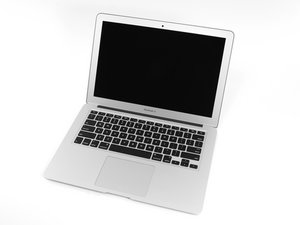
The April 2014 update of Apple's 13" MacBook Air features refreshed dual-core i5 and i7 processors, plus slightly increased battery performance.

Swapping out an SSD with another (OCLP)

I have a 2014 13" A1466 MBA (Unit 1) here that has OS Big Sur 11.7.10 installed, the logic board developed a no power issue that we are having trouble repairing.... I have another exact same 2014 13" (Unit 2) that has OCLP (Monterey) installed on the SSD.

Can I simply swap over the SSD with Big Sur installed to unit 2 without any issues?

I have always wondered if anything is 'installed' to some chip on the board with different operating systems.

crwdns2934081:0crwdne2934081:0 crwdns2934083:0crwdne2934083:0 crwdns2934093:0crwdne2934093:0

crwdns2934109:0crwdne2934109:0

crwdns2889612:0crwdne2889612:0 0

crwdns2934285:0crwdne2934285:0

crwdns2933313:01crwdne2933313:0

crwdns2934051:0crwdne2934051:0

Yes, different OS’s do install different firmware as Apple has anti-malware and key-loggers within the firmware so you do want to make sure the system is running the newest OS Apple supports as well as OS updates.

Within the Intel generation of Mac’s, from Monterey forward the low level firmware services the Intel CPU chips need is present for the given systems CPU offering and is independent of the version of macOS in use with one sizable issue as Apple now offers drive encryption which makes the drive dependent on that given systems hardware (serialized) so as that has not been used there is nothing to prevent the swap out at the Apple level.

But! OpenCore does alter the firmware to enable! So you’ll want to install OpenCore on it before you slide the drive over if you want to maintain what it has.

crwdns2934105:0crwdne2934105:0

crwdns2889612:0crwdne2889612:0 1

crwdns2944067:08crwdne2944067:0:

Complicated answer. It is stated the 2 OS's in question, But, I thought as much, problem is I am unable to install OCLP on it until it is in unit (2) and booted up..... we are not interested in OS below Big Sur and above Monterey for this. Better to just save any files and do a clean Monterey install.

crwdns2934271:0crwdnd2934271:0crwdne2934271:0

@livfe - Sometimes answers are a bit of a Rubik’s cube! As what is asked is multi-layered. And knowing how you love finding the passed over elements or a loose question it just made sense giving you the full picture.

crwdns2934271:0crwdnd2934271:0crwdne2934271:0

@danj Yes I understand Dan, it's all good, just a little confusing (Long hot day). So basically, No, because OCLP will write 'something' to a chip on the board which unit (2) didn't have to enable it to boot passed the limitations of a Big Sur supported board, which I had a hunch for, right.

crwdns2934271:0crwdnd2934271:0crwdne2934271:0

@danj Is this working 'both ways'? Patched unit (2) with Un-patched unit (1) SSD.... ?

crwdns2934271:0crwdnd2934271:0crwdne2934271:0

@livfe - I'm not following you here?

crwdns2934271:0crwdnd2934271:0crwdne2934271:0

crwdns2934275:03crwdne2934275:0

crwdns2934285:0crwdne2934285:0

crwdns2934229:0crwdne2934229:0

livfe crwdns2934231:0crwdne2934231:0
crwdns2936625:0crwdne2936625:0:

crwdns2936751:024crwdne2936751:0 36

crwdns2936753:07crwdne2936753:0 44

crwdns2936753:030crwdne2936753:0 44

crwdns2942667:0crwdne2942667:0 44