crwdns2933423:0crwdne2933423:0
crwdns2947577:0crwdnd2947577:0crwdne2947577:0

Disabling Haptics on trackpad

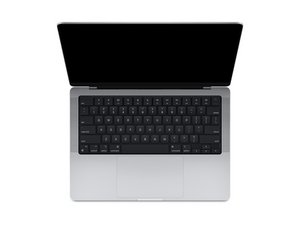
Hi, has anyone found a way to physically disable the Haptic actuator on the trackpad of the Macbook Pro M4? I am thinking about returning it unless I can find a way. The trackpad experience is awful because the haptics make the whole case rattle and feel tinny, even on the lightest setting.

crwdns2934089:0crwdne2934089:0 crwdns2934093:0crwdne2934093:0

crwdns2934109:0crwdne2934109:0

crwdns2889612:0crwdne2889612:0 0

crwdns2934285:0crwdne2934285:0

crwdns2933315:02crwdne2933315:0

crwdns2934057:0crwdne2934057:0

You might want to try this tool: https://github.com/shalamand3r/SlabPad

It’s a small utility that disables the Force Touch haptic feedback on MacBook trackpads, which can stop the rattly/tinny feeling while still letting you press to click. Might be worth trying before returning the laptop.

crwdns2934105:0crwdne2934105:0

crwdns2889612:0crwdne2889612:0 1

crwdns2944067:03crwdne2944067:0:

Of course look at GitHub for the answer!

crwdns2934271:0crwdnd2934271:0crwdne2934271:0

This is SO helpful! Thank you! This is exactly the kind of app I was looking for. This solved the terrible, tinny haptic feeling.

crwdns2934271:0crwdnd2934271:0crwdne2934271:0

So glad it helped!!!

crwdns2934271:0crwdnd2934271:0crwdne2934271:0

crwdns2934285:0crwdne2934285:0

I would recommend you bring the system to an Apple Store for them to checkout. It sounds like yours has a problem. It shouldn't cause the whole case to rattle or feel tinny.

So while one can kill it it's not someing I recommend as you would need to replace it to get it working again.

crwdns2934105:0crwdne2934105:0

crwdns2889612:0crwdne2889612:0 0
crwdns2934285:0crwdne2934285:0

crwdns2934229:0crwdne2934229:0

Luke L crwdns2934231:0crwdne2934231:0
crwdns2936625:0crwdne2936625:0:

crwdns2936751:024crwdne2936751:0 4

crwdns2936753:07crwdne2936753:0 8

crwdns2936753:030crwdne2936753:0 68

crwdns2942667:0crwdne2942667:0 162
