
crwdns2918566:0crwdne2918566:0
crwdns2937205:0crwdne2937205:0
crwdns2949563:0crwdne2949563:0
crwdns2949565:0crwdne2949565:0
crwdns2949613:0crwdne2949613:0
crwdns2949561:0crwdne2949561:0
crwdns2935075:0crwdne2935075:0
crwdns2937219:0crwdne2937219:0
crwdns2931767:0crwdne2931767:0
crwdns2937209:0crwdne2937209:0
crwdns2916546:0crwdne2916546:0
crwdns2937207:0crwdne2937207:0
crwdns2952471:0crwdne2952471:0
crwdns2952473:0crwdne2952473:0
crwdns2952467:0crwdne2952467:0
crwdns2952475:0crwdne2952475:0
crwdns2937795:0crwdne2937795:0
crwdns2937217:0crwdne2937217:0
crwdns2918526:0crwdne2918526:0
crwdns2937227:0crwdne2937227:0
crwdns2943215:0crwdne2943215:0
crwdns2937229:0crwdne2937229:0
crwdns2943213:0crwdne2943213:0
crwdns2937231:0crwdne2937231:0
crwdns2949655:0crwdne2949655:0
crwdns2949657:0crwdne2949657:0
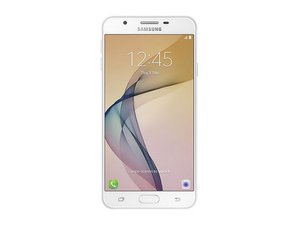
Released September 2016. Identified by Model No. SM-G610
J7 prime @j7prime41875
crwdns2934065:0crwdne2934065:0: 1
crwdns2931729:0crwdne2931729:0: Ndz 1, 2025
My phone does not detecting SIM
crwdns2934109:0crwdne2934109:0
crwdns2947414:01crwdne2947414:0:
Basic troubleshooting for a Samsung Galaxy J7 Prime not detecting SIM:
1. Test the SIM card in another phone – if it works there, the issue is with your phone.
2. Clean the SIM card and tray – use a dry cloth or a cotton swab with isopropyl alcohol.
3. Restart the phone – sometimes the SIM is detected only after reboot.
4. Check SIM settings – go to Settings → Connections → SIM card manager.
5. Try another SIM card – to rule out a faulty SIM.
6. Software – update the phone, or perform a factory reset (back up data first).
7. Hardware – if none of the above works, the SIM reader may be worn out or defective. Fixing it requires replacing the SIM slot or motherboard.
crwdns2934271:0Ndz 1, 2025crwdnd2934271:0 Markus Norstrøm crwdne2934271:0
crwdns2936751:024crwdne2936751:0 0
crwdns2936753:07crwdne2936753:0 5
crwdns2936753:030crwdne2936753:0 18
crwdns2942667:0crwdne2942667:0 88
Basic troubleshooting for a Samsung Galaxy J7 Prime not detecting SIM:
1. Test the SIM card in another phone – if it works there, the issue is with your phone.
2. Clean the SIM card and tray – use a dry cloth or a cotton swab with isopropyl alcohol.
3. Restart the phone – sometimes the SIM is detected only after reboot.
4. Check SIM settings – go to Settings → Connections → SIM card manager.
5. Try another SIM card – to rule out a faulty SIM.
6. Software – update the phone, or perform a factory reset (back up data first).
7. Hardware – if none of the above works, the SIM reader may be worn out or defective. Fixing it requires replacing the SIM slot or motherboard.
crwdns2934271:0crwdnd2934271:0 Markus Norstrøm crwdne2934271:0